Route Optimization Software for Field Service & Distribution Teams
eLogii is route planning software that plans the best routes for field service and distribution teams with 50+ people on the road. Unlike basic routing software, it follows your rules, works with the software you already use, and fixes the plan when the day changes.
- 30-minute call
- No data needed to start
- NDA before anything is shared


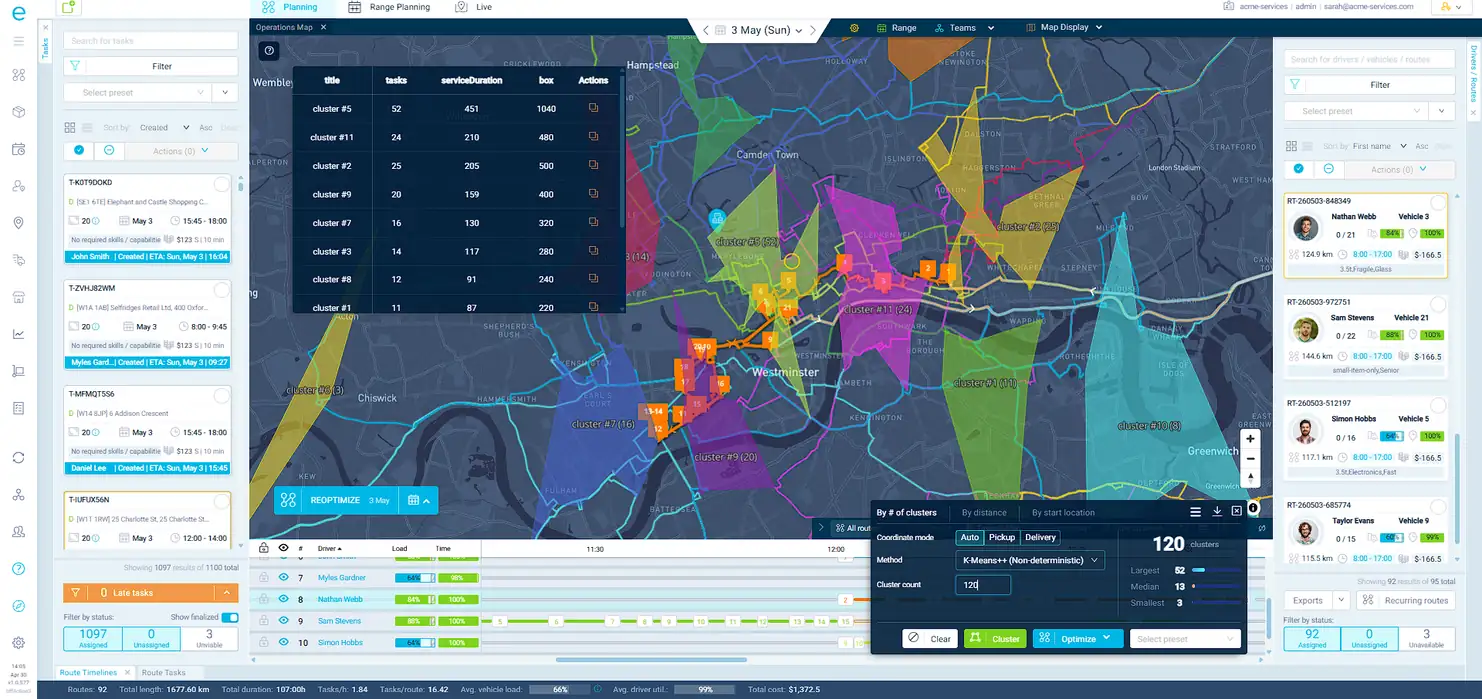
Try a quick interactive demo. Use the switch underneath to see Field Service or Distribution.
TRUSTED BY HUNDREDS OF HAPPY CUSTOMERS
















What you get with eLogii
These are typical results for a business with 75 people in the field. Click each one to see where the savings come from.
When routes are planned by hand, people often start from the wrong place or drive back and forth across the same area. eLogii plans each route from the right starting point and groups nearby jobs, so your team spends less of the day driving.
How eLogii decides on the best routesRoute optimization software results our customers report
Field service and delivery businesses that switched to eLogii, in their own numbers and words.
3-4xreturn on investment
“We've beaten all records that we put in place, generated 3-4x ROI and I think we're heading well ahead of that.”

 81%less time spent planning400K kmless driven every year
 750+ hof planning saved a year
 $130Ksaved every year
“We now provide accurate ETAs that we trust. We know we can execute to that plan with 95%+ accuracy.”

“eLogii is the backbone as well as the brain of our planning operations, translating actively to our bottom line.”

“The system is very intuitive, mature, and able to handle very high volume.”
“Before eLogii, we struggled to adapt quickly enough to daily changes in tonnage, drivers, and vehicles.”
“eLogii has fundamentally transformed the way we operate. The productivity gains have been game-changing.”

“After narrowing it down to three solutions, eLogii was the clear winner.”
Route planning software that follows your rules
Most routing software makes you simplify how you work so it can cope. eLogii works the other way round. You tell it how your business runs, and it plans every route to match.
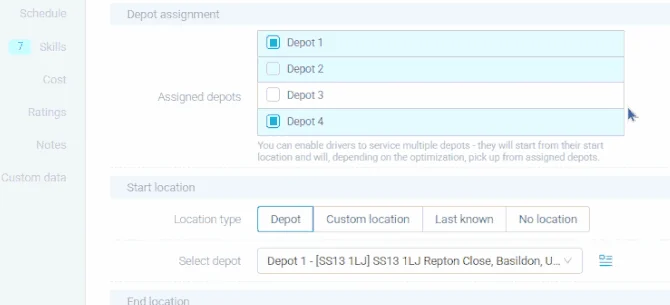
Many depots, branches and areas
Plan routes for all your depots and branches at once, or from people's homes. Each area can have its own teams and vans, and drivers are sent back to reload when they need to.
Multi-depot route optimization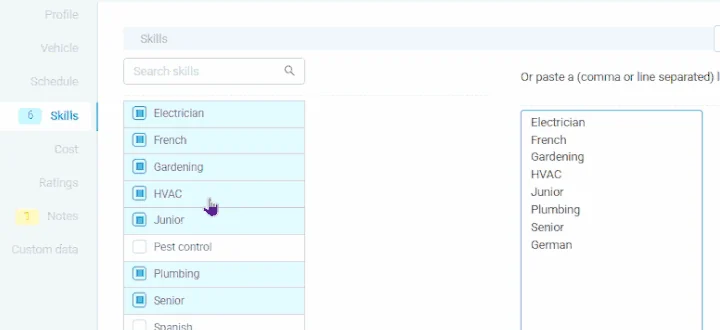
The right person for each job
A job only goes to someone with the right qualifications, in a van with the right equipment. A gas job never lands with someone who isn't Gas Safe registered.
Skills and capability matching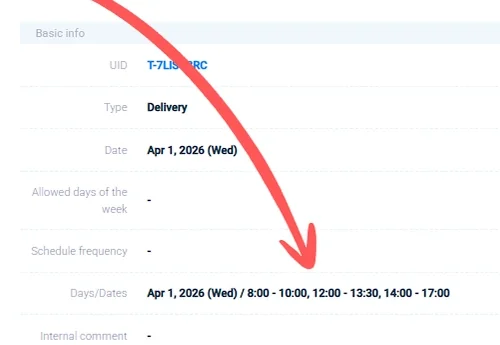
Arrival times you promised
Give each job one or more time slots and a priority. You get a warning before a visit is at risk of running late.
Multiple time windows per job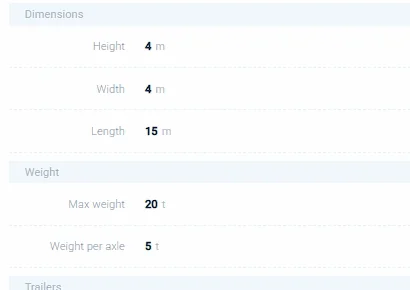
What each vehicle can carry
Weight, space and item limits for every vehicle, routes that suit lorries, and rules for hazardous goods.
Vehicle selection and capacity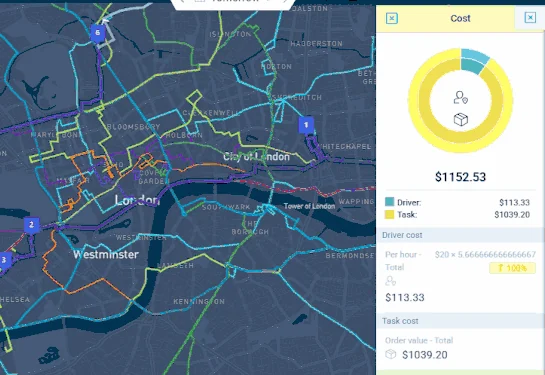
The cheapest way to do the work
Add what your people and vehicles cost per hour, per day and per mile. eLogii picks the routes that cost you least.
Cost-based routing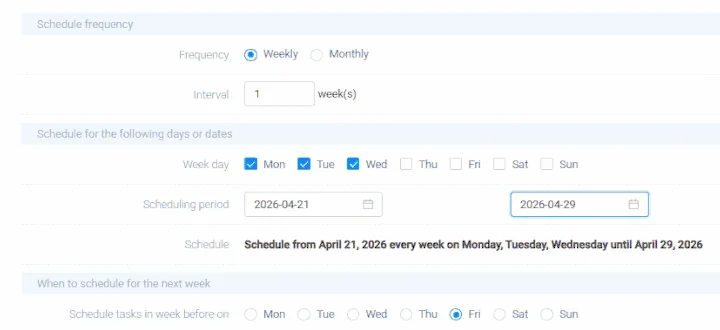
Regular visits planned months ahead
Set visits to repeat weekly, monthly or quarterly. Plan one day or a whole month in one go.
Recurring routes and templates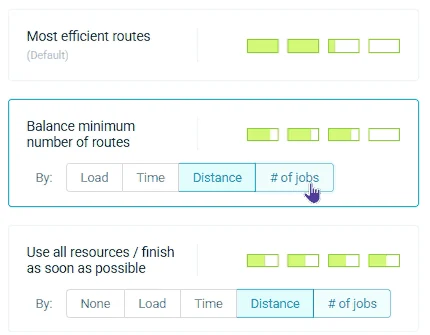
Fair workloads
Work is spread evenly so nobody is overloaded while someone else is idle. Breaks and shift lengths are respected.
Workload balancingYour own business rules
Turn the know-how in your planners' heads into rules eLogii follows every time.
Rules engineLive traffic
Routes and arrival times use real traffic, so plans hold up on the road.
Traffic-aware routingAreas and zones
Split your region into areas, each with its own teams, vans and rules.
ZonesGrouping nearby jobs
Jobs close to each other are grouped so nobody crosses town twice.
Cluster optimizationWhen the day changes, the plan keeps up
Every day something goes wrong. An urgent job comes in, a customer cancels, a visit runs long. eLogii moves only the jobs that need to move, keeps to all your rules, and texts customers their new arrival time. Nobody has to rebuild the day by hand.
How eLogii replans the day Same-day replanning, explained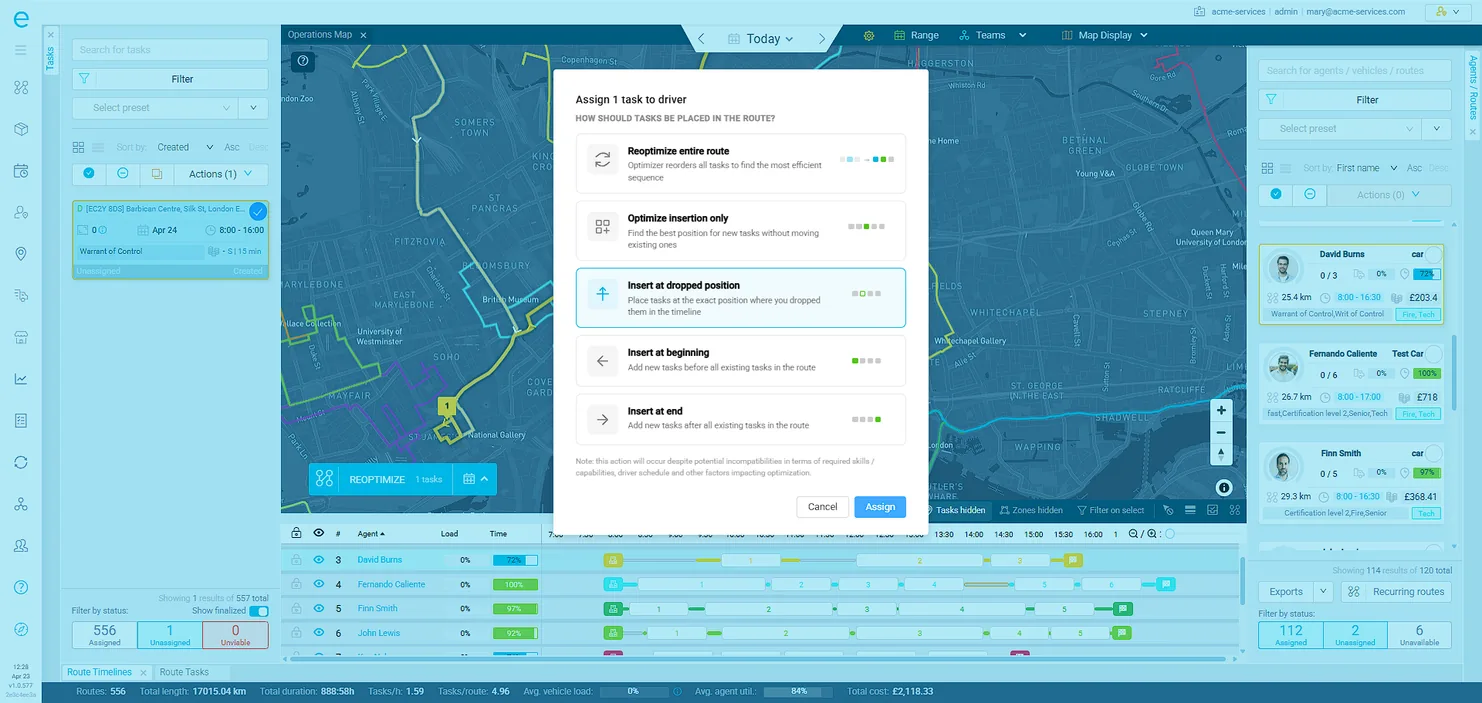
Route optimization software for every field service and distribution industry
Send the right engineer to every job, keep regular maintenance visits on track, and let customers book slots that fit your routes. eLogii works alongside the job management software you already use, such as ServiceTitan, Simpro, FieldRoutes, Dynamics 365 and Salesforce.
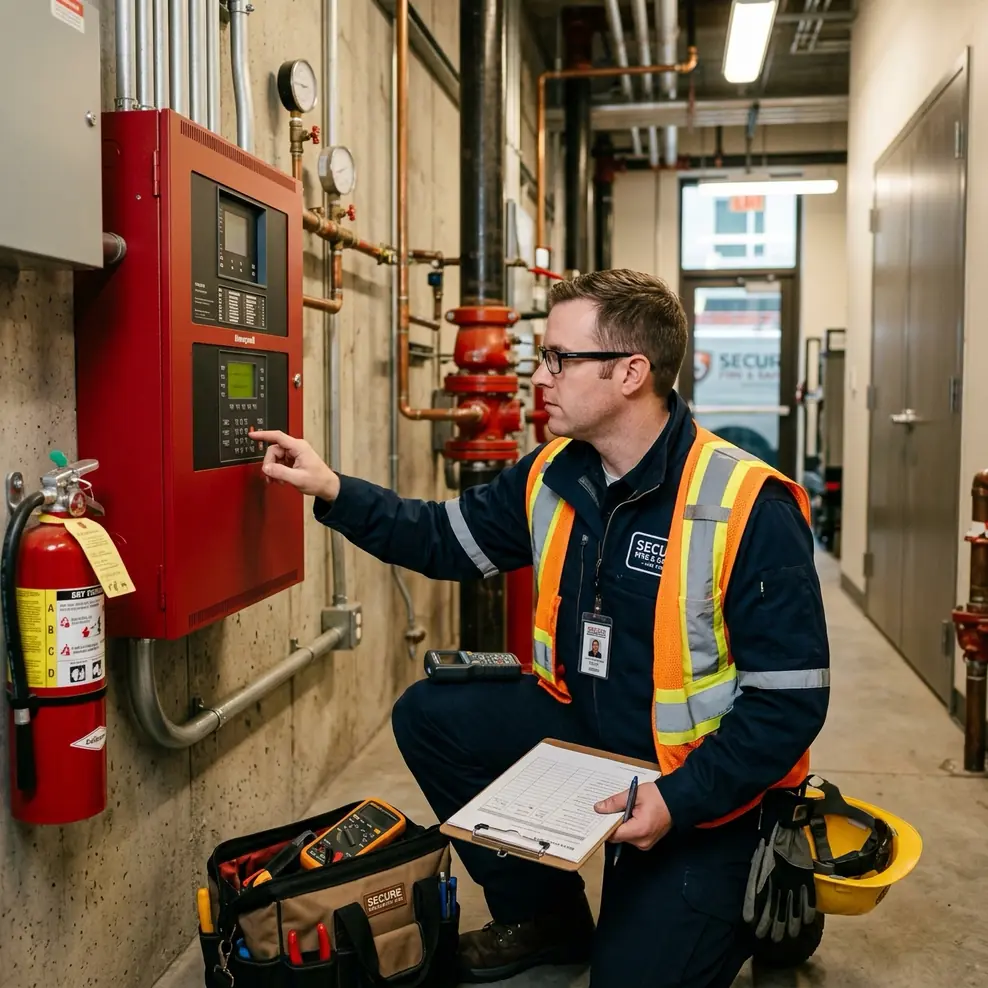
Pest control
Recurring service routes, follow-up visits and technician licences, planned weeks ahead and re-optimized daily.
HVAC
Fit urgent call-outs around planned servicing, and send only engineers with the right gas qualifications.
Plumbing
Squeeze same-day jobs into a full diary without letting other customers down.
Property maintenance
Group repairs and planned work across many sites so engineers make fewer trips.
Facilities management
Plan maintenance and repairs across many trades and regions, and meet every contract deadline.
Safety & compliance
Book fire, gas and electrical checks before they fall due, with a qualified engineer nearby.
Test & inspection
Plan large numbers of inspections and record the results on site.
Security & alarms
Balance new installs, servicing and urgent faults across your engineers.
Debt collection
Plan thousands of doorstep visits so agents spend more of the day at doors and less in the car.
Telecoms
Send the right engineer with the right kit to every install and repair appointment.
Solar & renewables
Plan installs that need several people, across large areas and over several days.
Waste & environmental
Plan regular and one-off collections on fair routes that respect what each vehicle can carry.
Plan deliveries from one depot or many, fill every vehicle properly, hit your delivery slots and capture proof of delivery for every item. eLogii works alongside the ERP or warehouse system that holds your orders, such as NetSuite, SAP, Business Central or Infor.

Building materials
Get heavy, bulky loads onto the right lorry, with a crane or tail-lift where needed, on time for each site.
Wholesale distribution
Plan hundreds of daily drops across several depots, with full vehicles and on-time deliveries.
Food & beverage
Plan early deliveries to schools, hotels and shops, even when order sizes change every day.
Grocery
Offer customers only the delivery slots your routes can actually meet.
Bathroom & kitchen
Plan two-person deliveries, give customers accurate arrival times and record every item delivered.
Courier & 3PL
Plan deliveries for many clients together, with tracking pages in each client's branding.
Pharmacy & healthcare
Make urgent deliveries on time, with a scan and a signature at every hand-over.
E-commerce
Handle busy periods with your own vans without hiring more planners.
Furniture & appliance
Plan delivery-and-install jobs for two-person teams, in slots your customers choose.
See your own routes optimized
Start with a 30-minute call and a demo built around how you work. When you're ready, and with an NDA in place, we plan a real day of your jobs and show you the savings in your own numbers.
- 1A 30-minute call. We learn how your teams, vehicles and rules work. No data needed.
- 2A demo built around your operation. We show eLogii planning work like yours.
- 3Your routes, optimized. With an NDA in place, we plan a real day of your jobs and show you the driving, fuel and planning time you would save.
- 30-minute call
- No data needed to start
- NDA before anything is shared
Thanks. Now pick a time.
Choose a slot for your 30-minute call below. No data needed.
How eLogii compares to other route optimization software
OptimoRoute, Route4Me and Routific are good tools for small businesses with simple routes. eLogii is built for larger businesses. It handles far more of your rules, connects more easily to your other systems, and can plan weeks or months ahead. Here is how they compare, along with Bringg and the route planning built into job management and ERP software.
| What matters |  | OptimoRoute | Route4Me | Routific | Bringg | Built into your job or ERP software |
|---|---|---|---|---|---|---|
| Fit | ||||||
| Best for | Field service and distribution businesses with 50+ people in the field | Small businesses with simple delivery or service routes | Small businesses with delivery or sales routes | Small local delivery businesses | Large retailers managing deliveries and couriers | Teams with simple routes who already use that software |
| Field service (qualifications, contract deadlines) | Deep | Basic skills | Limited | Built for delivery | Built for delivery | Varies |
| Distribution (vehicle loads, depots, proof of delivery) | Deep | Yes | Yes | Yes | Yes | Varies |
| Optimization | ||||||
| Plans all depots at once | Yes, with areas and reloads | Yes | Yes | Limited | Yes | Rare |
| Plans days, weeks or months ahead | Yes, up to a month in one go | Yes | Recurring routes | Limited | Limited | Varies |
| What you can tell it to aim for | 15+ goals you can rank, including cost | A few set goals | A few set goals | A few set goals | Some choice | Very little |
| Fixes the plan when the day changes | Automatically | Planner re-runs it | Planner re-runs it | Planner re-runs it | Yes | Moved by hand |
| Your own business rules, no coding | Yes | No | No | No | Some workflows | Varies |
| Customer experience and execution | ||||||
| Customers book slots that fit your routes | Yes | No | No | No | Yes | Rare |
| Tracking page and texts in your branding | Yes, for several brands | Yes | Yes | Yes | Yes | Varies |
| Mobile app, forms and proof of delivery | Yes, with forms and barcode scanning | Yes | Yes | Yes | Yes | Varies |
| Integration, security and buying | ||||||
| Connects to your other systems | Ready-made connections plus an open API | Some connections | Some connections | Some connections | Many connections | Is the system |
| Security standards | ISO 27001, SOC 2 Type II, SSO | Check vendor | Check vendor | Check vendor | Enterprise | Varies |
| Pricing model | Quote based on team size and number of jobs | Listed price per driver, per month | Listed price per user, per month | Listed price per vehicle or per order | Quote | Included in your licence |
| How you get started | A call and a tailored demo, then your own routes optimized under NDA | Free trial, set up yourself | Free trial, set up yourself | Free trial, set up yourself | Through their sales team | Already in place |
How field service and delivery teams win with eLogii's route optimization software
Real businesses, real numbers. See how they cut driving, planning time and costs.
Pest control · 400 technicians across the UK
“eLogii is a hugely flexible tool, allowing us to take into account all of our KPIs and SLAs.”
Field service · Debt enforcementless time spent planning 40,000 to 50,000 live jobs for 200+ agents. They looked at 20+ other tools first.
Read storyDistribution · Building materialsless time spent planning, 80% fewer customer calls and 25% less spent on outside couriers.
Read storyField service · Merchandisingless driven each year, visiting 9,000+ stores in 25 countries. Three full-time planning roles freed up.
Read story Distribution · E-commerce
less time spent planning, drivers 65% more productive, and revenue doubled.
Read storyDistribution · Wholesale foodof planning saved a year. Daily route planning cut from 3 hours to minutes.
Read storyField service · Debt recoverymore visits per agent, with two more hours a week spent at customers' doors.
Read storyDistribution · Building suppliessaved a year, 20% more orders handled with 10% less fuel.
Read story Distribution · HVAC supply
more productive, with 20% better routes and 15% fewer miles driven empty.
Read story Distribution · Logistics
more efficient, with half the planning time and 49% fewer customer service calls.
Read storyWorks with the software you already use
You don't need to replace anything. eLogii takes the jobs or orders from your current systems, plans the routes, and sends the routes, arrival times and proof of delivery back.






ERP and order systems
NetSuite, SAP S/4HANA, Dynamics 365 Business Central, Infor CloudSuite, Kerridge K8, Oracle
eLogii with NetSuiteJob management software
ServiceTitan, Simpro, FieldRoutes, BigChange, Joblogic, Salesforce, Dynamics 365
Simpro integrationHow much does route optimization software cost?
Your price depends on how many people you have in the field, how many jobs you do each day, and how many planners you have. Most customers get back three to four times what they spend.
Configure your operation
Adjust the sliders to match your business. Your investment estimate updates instantly.
People in the field
Jobs / tasks per day
Planners / schedulers in office
What brought you to eLogii?
Takes 10 seconds. We'll show you an instant estimate.
Route optimization software FAQ
What is the best route optimization software for field service companies?
For field service businesses with 50 or more people in the field, eLogii is built for the job. It matches each job to someone with the right qualifications, keeps regular maintenance on schedule and meets contract deadlines. Small teams with simple routes are usually fine with a simpler tool.
What is the best route planning software for distribution companies?
Distribution businesses need to plan from several depots, fill vehicles properly, hit delivery slots and record proof of delivery. eLogii does all four and connects to the ERP or warehouse system that holds your orders.
Which route optimization software handles multiple depots?
eLogii plans routes for all your depots and branches at once, and for people who start from home. Each area can have its own rules, and drivers are sent back to reload when they need to.
What route optimization software integrates with ERP systems?
eLogii connects to NetSuite, SAP S/4HANA, Dynamics 365 Business Central, Infor CloudSuite and Kerridge K8. It can connect to any other ERP through its open API.
What is the best dynamic route optimization and scheduling software?
Look for software that fixes your plan on its own when jobs are added, cancelled or run late, without breaking your rules. eLogii does this all day, and updates customers automatically.
How much does route optimization software cost?
Simple route planners usually charge a set price per driver each month. eLogii is priced on the size of your field team and how many jobs you do. Use the pricing estimate above to get a figure.
How is eLogii different from Route4Me, OptimoRoute or Routific?
Those tools are built for small businesses with simple routes. eLogii is built for larger businesses. It handles far more of your rules, plans weeks or months ahead, fixes the plan on its own during the day, and connects to your job management or ERP software.
How long does it take to implement eLogii?
Most teams are running real routes in eLogii within a few weeks. It starts with a call and a demo built around how you work. Once an NDA is in place, we plan a real day of your jobs so you can see the savings before you commit.
See what eLogii does with your routes
Start with a call and a demo. When you're ready, we plan your real routes under NDA and show you the savings.
See your routes optimized- 30-minute call
- No data needed to start
- NDA before anything is shared
See your estimated investment
Enter your details below and we'll instantly show your personalised pricing estimate, projected savings, and recommended capabilities.
We won't spam you. This helps us tailor your estimate.