Visibility & Analytics
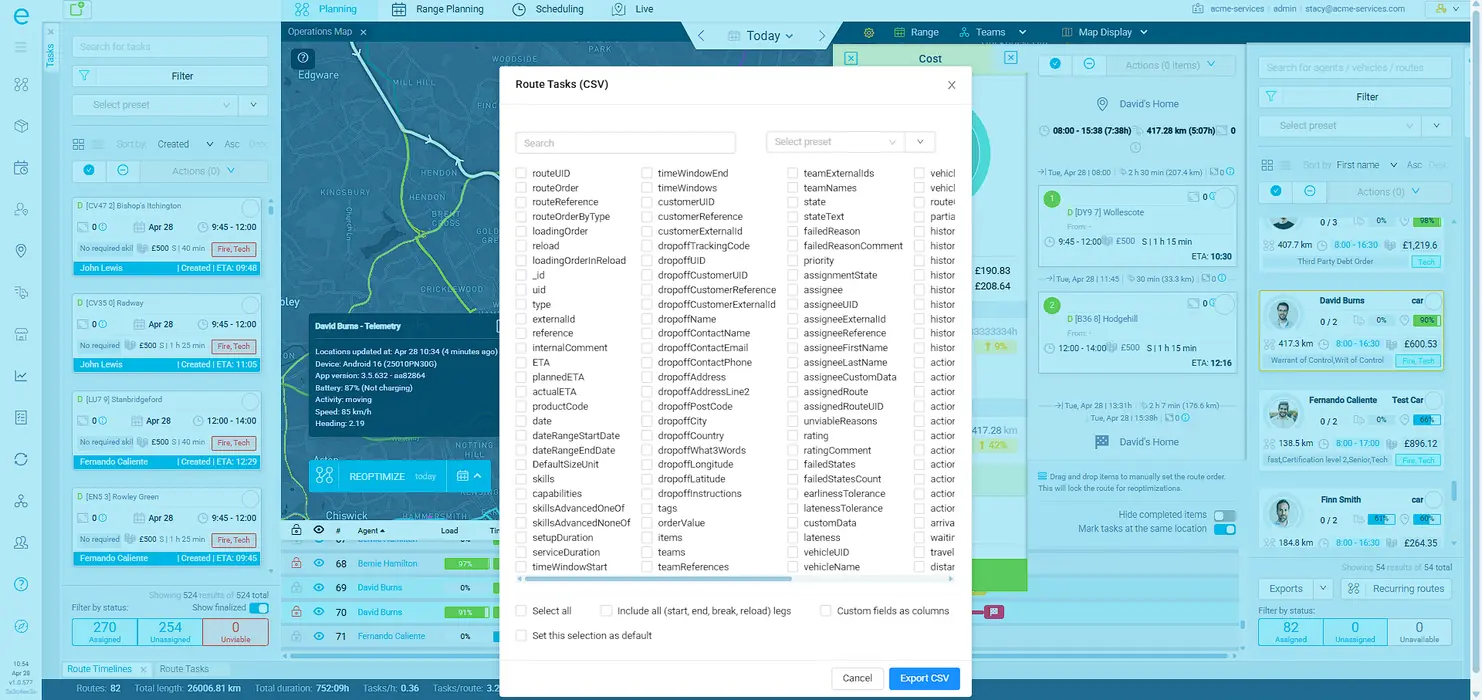
No row limits on CSV exports. Filter by date range, state, and team before you export. Save preset configurations for repeatable exports. Route data includes total distance, cost breakdowns (per hour, per driver, per vehicle), and utilization percentages. Over 100 exportable columns across tasks, routes, vehicles, and costs. All of it flows to your BI tools, data warehouse, or compliance systems.
When you run 50+ vehicles, operations data is not just for the dispatch team. Finance needs cost breakdowns. Account managers need on-time rates per customer. Compliance needs audit trails. If your routing tool locks that data inside, everyone else is building reports from scratch.
Tasks, routes, route tasks, vehicles, and costs - each with its own filters, property selectors, and preset configurations. Choose exactly which columns to include in every export. Plus a full REST API and webhook event streaming for real-time integrations.
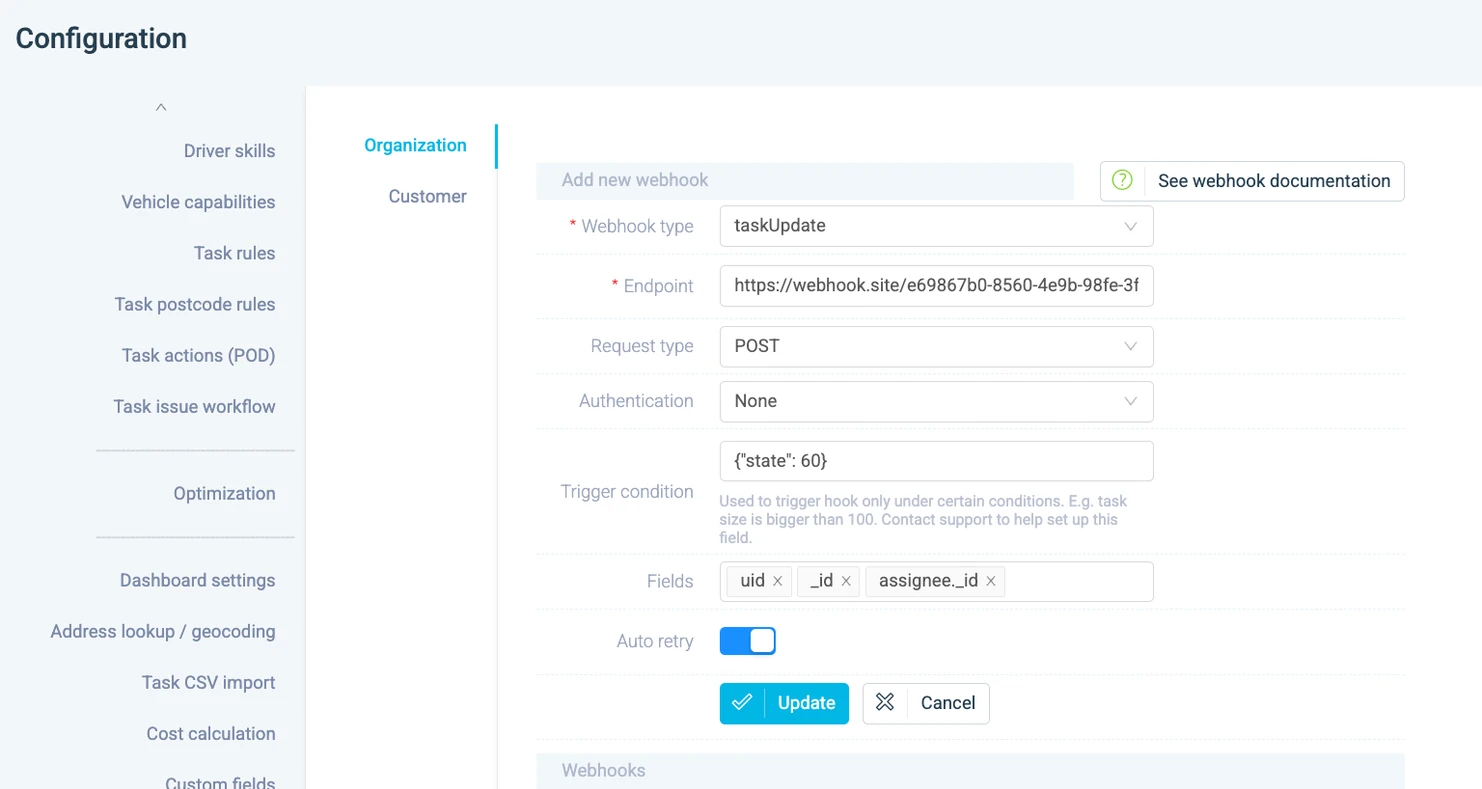
CSV exports handle reporting and analysis. The REST API and webhooks handle system-to-system integration - syncing with your CAFM, ERP, CRM, or custom data warehouse in real time. Events push the moment they happen.
Real outcomes from field service and distribution operations that connected eLogii to their data stack.
Finance gets cost-per-stop and cost-per-route data for margin analysis. Account managers get on-time rates per customer for QBRs. Ops gets performance trends by driver and team. All from the same platform, in the format each team needs.
One source of truth for all stakeholdersSave filter configurations as presets. The Monday morning report that used to take an hour of copy-pasting becomes a one-click export with exactly the properties, date range, and team filters you need.
Typical result: 4+ hours per week recoveredYour CAFM, ERP, or CRM updates the moment something happens in the field. Task completion triggers invoice generation. Route completion updates the customer portal. No batch processing, no delays.
Typical result: real-time downstream system updatesEvery route export includes planned timestamps alongside actual execution data. Load that into your BI tool, run variance analysis, and identify exactly where and why routes deviate from the plan - by driver, by zone, by day of week.
Typical result: data-driven route optimizationData Export
Book a demo and we'll walk through the export options, API endpoints, and webhook configuration for your specific integration needs.
