PLANNING & SCHEDULING
 Click to zoom
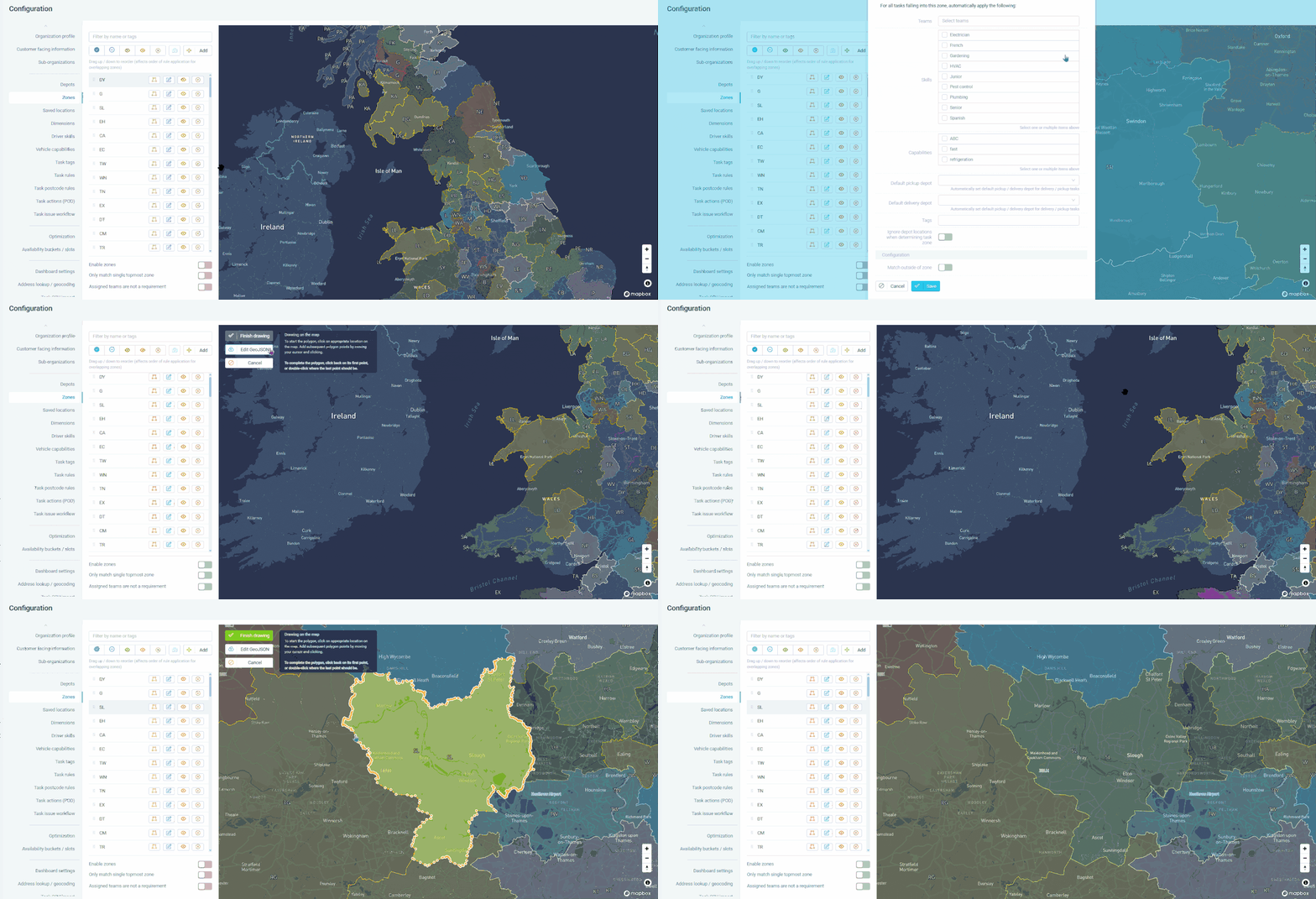
A 3PL dividing London into North, South, East, and West delivery zones needs every incoming order automatically assigned to the correct zone and its associated team. Draw zones on the map or import GeoJSON boundaries, and every new task inherits that zone's rules: required skills, vehicle capabilities, and default depot. Grocery distributors can assign a refrigerated-vehicle capability to specific zones so only the right fleet serves temperature-sensitive areas. Courier operations importing thousands of tasks via CSV get automatic zone assignment based on coordinates without anyone checking postcodes. For wholesale distributors with territory-based sales teams, zone rules ensure deliveries are always served by the local fleet. When a task spans multiple zones due to overlapping boundaries or pickup and delivery in different areas, the operative must be assigned to all applicable zones to be eligible.
A pest control business dividing its territory into five technician zones needs every new booking automatically assigned to the right zone and its rules. Zone automation eliminates the dispatcher guesswork of figuring out which postcode belongs to which operative. HVAC companies can assign specialist skills to zones so only gas-safe engineers are dispatched to areas with older boiler stock. Electrical contractors with franchise territories can define hard boundaries so jobs never cross into another franchisee's area. For facilities management companies, assigning default depots per zone means operatives automatically collect parts from the nearest store. Note that operatives with no zone assigned are eligible to serve all zones, which is useful for floating cover or overflow capacity.
GET STARTED
Book a personalized demo and see how eLogii's 84 features work together to transform your field operations.
