This guide covers the seven operational events that should automatically trigger route reoptimization.
You'll also find out:
- Why each trigger event matters
- How dynamic scheduling and reoptimization contain disruption
- How to tell meaningful disruption events from other schedule changes
- Why reacting slowly to scheduling events delays decision-making
- How to build an event-driven scheduling strategy your team can actually run
Here's a quick summary of what's to come in this article:
Key Takeaways
- Timing beats reaction because the sooner you catch a scheduling disruption, the sooner you'll find schedule changes that contain it. If you wait too long, technicians will commit, windows will close, and you'll lose operational capacity.
- Not every schedule change deserves your attention or a response. Reoptimization is only for events that impact the feasibility, efficiency, or priorities of the current schedule. Other variations in customer time windows will self-correct.
- You can recover the capacity that's lost when customer calls to cancel a service job. If you evaluate nearby work against the whole route, you can reuse the time reserved for the newly open slot in your schedule.
- To add urgent jobs and emergency service visits to technicians' schedules, you actually need to recalculate their routes. Choosing the best technician for urgent work depends on what happens to other stops on their route.
- Removing one technician from the schedule reshuffles available resources, regions, and skills across the operation. This makes an absent technician a capacity problem rather than a one-to-one swap.
- Tracking service level agreements allows you to detect a possible breach early on, when you still have time and capacity to change the outcome. This is what reduces SLA risk and commitments to your customers.
- Good event-driven scheduling software responds when change is warranted. Automation protects schedule stability, dispatcher control, and gives technicians a clear roadmap on what jobs to do and when to do them.

Why Trigger-Based Route and Schedule Automation Matters
Trigger-based route and schedule automation matters because certain operational events make the existing plan less effective. These events force you to take immediate response to protect routes, resources, and customer commitments.
But trigger events aren't isolated.
In fact, planned jobs shift constantly throughout the day in most field service operations. And some of those shifts are big enough that waiting for a planner to notice them lets a small disruption grow into a much larger problem for your company.
Still, not every schedule change needs you to respond to it.
A technician arriving five minutes late or a job finishing a touch early are routine variations most field service schedules can absorbs on their own.
An optimization-triggering event is different:
A route or schedule triggers affect what jobs technicians can realistically do in the time that is available, while maintaining efficiency across the rest of their day, and according to the priority of each job.
However:
The problem with handling meaningful events manually is speed and volume.
When a disruption is caught late, dispatchers discover its impact on other service jobs only after it has already spread across the entire workload.
This is when available capacity gets overlooked, commitments become harder to protect, and planners burn hours repeatedly rebuilding schedules.
This isn't about poor judgment on the part of your dispatchers. In fact, they're doing their jobs exactly as they should be.
Instead, it's that continuous monitoring at scale, across dozens of technicians and thousands of jobs a month, is genuinely hard to do by hand.
And speed matters here, because detecting disruptions early on leave you with options to fix it.
If you catch a problem at 8:30 AM, you may have several viable moves. Catch the same problem at 1:00 PM, and fewer options remain.
That's because the day has already moved on, and technicians are already committed to jobs, customer windows are approaching, and their locations are spread across your service regions.
The principle is straightforward:
The earlier you identify and evaluate a real disruption, the more room your operation has to contain it.
This is where trigger-based optimization beats constant recalculation.
Recalculating schedules every few minutes, whether or not anything meaningful changed, creates wasted effort, drains resources, and confuses technicians whose routes keep shifting.
Trigger-based optimization acts only when a defined event signals the plan may no longer fit your operational reality.
That strikes a better balance between responsiveness, schedule stability, and dispatcher control.
A trigger-based system recognizes that later appointments may now be at risk and evaluates the remaining schedule.
It might conclude the schedule can absorb the delay, or that:
- The entire job sequence should change
- Another technician should take up a job
- A specific commitment needs protecting
The event doesn't force a change.
That evaluation only works inside your operational constraints:
"Good scheduling weighs technician skills, availability, location, job priority, and customer windows all at once. Automation earns its keep by pairing the trigger with the context needed to choose an appropriate response."
That's why the value of optimization depends on recognizing the right moment to make them.
Event #1: Customer Cancellations
When a customer cancels during the workday, trigger-based automation should treat the gap as freed capacity and check whether another job can fill it before that time goes idle.
The opening is only useful if it clears a few tests:
- Time left in the day and the technician's current location
- Travel time and job duration
- Customer time windows and technician skills
- Job priority and existing workload
Not every cancellation should be backfilled.
When one can, the workflow stays simple: the cancellation lands, the schedule updates, freed capacity is identified, feasible work is scored, and the plan changes only if the change is better.
The trigger never assumes another job belongs in the gap. What might fit includes:
- A nearby unscheduled job
- A lower-priority job brought forward
- A geographically suitable job from another technician's route
- Backlog work
- A flexible appointment moved earlier
A technician with four appointments loses the second one two hours out. Check that window against nearby unassigned work instead of letting it sit idle.
Geographic fit is the guardrail. Weigh current position, remaining appointments, time windows, and qualifications so you reuse capacity without a worse route, as covered in our field service scheduling guide.
Some cancellations leave nothing usable: no suitable work, too little time, too much travel, or a skills mismatch. Automation surfaces the opportunity. Your constraints decide if it is viable.
Trigger an immediate evaluation and put that freed time back to work when it fits.
Event #2: Emergency Job Requests
An emergency job request should trigger route recalculation because urgent work introduces a new constraint the existing schedule was never built to hold, which can make the current sequence, assignments, and commitments less feasible.
The moment an urgent job lands, it wasn't in the original route and may need immediate service. Bolting it onto the nearest technician can add travel or push appointments late.
Recalculation weighs locations, remaining appointments, travel times, windows, skills, and priority. The best technician is rarely the closest one. This depends on what happens to the rest of the schedule.
The emergency arrives, capacity is reassessed, the job is inserted where it fits, and only affected routes are recalculated.
Say an emergency appears near Technician A, who is close but has two time-sensitive appointments left. The system may send it to Technician B or resequence to protect a critical commitment. Priority-based route decisions rank urgent work against what's already committed.
Not every urgent request should override existing work. Prioritization has to weigh severity, SLAs, customer impact, safety risk, skills, and geography. That same test shows up in emergency response routing.
Automation cuts the scramble of finding technicians and testing assignments, without removing dispatcher judgment.
The goal is containment. A good response might move one appointment, reassign one job, or leave the schedule untouched if the work can be absorbed elsewhere.
An emergency job should trigger a reassessment of the active schedule so the operation can respond while protecting what matters most.
Event #3: Technician Absences
Technician absences include sick calls before the shift, midday dropouts, and planned time off. They should trigger route reoptimization because one missing person leaves jobs uncovered, opens capacity gaps, and makes the original workload distribution unworkable.
After the schedule is built, those jobs still need skills, remaining hours, and customer windows. Colleagues are often already full, and even splits usually create new problems elsewhere.
An absence changes coverage, skills, and workloads. Report it, identify affected capacity, review assigned jobs, then reassign, reschedule, or leave work in place before you recalculate routes. Reassignment has to respect skills, workload, remaining hours, location, travel time, windows, priority, and duration together.
A technician with six appointments who calls in sick or drops out midday shouldn't have those jobs dumped on nearby colleagues. Check genuine capacity, required skills, geographic fit, and which work can wait. That cut in manual replanning is one of the clearest wins in our field service optimization guide.
A known absence before scheduling lets you plan around reduced capacity. An unexpected same-day absence hits technicians already mid-route, so the disruption is much larger.
Not every job needs a new owner. Reassign some, reschedule flexible ones, leave others, prioritize critical work, and accept that some visits can't happen that day. Spreading the load through balanced route workloads keeps remaining technicians from being buried.
Event #4: Driving Delays
Significant driving delays should trigger schedule evaluation because real-world conditions can make the original sequence and arrival times unrealistic, putting later appointments and customer commitments at risk. The issue is that the active schedule now rests on travel assumptions that are no longer true.
When actual travel time balloons, the technician arrives late, the next window shrinks, and one delay seeds the next.
A meaningful trigger is one likely to affect the remaining schedule:
- Major congestion, road closures, or accidents
- Severe weather or vehicle incidents
- Unexpected travel-time increases between tightly scheduled appointments
Impact depends on time lost, remaining appointments, windows, and buffer. Detect the delay, evaluate the route, and change the schedule only if it's worthwhile. That is what traffic-aware route adjustments are built for.
A route that was efficient at 8:00 AM can be inefficient by noon. Respond to current conditions with real-time route visibility into where technicians are and who is slipping behind.
If a road closure adds 35 minutes before three more appointments, you can resequence, reassign a later job, move a flexible appointment, or absorb the delay. Driving delays can make several remaining appointments infeasible at once.
A 10-minute slowdown is usually absorbed. A 45-minute disruption ahead of tight windows may need immediate evaluation. As Gestisoft's route optimization guide points out, dispatchers need systems that respond when last-minute changes occur rather than relying on static plans.
A significant driving delay is a scheduling event that can change whether the rest of the route remains feasible.
Event #5: SLA Risks
An emerging SLA risk is a live commitment that's slipping toward its deadline because the current schedule no longer has enough time or capacity to meet it. SLA risk should trigger reoptimization so you can still reprioritize work, reassign technicians, or adjust routes before that window is breached.
Delays, overruns, shifting travel, absences, or new high-priority work can push a commitment toward its deadline. An SLA risk signals that a promised response, arrival, completion, or contractual window may no longer be achievable without intervention.
Detected early, you can still reassign, resequence, use nearby capacity, or adjust flexible work. Detected after the deadline, you're already managing a service failure.
Detect the risk, identify the commitment, evaluate routes and capacity, then reassign only where it improves feasibility. Weigh remaining time, location, travel, skills, workload, other SLAs, and priority so protecting one commitment doesn't put three others at risk.
Take a two-hour response commitment. The assigned technician is delayed, so the original assignment is unlikely. Check nearby capacity, reassignment, or whether they can still make it. Continuously checking feasibility is what automated optimization triggers are built for, and it's central to HVAC route management where contractual windows are non-negotiable.
Protecting Customer A by disrupting B, C, and D may not be the best call. Weigh severity, deadline proximity, customer impact, capacity, and feasibility.
SLA risk is a trigger, not an automatic command. A small delay may fit inside buffer, and reassigning can cause more disruption than leaving things alone.
SLA optimization is most valuable before a breach, while you still have time and capacity to change the outcome.
Event #6: Failed Jobs
A failed job should trigger schedule evaluation because the work needs a reattempt, reassignment, or later slot. That lets you reallocate resources without disrupting the rest of the day. Failed work is new work that wasn't in the original plan.
When a technician can't finish a job, the work stays unfinished and needs a reattempt. The remaining route is often no longer the best use of the day.
Don't put it back on the same technician by default. Check who should take it, timing, SLA or priority, any window, and impact on other work. Aim for the least disruptive recovery. Practical options include:
- Reassign to a better-positioned technician: Someone closer or with genuine spare capacity handles it
- Add it to the original technician's route later: Works when capacity and geography allow
- Move it to a future route: The right call when immediate completion would be too disruptive
- Use nearby existing capacity: A technician already working close by absorbs it with minimal added travel
Each option should be weighed against the whole active schedule. If a technician can't complete the job, send them back later, assign a nearby technician, move it to another day, or shift other work, as covered in our scheduling and route optimization software guide.
Geography is the check on availability. An open slot 40 minutes away may make no sense once location, remaining route, windows, and skills are in play. This is routine in pest control route optimization.
Priority varies too. A failed job under a strict SLA can't wait like a routine appointment, so compare recovery value against the impact of pushing other appointments late.
A failed job shouldn't become another line on a dispatcher's to-do list. Evaluate where, when, and by whom the work can be recovered with the least disruption.
Event #7: Last-Minute Capacity Changes
Last-minute changes in available capacity should trigger schedule evaluation because newly freed technician or vehicle time can sometimes absorb additional work, rebalance workloads, or improve efficiency before that time is simply lost. Spare capacity is perishable, and once it's gone it's gone.
Jobs finishing early, cancellations, postponed visits, under-run routes, or removed assignments all open unused capacity mid-day that wasn't there when the schedule was built.
Before you slot in another job, check how much time is free, where the technician is, what nearby work fits, and whether later commitments are at risk. Spare capacity can take nearby backlog, a moved-up appointment, or a job from an overloaded technician if travel stays reasonable.
If a technician finishes 60 minutes early, you can add nearby work, pull a job from an overloaded colleague, or leave the route intact. Without automation, that hour often stays invisible. With route optimization software, the freed time prompts an evaluation of feasible work - though it won't always find a match.
Spare capacity has little value if using it requires excessive travel, so candidate jobs must fit location, duration, windows, and qualifications. Filling the hour at the cost of late appointments or overtime just trades one problem for another.
Acting while the window exists is where same-day route reoptimization earns its place. A free hour at 11:00 AM may be gone by 2:00 PM, especially for dispersed teams in telecom technician routing.
Spare capacity is only valuable when you recognize it in time and use it without creating greater inefficiency elsewhere.
Building an Event-Driven Scheduling Strategy
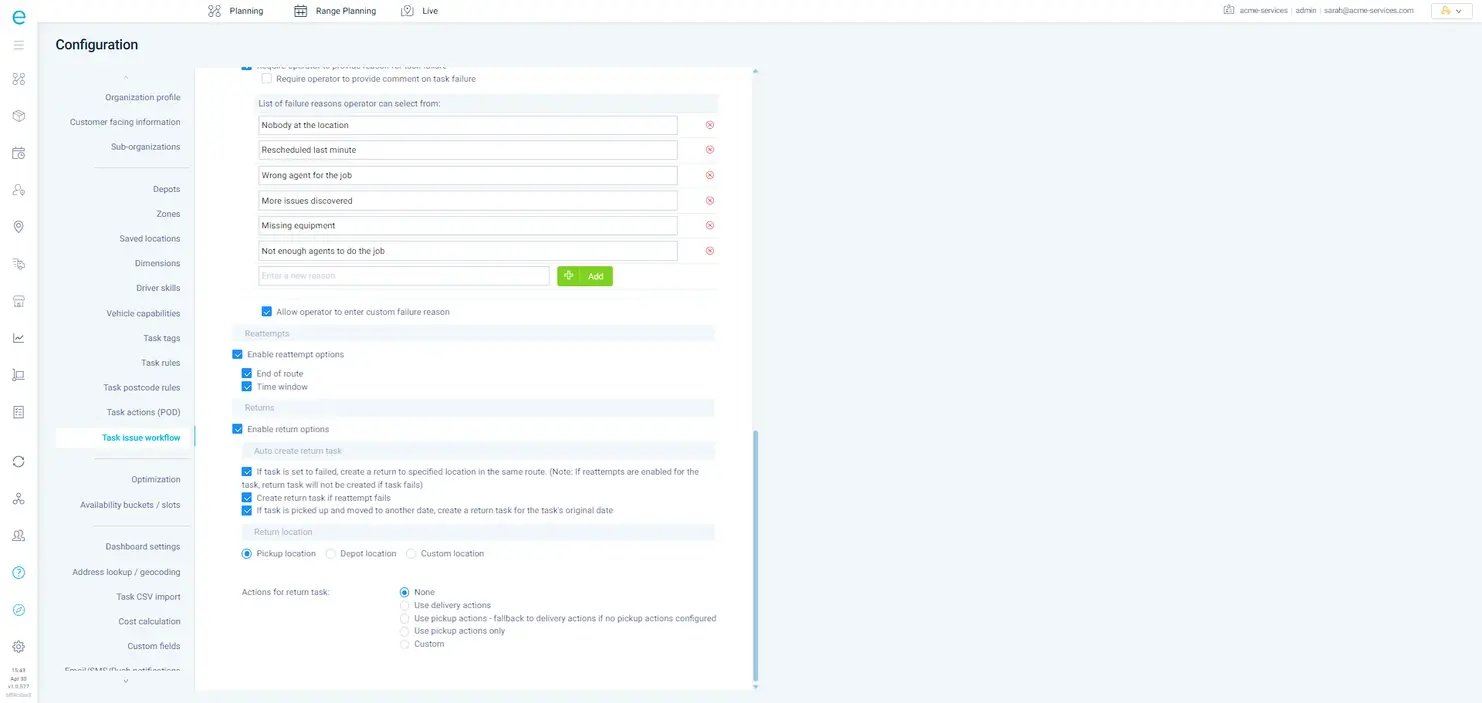
Building an event-driven scheduling strategy means identifying the operational events that materially affect your schedules, defining how to respond to each, and using automation to evaluate and execute those responses quickly and consistently. It's less a software setting than an operating model, and the objective is controlled responsiveness rather than constant change.
The strategic shift is deciding which events trigger evaluation, which can be absorbed, which require optimization, what priorities guide the response, and when a human should approve the outcome. Adding automation on top of a broken process just automates the chaos.
Step 1: Map the Operational Events
Start by reviewing where schedules commonly go stale during the day: cancellations, emergencies, absences, travel delays, SLA risks, failed jobs, capacity changes, significant duration changes, and new high-priority work. For each one, ask a single question: Does this event materially change the feasibility or efficiency of the current schedule? Low-impact events often don't warrant automated optimization at all.
Step 2: Define the Response
Identifying a trigger is only the start. For each meaningful event, decide what the system should evaluate or change: recalculate a route, reassign a job, reorder appointments, use spare capacity, rebalance workloads, protect an SLA, reschedule flexible work, or leave things untouched. Not every trigger should produce the same response.
Step 3: Establish Priorities and Constraints
Optimization is only useful when it understands what you're trying to protect. That means codifying customer time windows, SLAs, job priority, technician skills, geography, working hours, vehicle capacity, service duration, workload, and any regulatory or contractual requirements.
Step 4: Decide What to Automate
Automation is strongest at detecting defined events, evaluating large numbers of scheduling possibilities, identifying feasible alternatives, recalculating routes, reallocating suitable work, and updating schedules when predefined conditions are met. Human oversight still earns its place when customer relationships are sensitive, priorities genuinely conflict, the event is unusual, or the alternatives carry heavy consequences. Treat automation as decision support and execution, not a replacement for operational judgment.
Step 5: Start with High-Value Triggers
Don't try to automate everything at once. Begin with events that are frequent, operationally costly, time-sensitive, relatively easy to define, and likely to benefit from a faster response. Common starting points are cancellations, emergencies, significant travel delays, absences, and SLA risks, though your exact priorities should follow your operating model and historical data.
How eLogii Fits Into the Strategy
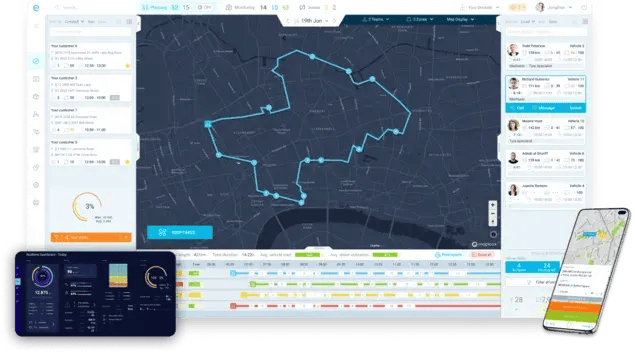
eLogii can serve as the optimization and execution layer for an event-driven field operation. The software helps field services dynamically adjust routes and schedules when relevant conditions change.
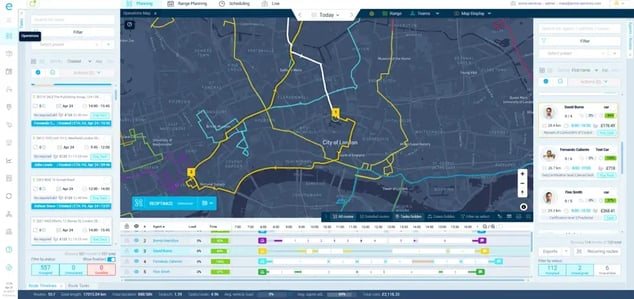
In practice, eLogii starts by optimizing initial routes and schedules against skills, time windows, and capacity, so the first cut of the day is already executable.
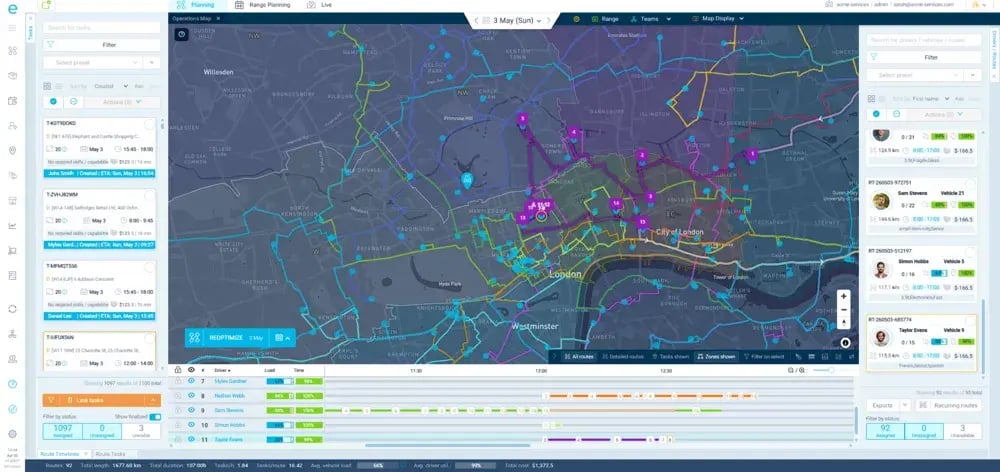
This is what that actually means:
- Keep remaining work on track: Cancellations, no-access visits, and emergency callouts land mid-shift. eLogii reoptimizes routes live so the rest of the day's work still gets done.
- Fit people to remaining jobs: A change on one job can leave the wrong technician or vehicle on the next. eLogii reevaluates assignments so the person and the van still fit.
- Hold rules in the engine: Access rules, materials, and SLA windows move during the day. eLogii adapts routes around those shifting constraints as they change.
- Fill idle hours with jobs: Spare time on one route next to overtime on another is capacity you already paid for. eLogii fills those gaps with nearby outstanding jobs.
- Stop redrawing every daily sequence: Dispatchers can focus on sickness, cancellation, no-access, overrun, and emergency callout. eLogii absorbs those exceptions without a full rebuild.
The proof points sit within realistic ranges:
Vergo Pest Management shows live route reoptimization in a recurring-visit operation. Same-day exceptions get absorbed into the plan without a full-day rebuild.
Northern Care Alliance NHS Foundation Trust shows large-scale route coordination with 90% less manual work, more than 60% less planning time, and trucks going out 90%+ full.
A practical implementation framework:
- Identify the event. Determine which operational event should initiate a response
- Define the business impact. Establish what makes it significant enough to act on
- Define constraints. Capture the customer, workforce, geographic, SLA, and operational rules to respect
- Determine the desired response. Decide whether to reoptimize, reassign, reorder, reschedule, or just notify
- Configure the workflow. Connect the relevant operational data so the event produces an actionable response
- Test with historical scenarios. Run real cancellations, delays, emergencies, and absences through it
- Monitor outcomes. Track whether the automation actually improves performance
When a technician is significantly delayed and later appointments are at risk, you weigh location, remaining jobs, windows, skills, and capacity, then adjust the route or assignment where it reduces downstream disruption. You can use eLogii to run that kind of dynamic response.
The difference between the two broad approaches is worth making explicit:
| Dimension |
Continuous Reoptimization |
Event-Driven (Trigger-Based) Reoptimization |
| When it recalculates |
Constantly, regardless of need |
Only when a defined event signals the plan may no longer fit |
| Schedule stability |
Lower (Routes shift often) |
Higher (Changes only when warranted) |
| Dispatcher control |
Harder to supervise |
Easier to review and approve |
| Technician clarity |
Routes can change repeatedly |
Fewer, more meaningful changes |
| Computational load |
High |
Focused and efficient |
| Best fit |
Simple, uniform, high-density work |
Complex field service with mixed PPM and reactive work |
Enterprise operations add complexity: multiple regions, large fleets, service territories, varied skill sets, different SLA policies, high event volumes, and both centralized and local dispatch. The strategy should set consistent optimization principles while allowing appropriate local rules for every region.
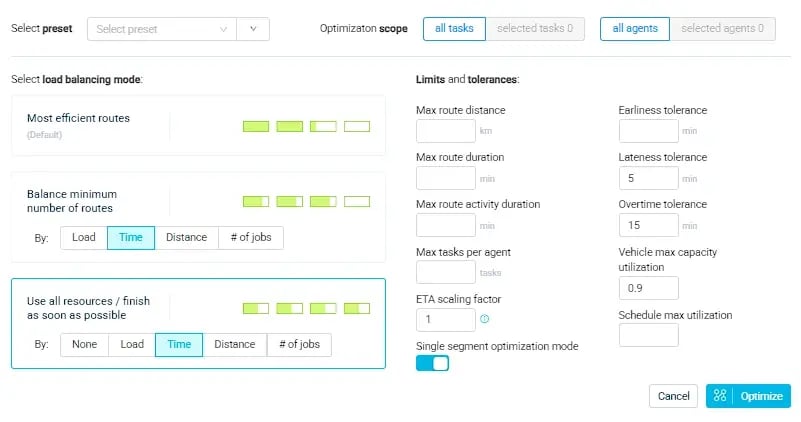
Measure success against the KPIs that fit the events you're automating: on-time arrival rate, technician utilization, jobs completed per day, travel time, miles per job, overtime, schedule changes, SLA compliance, dispatcher intervention, and capacity utilization.
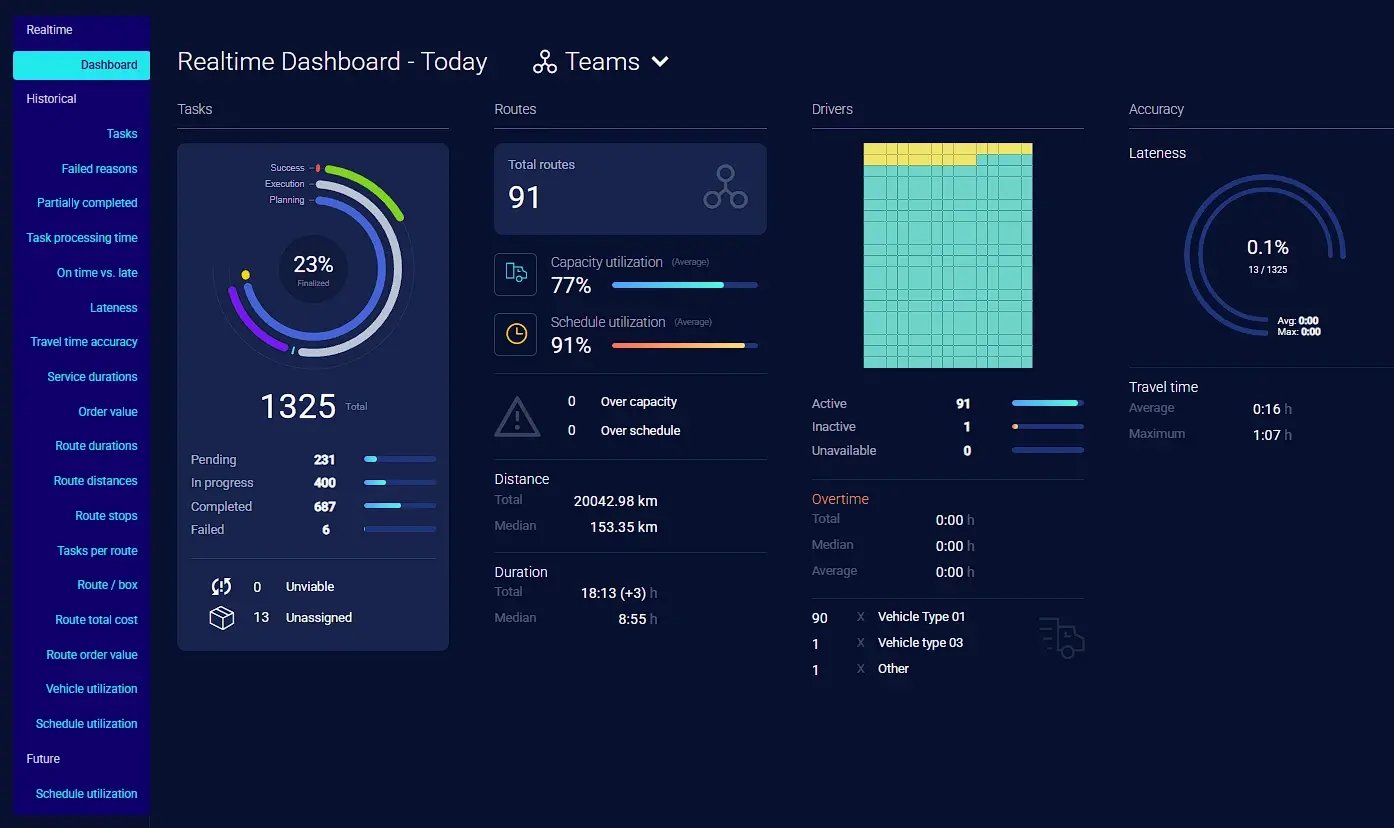
Then run a continuous-improvement loop: monitor events, measure outcomes, identify ineffective triggers, refine rules, improve optimization, and monitor again. Review which triggers fire most, which cause the most disruption, which responses work, which create unnecessary churn, and where humans still need to step in.
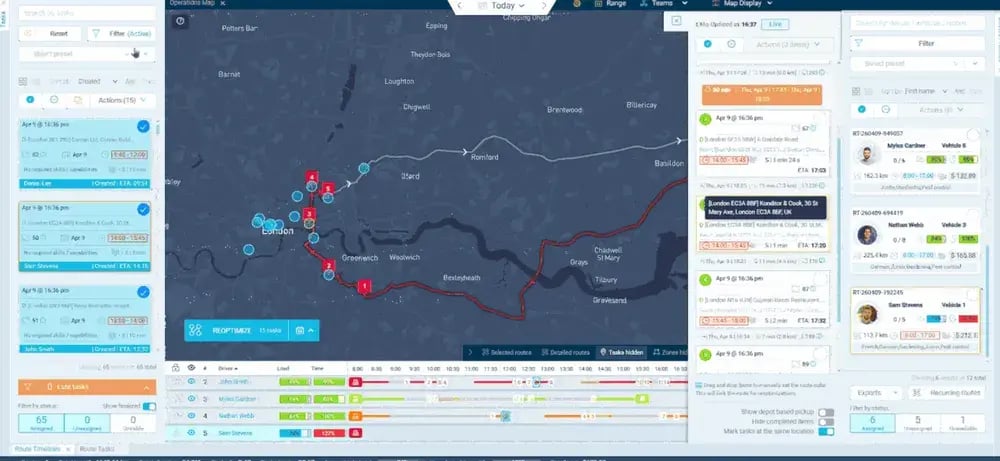
The goal is to identify the events where faster optimization creates real value. Then, use the right technology and business rules to respond consistently.
With eLogii as the execution layer that turns those principles into a running operation.
The Bottom Line
Field operations almost never run as planned.
Teams that stay ahead catch real changes early and adapt before disruption spreads.
Cancellations, emergencies, absences, travel delays, SLA risks, failed jobs, and sudden capacity changes can each break an active schedule.
Event-driven scheduling works when you know which changes need intervention.
Then, you can reoptimize schedules and routes at the right moment.
All the while honoring commitments, constraints, geography, and priorities.
Done well, it contains disruption, recovers capacity, and protects service levels with the people you already have.
eLogii is the optimization and execution layer that helps you with exactly that.
If you want to learn more, click on the banner to book a demo and see how it actually works.
FAQ abuot Event-Driven Reoptimization
What data does an operation need before adopting event-driven scheduling?
At minimum, you need clean records of technicians, jobs, and time windows. Adding location data, skills and certifications, SLA rules, and realistic job durations sharply improves the quality of decisions. Data quality shapes results directly - weak inputs produce weak optimization, regardless of the software.
How to decide which events should trigger reoptimization?
Prioritize by frequency, operational cost, time-sensitivity, and how easily the event can be defined. Events that happen often, cost real money, and demand a fast response are the strongest candidates. Low-impact changes usually shouldn't trigger automation at all.
How can businesses avoid excessive schedule changes and route planning?
Set materiality thresholds so only meaningful events trigger action, and pair them with business rules that govern when a change is actually worth making. This protects technician clarity and schedule stability. The right threshold depends on your operational complexity and how tolerant your field teams are of mid-day changes.
What is the difference between event-driven scheduling and real-time scheduling?
Real-time scheduling implies constant monitoring and near-continuous recalculation. Event-driven scheduling acts only on defined triggers that signal a meaningful change. In practice, event-driven is a selective subset, it uses real-time data but responds deliberately rather than recomputing everything constantly, which better suits complex field work.
Can event-driven scheduling work alongside an existing FSM, CAFM, or ERP system?
Yes. It typically sits as the scheduling and dispatch layer, integrating via API or webhooks and pushing completion data back to your system of record rather than replacing it. eLogii is designed to integrate this way, so you keep your existing stack while upgrading the optimization layer.
How much human oversight should automated scheduling require?
Automation handles detection and evaluation well, but dispatchers should retain override control - especially for sensitive customers, conflicting priorities, and unusual events. The right balance depends on operational complexity, event frequency, and how much your team trusts the rules. Most operations start with more oversight and relax it as confidence grows.
How should organizations measure the ROI of scheduling automation?
Track KPIs tied to the events you automate: on-time arrival, technician utilization, jobs per day, travel time, miles per job, overtime, SLA compliance, and dispatcher intervention. Benchmark against your current manual baseline rather than generic industry figures, since the right metrics depend on which events you're actually automating.
What are the biggest challenges when implementing event-driven scheduling?
The common hurdles are defining genuinely meaningful triggers, ensuring data quality, configuring business rules correctly, and managing change with dispatchers and field teams. Over-automation is a real risk too - automating low-value events creates churn without benefit. Start narrow and expand as results prove out.
How should you deploy event-driven automation without disrupting operations?
Start with one region or a subset of technicians, benchmark performance against your existing manual planning, then expand gradually against agreed gates like planning time saved or mileage reduced. A phased rollout limits risk and gives dispatchers time to build trust in the automated responses before you scale.
How to tell whether an event is significant enough to trigger reoptimization?
Judge it by downstream impact, not the mere fact that something changed. Ask whether the event alters the feasibility, efficiency, or priorities of the current plan. A minor delay isn't worth acting on; a change that threatens multiple commitments or wastes real capacity is.