Time-window aware scheduling has moved from a nice-to-have to a core operational discipline for field service teams.
This guide breaks down what customer time windows really are and how to manage them without wrecking route efficiency or cost-to-serve.
In it, you'll find:
- What a time window commits you to, operationally
- Why narrow windows multiply complexity
- How to balance customer expectations against efficiency
- What determines the right window length
- How dynamic scheduling protects windows when the day changes
Here's a quick overview of the key takeaways if you're short on time:
Key Takeaways
- A window is a constraint that commits the whole operation to arriving inside an agreed time, and the rest of the schedule has to work around it.
- Narrow windows remove flexibility, and every minute you shave off a window is a minute your operation loses for drive time, job overruns, and unexpected traffic.
- Efficiency and customer satisfaction are linked. And while better planning reduces drive time while protecting promised time windows, better operational execution is what protects those two main goals.
- There isn't a universal length for service time windows. So the right amount of time you dedicate to jobs depends on geography, workforce capacity, service type, and job-duration variability.
- Customer time window accuracy is a problem of service execution. That's why you can't rely on static schedules to handle the dynamics of your field operation, and why you lose time window accuracy.
- Dynamic scheduling protects all of your commitments to your customers. It reassesses remaining jobs when conditions change prioritizing windows that matter most, based on SLAs, promises to clients, and other service agreements.

What Are Customer Time Windows?
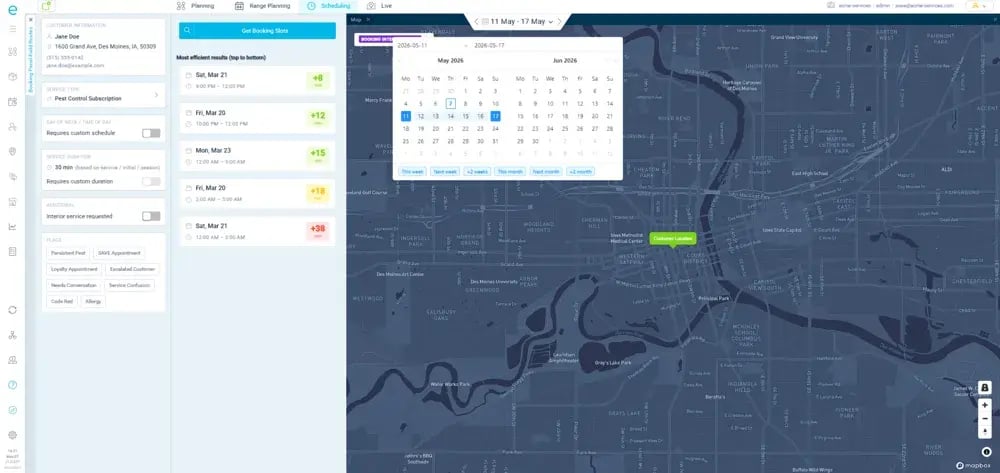
A customer time window is the agreed period during which a technician is expected to arrive and perform a scheduled service, rather than a single exact arrival time.
Why Customer Time Windows Matter for Field Service Operations?
Time windows matter because they increase schedule accuracy. They account for all of the time required to reach and complete every job in their schedule, from the moment a technician arrives on site to when he leaves for the next job on their route.
So:
Instead scheduling a job for 10:00 AM on the dot, you create and schedule a time window from 10:00 AM to 12:00 PM.
That difference matters:
A fixed appointment locks you to one moment, while a service window gives the operation room to sequence jobs efficiently.
At the same time, it represents a hard commitment because it sets clear expectations to customers with which they can plan their day.
In most field operations, service time windows drive the entire scheduling process. And before a scheduler confirms a job, they need confidence the technician can achieve several things:
- Realistically reach the site inside the window
- Finish the previous job before that
- Travel between those two locations
- Meet other commitments (collect parts and equipment, fill out form, etc.)
- Handle a reasonable delay if it happens (traffic, bad weather, etc.)
That's why a customer time window is also a routing constraint your whole plan bends around.
Consider a technician with three jobs:
- Customer A: 8:00 AM to 10:00 AM
- Customer B: 10:00 AM to 12:00 PM
- Customer C: 1:00 PM to 3:00 PM
Those windows dictate the sequence and how much capacity is left in the day. Now Customer A overruns by 40 minutes, or Customer B asks to push later. Suddenly the neat plan is at risk, and the technician may struggle to hit the remaining windows without eating into travel or breaks.
Windows also vary in how wide and narrow they are:
- Narrow time windows suit high-priority or time-sensitive work.
- Wide service windows fit customers with flexibility.
(Keep in mind that some of your time windows are fixed by SLA or contract, and you can't increase or decrease them.)
But in practice:
Narrower time windows tighten scheduling and routing constraints. Wider ones ease route planning. And neither is universally better, or applied to field operations.
Because of this, most field services have rely on a mix of different time window lengths. It's also where most misunderstand route optimization.
As one specialist explains:
"Field service routing is scheduling and routing at the same time, so you're not just finding the shortest path. A geographically perfect route still fails if the technician can't arrive inside the agreed windows."
Real optimization balances:
- Travel time
- Job duration
- Customer time windows
- Technician availability and skills
- Job priorities and other constraints
The closest job isn't always the correct next job for your technician. If the nearest site doesn't open until 2:00 PM, driving there at 11:00 AM wastes their day.
Windows matter most when conditions change. This includes service delays, customer cancellation, urgent job callouts, or heavy traffic. Handling that well is central to reliable maintenance appointment management across multi-site estates.
That's why:
A customer time window is a two-sided promise.
The customer agrees to be available to receive your technician at that time, while you agree to arrive within the period.
Miss it repeatedly and trust between you and the customer disappears, even when the job eventually gets done. Which is why time windows make it difficult to plan, schedule and route field operations.
Why Narrow Time Windows Increase Complexity
Narrow windows increase scheduling complexity because they leave far less room to sequence jobs, handle delays, balance technician workloads, and optimize routes while still meeting commitments.
Simply put:
Tighter windows shrink the space you have to account for travel variance, a job running long, or unexpected traffic.
But narrow windows aren't bad.
In fact, they're sometimes essential. They just cost your operation its flexibility.
And this affects what your scheduler can do:
| Window Width |
Scheduling Flexibility |
Handling Delays |
Routing Options |
Typical Use Case |
| Narrow (30 min) |
Very limited; few slots fit |
Minimal, one overrun cascades |
Constrained by arrival timing |
High-priority, SLA-critical, customer-must-be-present work |
| Medium (2 hours) |
Moderate; several sequences work |
Some buffer for short delays |
Reasonable freedom to reorder |
Routine repairs, standard reactive visits |
| Wide (4+ hours) |
High; many valid sequences |
Absorbs most day-to-day slippage |
Strong freedom to optimize by geography |
Flexible customers, low-urgency maintenance |
Narrow windows create predictable operational pressure:
- Less routing flexibility: Fixed arrival timing can force a less geographically efficient sequence.
- Greater sensitivity to delays: One slow job threatens the next customer's window.
- Harder technician workload balancing: Not every technician can be in the right place at the required time.
- Reduced headcount capacity: Fewer options to shuffle work when disruptions hit.
- More coordination workload: Dispatchers juggle more constraints at once.
The trade-off is that narrow time windows improve customer certainty but raise operational constraints.
But your goal isn't to increase every time window.
Instead, you need to understand the cost of the commitments you offer and the staff you have available to plan and deliver your service reliably to your customers.
That's why every minute you remove from a window removes flexibility from the operation.
And that flexibility has to come from somewhere.
The Tradeoff Between Customer Satisfaction and Efficiency
Field operations constantly balance customer demand for precise, convenient windows against the need to use technicians, routes, and capacity efficiently.
Both are legitimate for your field service. But they just pull your operation in different directions:
| What your customers want |
What your operation needs |
| Convenient appointment times |
Maximize technician utilization |
| Narrow arrival windows |
Minimize drive time |
| Reliable arrival time |
Balance workloads across teams |
| Fast service |
Protect available capacity |
| Flexibility to reschedule |
Meet SLAs |
| No repeat visits |
Complete as many jobs as practical |
These lists collide often.
Optimizing for only one side backfires, because chasing pure customer convenience and you get excessive constraints, lower utilization, more travel, less daily capacity, and higher cost.
Chase pure efficiency and you get inconvenient options, more disruption, missed or delayed visits, and weaker reliability.
Neither extreme is good management.
A customer time window sits at the center of this scheduling problem because it's simultaneously a customer promise and an operational constraint.
The right balance depends on service type, customer expectations, SLA requirements, geography, job duration, workforce availability, and demand.
Better scheduling narrows this gap.
Effective planning finds feasible schedules that protect the important commitments while using resources well, weighing windows, travel, skills, availability, priorities, and service requirements together rather than one at a time.
One practical lever is giving customers structured choice. Letting them pick from pre-validated options through self-service appointment scheduling improves convenience while ensuring every offered slot reflects real capacity.
But this doesn't solve everything, since the scheduling balance gets harder to maintain once your day starts and operations get under way.
A schedule that was efficient at 8:00 AM can turn inefficient after a cancellation, a delay, worse traffic, or an urgent job. The operation needs enough flexibility to adapt without sacrificing commitments unnecessarily.
Genuine trade-offs still occur, and when they do, your goal is to make them deliberately rather than by accident.
Design the operation so that serving the customer well doesn't needlessly cost you efficiency, and vice versa.
Factors That Influence Optimal Time Window Length
There is no universally optimal customer time window.
The right length of your customer time windows depends on how much flexibility your operation needs to balance customer expectations against geography, headcount capacity, and the type of service.
That's why:
Service window length is an operational decision.
The central principle is a tradeoff between wide and narrow time windows, where the one you can reliably deliver while using capacity well is the right one to put into your schedule.
Here's how the main factors pull:
| Factor |
Pushes Toward Narrower Windows |
Pushes Toward Wider Windows |
Why It Matters |
| Geography |
Dense urban, short hops |
Rural, dispersed, long travel |
Travel-time variability drives arrival uncertainty |
| Workforce capacity |
Abundant, well-distributed staff |
Running near full capacity |
Determines options to absorb a tight request |
| Service type |
Time-sensitive, SLA, customer-present |
Low-urgency, flexible work |
Sets how much timing precision the job needs |
| Job-duration variability |
Predictable, repeatable tasks |
Wide-ranging completion times |
Unpredictable jobs break tight sequencing |
| Demand level |
Low-demand periods |
Peak periods |
Spare capacity shrinks when demand spikes |
All of these factors interact with one another.
A utility maintenance operation covering a large rural territory, with a handful of specialized technicians and jobs that vary significantly in duration, will likely need wider windows than a dense urban operation with many technicians doing predictable routine work.
The right window comes from the combination of these factors.
Service window length flows straight into route efficiency, utilization, daily capacity, travel, overtime, customer experience, and SLA performance.
Push windows ever narrower without a workforce and routing model built to support them, and you generate cost. Leave them needlessly wide and you dilute the perceived value of the service.
Matching window length to realistic, data-informed job times through accurate service duration planning keeps promises grounded in reality.
On the other hand, sensible appointment interval optimization sets the gaps between jobs.
Optimal length can also shift over time.
You might offer tighter windows in low-demand periods and widen them at peak. Treat any specific window length as an example, not an industry standard.
That's why the best customer time window is the shortest one you can consistently deliver without starving the rest of the schedule of capacity and efficiency.
How Dynamic Scheduling Improves Appointment Accuracy
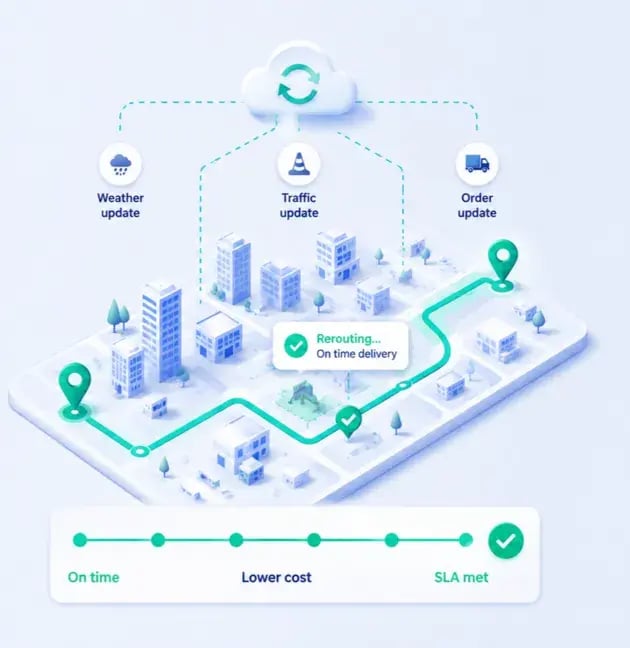
Dynamic scheduling improves appointment accuracy by continuously adjusting assignments, routes, and schedules as real conditions change. This shrinks the gap between the appointment time you plan and the actual arrival time of the technician.
Appointment accuracy, in practical terms, is how consistently you arrive inside the promised window. And there are two layers to it:
- Planning accuracy is how realistic the original schedule is.
- Execution accuracy is how well you keep meeting commitments after conditions change.
A plan that looks accurate at 8:00 AM means little if traffic, overruns, or cancellations make it unrealistic by noon.
Dynamic scheduling mainly concerns itself with the second problem.
That's because uncertainty is regular part of field service work.
For example:
- A job runs 30 minutes longer
- Traffic adds 20 minutes of drive time
- A customer cancels their appointment and frees up a slot in the schedule.
- A technician becomes unavailable for work that day.
- An urgent repair has to be slotted into an active route.
None of these situations are exceptions. They're a normal part of field operations, with effects on every appointment that follows.
The typical response loop is simple:
A change happens → Dispatchers recognize new conditions → Remaining jobs get reassessed → Schedules or routes get adjusted → Technicians resume work according to the new schedule → Operation keeps moving toward its commitments.
To do that well it, dispatchers and schedule planners need to take into account several key factors:
- Current technician location
- Remaining jobs in the schedule
- Drive time between jobs
- Customer time windows
- Technician skills
- Job priorities
- Available headcount and capacity
- SLAs and service commitments
And all of this data has to be live information. There is no room for assumptions when field operations are ongoing.
That's the core distinction between static and dynamic scheduling:
A fixed plan is set once and followed even when reality diverges, while a dynamic schedule adapts throughout the day.
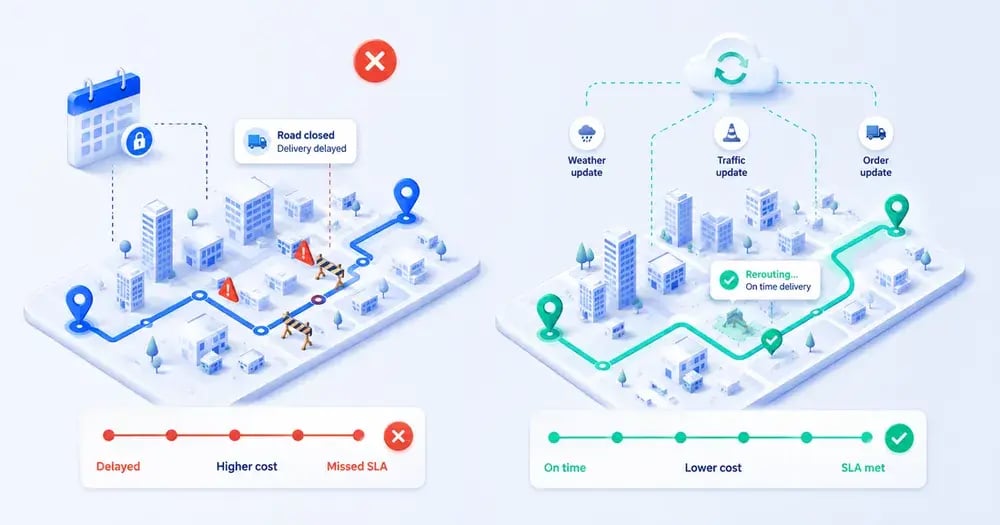
Under a static schedule, a delay simply pushes through every remaining job, stacking up late arrivals. With dynamic scheduling, the operation can resequence, reassign, or reroute to protect the most important windows.
It won't keep every job perfectly on time, but it makes the best decision available with current information. And same-day real-time appointment adjustments are what turn that into practice.
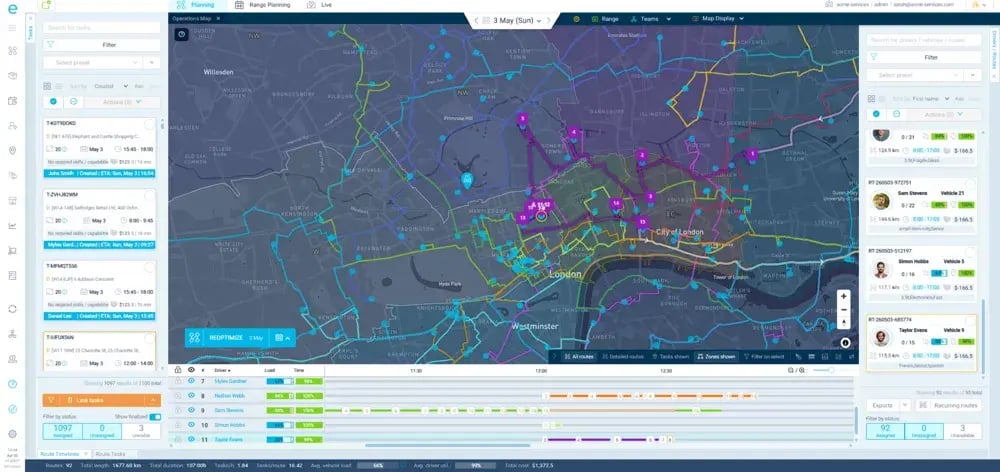
There's also a difference between operational visibility and operational decision-making.
Knowing where a technician is tells you what's happening. But for dynamic scheduling to work, you need to decide what should happen next. (Or you need to have a system in place that can make these scheduling decisions for you.)
That's why tracking alone doesn't solve your scheduling problem.
Dynamic scheduling also treats appointments unequally, on purpose.
When a delay hits, the system can prioritize narrow windows, high-priority jobs, SLA commitments, and time-sensitive work while finding slack elsewhere.
That same logic, applied at booking through AI-powered appointment slot selection, keeps the promises achievable in the first place.
Results depend on data quality, scheduling rules, complexity, and implementation.
So you need to treat any promised numbers with caution.
But the advantage is that you can respond to changes as they happen instead of letting them make your schedule drift away from reality.
How eLogii Helps You Plan and Protect Customer Time Windows
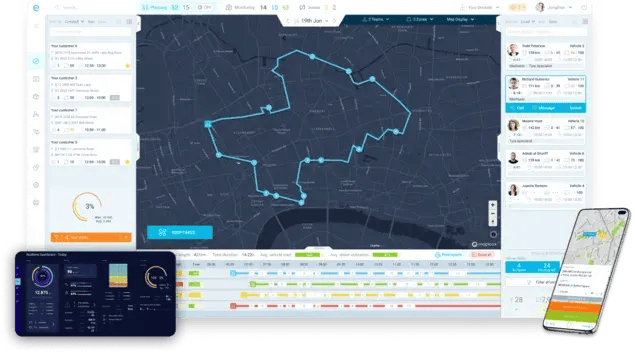
eLogii helps field operations create efficient schedules around multiple factors (including customer time windows). The software then helps you to manage those commitments dynamically as conditions change through the day.
Your problem has two stages. And eLogii is built to address both:
Tight service windows leave technicians little room to absorb drive variance, overruns, customer changes, availability changes, traffic, or emergency callouts. So the challenge splits cleanly:
- Planning means building a schedule that can realistically hit promised windows.
- Execution means keeping those commitments protected when the ground shifts underneath them.
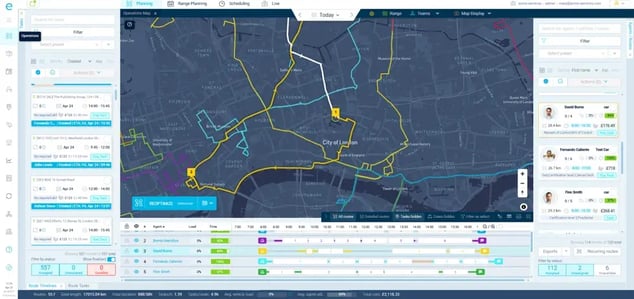
On the planning side, eLogii builds and optimizes schedules and routes using:
- Customer time windows
- Technician availability and skills
- Job duration
- Locations (technicians, depots, customers)
- Travel time
- Job priorities
- Service requirements
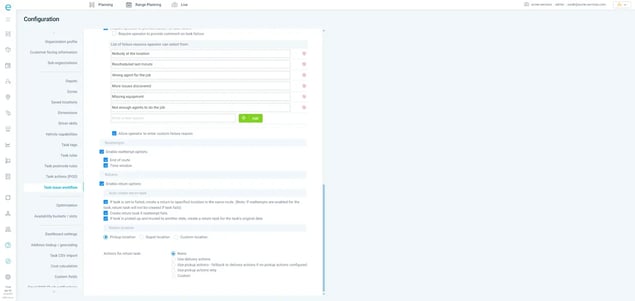
eLogii aims to generate a route and schedule that balances efficiency with the ability to actually meet service commitments.
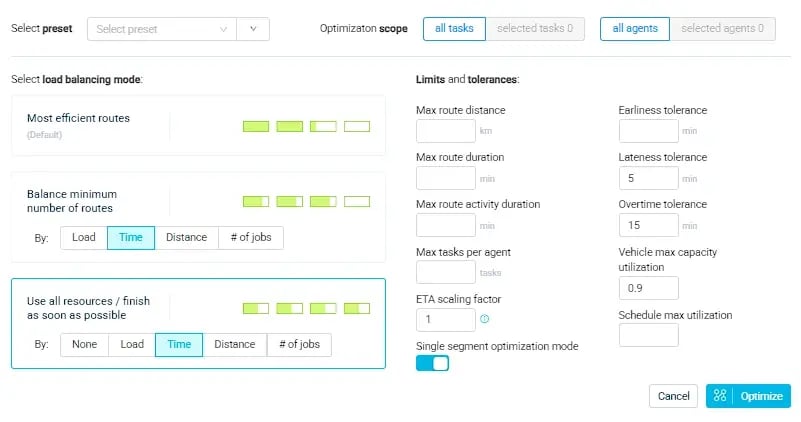
Say you have 30 appointments across a territory and several customers need narrow two-hour windows. Those commitments shape which technician takes each job and the order the work runs in.
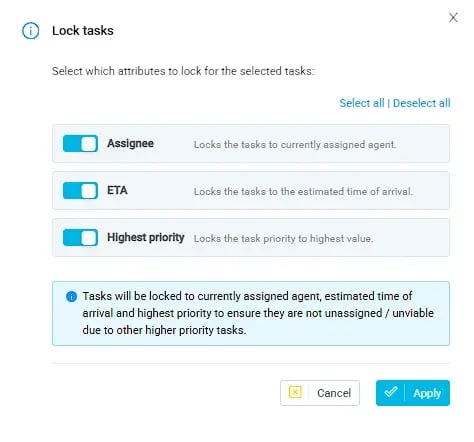
Offering only slots the operation can genuinely deliver through appointment slot booking keeps promises realistic from the first booking.
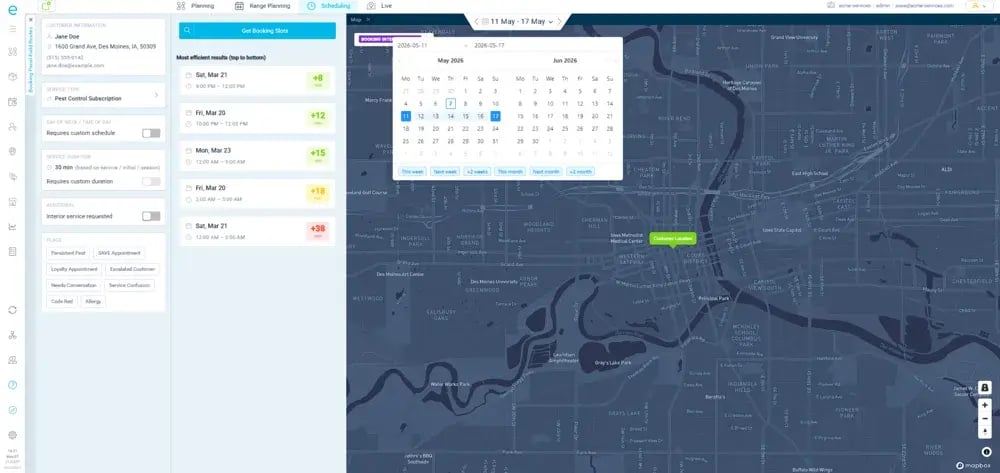
On the other hand, flexible appointment planning lets you plan across a date range rather than one rigid day.
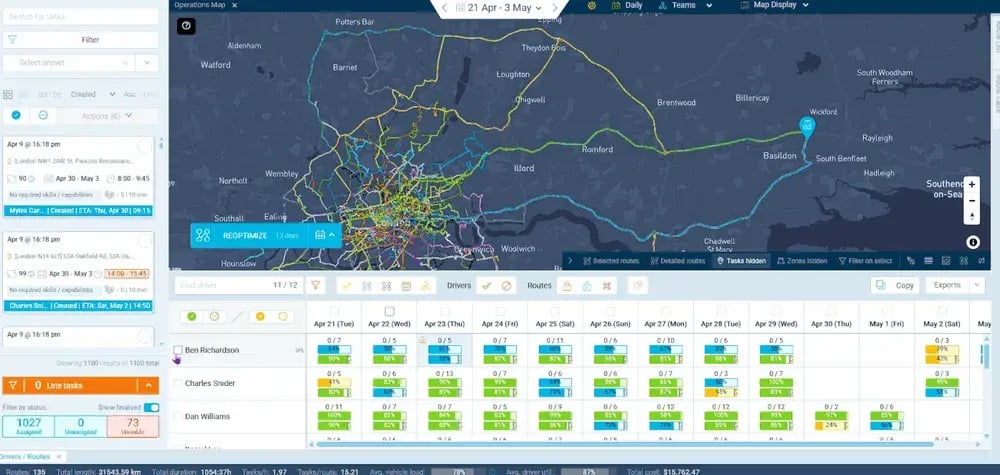
Once the day starts, even a well-optimized plan can encounter job overruns, customer cancelations, missing technicians, traffic, or urgent job callouts.
eLogii handles that by reassessing remaining jobs and routes when events occur, making targeted changes rather than rebuilding the whole day.
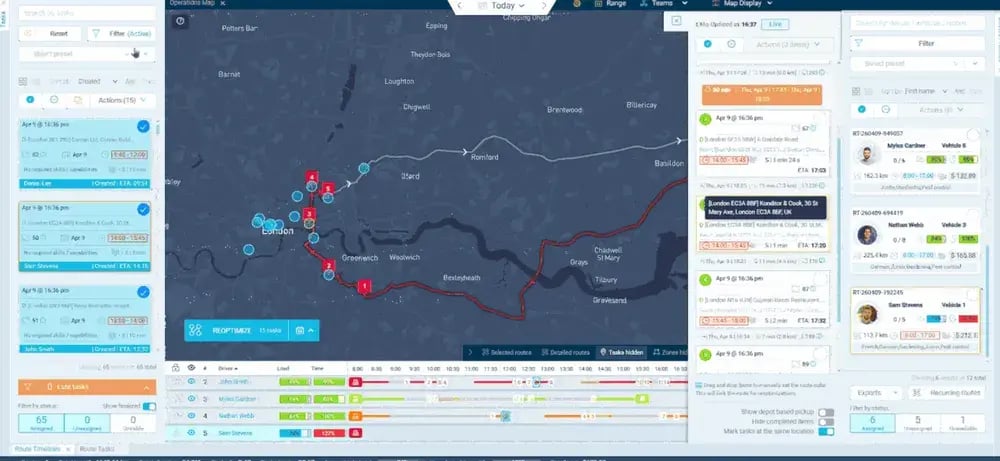
The software balances schedules by:
- Protecting narrow service windows
- Limiting extra drive time
- Using available capacity
- Keeping technician-job matches valid
- Handling urgent work
- Reducing downstream disruption
Importantly:
eLogii doesn't replace your systems of record.
Here, we're talking about systems that field services use to run their operations such as FSM, CAFM, ERP, work order, and asset systems that hold the operational data.
Instead, eLogii sits on top of these tools as a planning, optimization, and execution layer that turns data from those systems into a workable, adaptable schedule and pushes results back.

eLogii complements existing stacks and the model applies to a variety of field service industries:
End to end, it looks like this:
You start with 50 appointments, 10 with narrow windows. eLogii builds the initial plan around skills, locations, travel, duration, and commitments.
During the day, one technician is delayed, one customer cancels, and one urgent job arrives. Instead of manually rebuilding the schedule, the software reassesses jobs, uses the freed capacity from the cancellation elsewhere, and keeps protecting the most important windows.
Not every appointment will stay perfectly on time, but your decisions and those of your planners are sharper.
The outcomes teams look for include:
- Better service window adherence
- More predictable performance
- Higher technician utilization
- Less unnecessary driving
- Better use of capacity
- Fewer schedule disruptions
- Less manual rescheduling
- Stronger same-day change handling
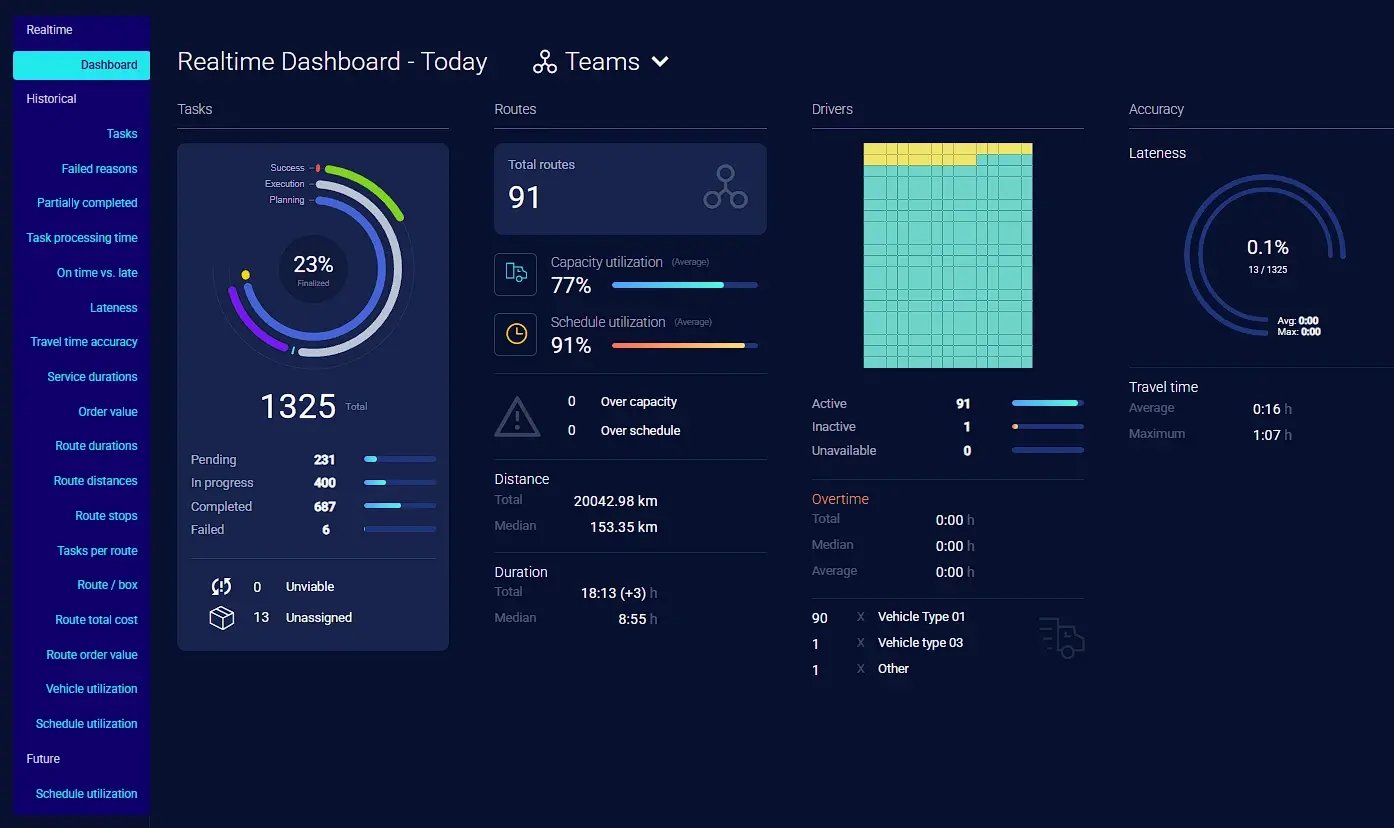
Real results depend on your data, operating model, constraints, and implementation, but the proof is in deployments:
Northern Care Alliance NHS Foundation Trust cut manual work by 90%, reduced planning time by more than 60% with a leaner team, and now sends trucks out more than 90% full.
Heatleys reported an 80% reduction in time spent on planning and scheduling. The platform is proven at 10,000-plus daily tasks, and similar appointment scheduling improvements show up across enforcement and service operations managing constrained schedules.
One misconception that we see show up when working with field operations is worth addressing:
Handling tight customer windows isn't about producing ever-more-precise schedules. A plan that's perfect at 7:00 AM can still fail by 2:00 PM if it can't adapt.
The real challenge is building a schedule that respects commitments and keeping it effective as conditions change. Tight windows demand an operation that can adapt when the plan meets reality.
The Bottom Line
Treat customer time windows as both a promise and a constraint.
Staff, plan, and equip your operation to keep them when the day goes sideways.
The single most useful move you can make is to stop judging a schedule by how good it looks. And start judging it by how well it holds up when your operations get underway.
Practically, that means picking service window length your operation can actually deliver given its geography, capacity, and service mix. Then build in the ability to reassess routes and jobs as conditions shift.
Static planning gets you an efficient starting point. Dynamic execution keeps that plan honest.
A good schedule meets today's commitments.
A resilient operation keeps meeting them when today refuses to go according to plan.
FAQ
What happens if a technician can't make a customer's time window?
Communicate early with a revised ETA, then try to protect the window by resequencing the route or reassigning to a nearer available technician. Rebooking is a last resort. The right response depends on service type and SLA - a statutory compliance visit warrants more aggressive recovery than a flexible routine call.
How should we prioritize customers with overlapping or conflicting windows?
Rank by SLA exposure, urgency, and window width, then resolve conflicts using available capacity and the right skills. Tighter, contractually bound windows usually take precedence over flexible ones. There's no fixed rule; the correct call depends on your commitments, workforce, and the operational cost of each option.
How do we handle time windows when job duration is unpredictable?
Base window and slot length on realistic, data-informed durations rather than optimistic averages, and add buffers for variable work. Where completion times swing widely, widen the window instead of forcing precision you can't deliver. Configurable service durations that reflect real historical times keep your promises grounded.
Should we offer customers a choice of time-window options?
Offering a few feasible slots improves convenience and cuts inbound booking calls. It only works when the options reflect actual capacity, travel time, and technician availability rather than a static grid. Presenting slots you can't realistically deliver just moves the failure downstream to a missed appointment.
How do we know if our current time windows are too narrow?
Watch for frequent late arrivals, rising reschedules, low utilization, creeping overtime, and delays that cascade across routes. If small overruns routinely break the rest of the day, your windows likely outpace your capacity. Measure window adherence against available capacity rather than judging windows in isolation.
How do SLAs affect time-window design?
SLAs set hard commitments that constrain both window length and prioritization, since statutory or contractual deadlines are non-negotiable. Windows must be planned around those deadlines first, then optimized for efficiency. The exact impact depends on the contract - a same-day emergency SLA demands very different window design from a 28-day PPM commitment.
Can time windows flex with technician availability or demand?
Yes. Offering tighter windows in low-demand periods and wider ones at peak keeps promises realistic as capacity changes. What you commit to should reflect live, available capacity rather than a fixed policy. Avoid a one-size approach; the feasible window on a quiet Tuesday differs from a fully booked Friday.
How should we measure time-window performance?
Track window adherence rate, on-time arrival, reschedule rate, and utilization together rather than fixating on a single KPI. One metric hides trade-offs - high adherence with poor utilization signals overly cautious planning. The right blend depends on your service model, SLA obligations, and cost priorities.
What do we do when several appointments become at risk at once?
Triage by priority, SLA exposure, and window width, then re-optimize the remaining day around the most critical commitments. Protect the windows with the highest operational or contractual cost of failure, find slack elsewhere, and communicate proactively with affected customers before they call you.