PLANNING & SCHEDULING
 Click to zoom
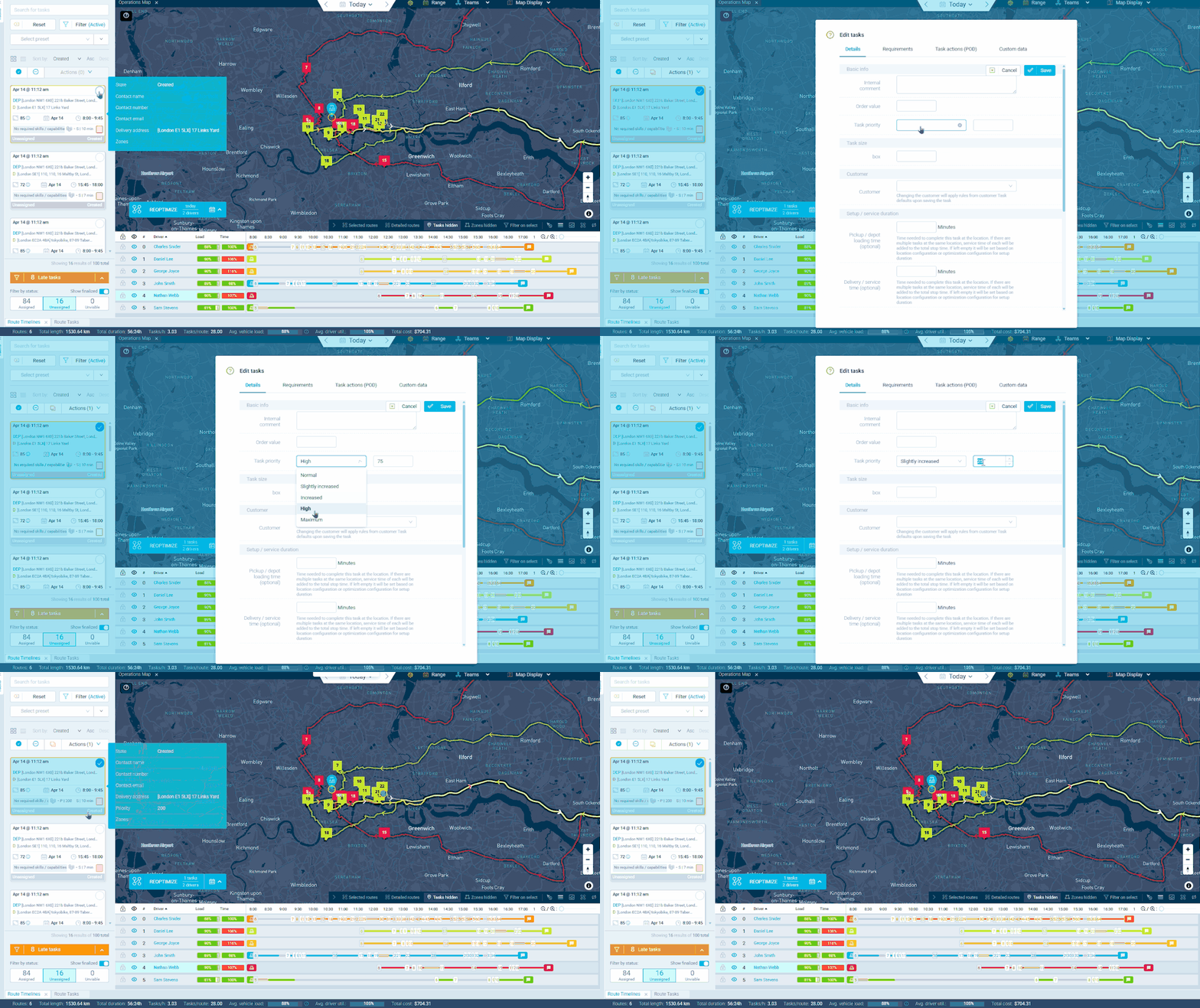
When your fleet is at capacity, which deliveries make the cut? Task priority lets you assign importance scores from 1 to 1,000 so the optimizer knows which tasks matter most. A hospital pharmacy delivery scored at 900 carries far more weight than a routine office supply drop at 50. Courier operations can set default priorities by customer tier so premium SLA clients are always scored higher than standard accounts. Grocery distributors can boost priority for temperature-sensitive orders that must arrive within a tight window. The optimizer works to maximise the total priority value across all routes, so scoring gaps matter: set critical deliveries at 1,000 and routine ones at 50 to make sure the important work is never traded away for volume.
A burst pipe emergency scored at 1,000 should never lose out to three routine tap replacements at 100 each when a plumber's schedule is full. Task priority tells the optimizer which jobs carry the most value, so it builds routes that maximise total importance rather than just fitting in the most stops. HVAC companies can set default priorities per customer: care homes and hospitals at 900 while residential maintenance sits at 200. Pest control operators can boost scores for active infestations versus quarterly prevention checks. Note that priority determines which tasks get assigned, not the order they're completed in. Execution sequence is handled separately through task ordering controls.
GET STARTED
Book a personalized demo and see how eLogii's 84 features work together to transform your field operations.
