This guide breaks down what customer rescheduling actually costs and how to absorb it.
It's written for operations leaders who want dynamic scheduling for customer reschedules rather than manual firefighting.
Here's what you'll learn:
- Why a reschedule costs far more than the moved appointment
- How one change disrupts route efficiency and technician utilization
- How it reaches customers who never touched their booking
- The real financial impact on revenue and labor
- Practical ways to reduce the disruption
Let's get started.
Key Takeaways
- The true cost of customer rescheduling isn't the moved appointment. It's the work of reorganizing everything around it across routes, technicians, and service commitments.
- One reschedule can leave a gap too small to fill, break an efficient geographic sequence, and leave one technician idle while another runs late.
- Customers who never changed their appointment can still experience late arrivals, narrower windows, and fewer available slots when the operation struggles to absorb a change.
- Scheduling instability shows up financially as lost revenue-generating hours, overtime, paid idle time, and fewer jobs completed per technician each day.
- Reducing disruption relies on three things working together: proactive planning, flexible capacity, and the ability to adapt the remaining schedule when reality shifts.
- Measuring only how many customers reschedule misses the point. The metric that matters is what those changes do to capacity and utilization.

Why Customer Rescheduling Is More Expensive Than It Appears
Every appointment sits inside a larger schedule shaped by technician availability, travel time, geographic positioning, appointment windows, SLAs, and the other jobs booked around it. Move one, and you disturb the relationships between all of them.
One customer rescheduling a single appointment can force the operation to absorb a chain of changes across the rest of the day.
Picture a technician with five appointments planned across a territory. The third customer calls to move their slot from 11:00 AM to 3:00 PM. That looks like a one-line edit.
Fitting that change back into the day can create:
- A two-hour gap where the 11:00 AM job used to sit
- Extra travel to reach the next job out of sequence
- Poorer route ordering for the rest of the afternoon
- Delays that push the fourth and fifth appointments later
- Lower technician utilization for the day
- Overtime if the last job slips past shift end
- Pressure on other customer commitments that were already tight
The real cost is the operational effort of reorganizing everything around it so the rest of the day still works.
This is where dispatchers earn their keep, deciding what to move and what to protect. Clear job prioritization rules help them make that call quickly instead of rebuilding the whole day by hand.
The impact grows sharply with scale.
Operations with large mobile workforces, high daily job volumes, multiple territories, tight windows, SLAs, and limited technician capacity feel every change more acutely.
A dispatcher managing hundreds of jobs can't simply drop one appointment into a new slot without asking what happens to everything else.
The consequences all belong to the same ripple effect rather than being separate problems.
- Lost utilization - A gap in the middle of the day is working time the technician can't turn into completed jobs.
- Increased travel - Moving one appointment can force a longer drive or an inefficient loop back through the same area.
- Service-level risk - Downstream appointments can slip outside their promised windows or breach an SLA.
- Higher operational costs - Repeated disruption feeds overtime, extra mileage, fuel, and more hands-on dispatcher time.
- Dispatcher workload - Small customer changes create large manual effort when the schedule and route have to be rebuilt again and again.
This pattern bites hardest in complex, multi-site environments like maintenance visit scheduling, where one estate or building can hold several dependent jobs and a single change reshuffles the plan.
The cost of rescheduling is the cost of reorganizing everything around it.
That distinction is why the same change barely registers in a small operation and becomes expensive in a large one.
The question is how to absorb those changes without letting one reschedule disrupt the rest of the day.
How Rescheduling Disrupts Route Efficiency
A route can be perfectly optimized at the start of the day and still fall apart when just one appointment moves.
The plan was built for a specific set of times and locations, and the moment one of them changes, the logic behind the sequence starts to weaken.
Field routes are interconnected. The timing and location of one job shape the sequence, travel, and available capacity of the jobs around it.
That connection is exactly what makes rescheduling more than a scheduling edit.
Three effects do most of the damage.
Empty Time Slots
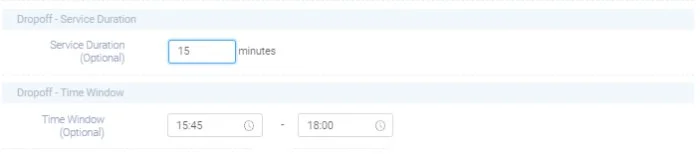
A short-notice cancellation or reschedule creates a gap in the technician's day that is hard to fill. Say a 10:00 AM appointment moves to 2:00 PM.
That leaves a two-hour hole that may be too small, or too far from other work, to slot in another suitable job nearby.
That unused time is capacity the business can't get back.
One gap is minor. Repeated across hundreds of technicians over a month, those gaps add up to a significant block of lost productive hours.
Increased Travel Time
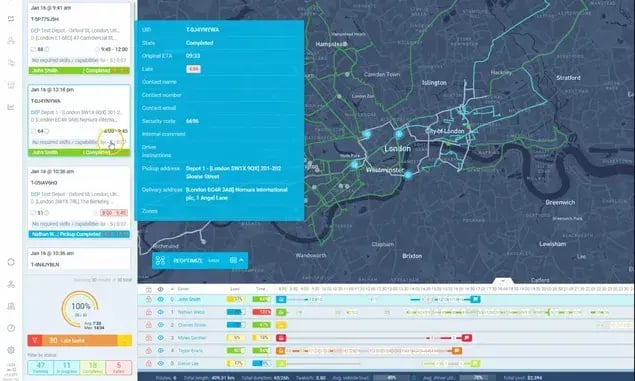
Moving one appointment can break an otherwise clean geographic sequence. A technician who was set to move logically from one nearby job to the next now has to backtrack or make a second trip through the same area later in the day.
The problem isn't any single detour. It's the cumulative effect across a large operation: more miles, more driving time, higher fuel and vehicle costs, and fewer productive hours left for actual work.
Industry estimates put this drag high. By one measure, windshield time acts as a 15-30% productivity tax on most field service businesses, and inefficient sequencing makes it worse.
Keeping the sequence tight after a change is what protects against this, which is where appointment interval optimization does its quiet work.
Resource Imbalances
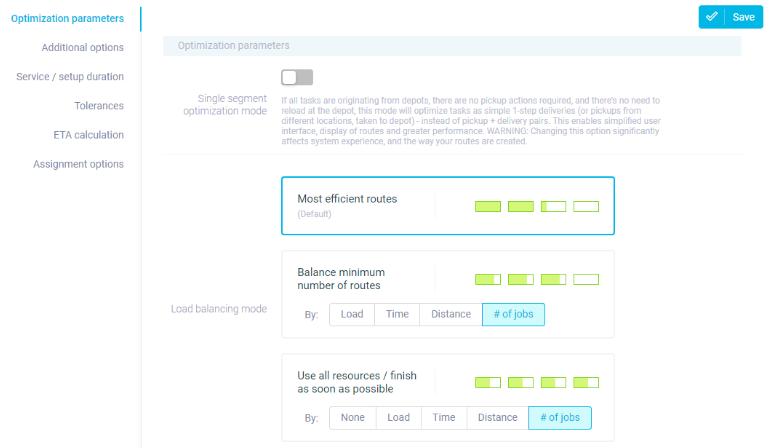
Rescheduling affects more than a single route. A change can leave one technician with spare capacity while another nearby ends up overloaded and at risk of running late.
One technician loses a two-hour appointment and now has an open block. Another, a few miles away, has jobs stacked back to back and is already behind. Part of the operation sits idle while another part is under pressure.
That imbalance shows up as:
- Overtime for the overloaded technician
- Underused capacity for the one with a gap
- Uneven workloads across the team
- Lower daily job capacity overall
- More dispatcher intervention to smooth it out
Rebalancing work across the team, through something like balanced appointment allocation, is what stops one change from tipping the day sideways.
Empty time, extra travel, and resource imbalance aren't three separate issues. They're three faces of the same problem: the original route was built around a schedule that has changed.
The bigger the operation, the more that mismatch costs, especially with large mobile workforces, high job volumes, multiple territories, and tight windows in the mix.
Rescheduling doesn't just change when one technician visits one customer. It changes how efficiently the entire day's capacity gets used.
The challenge, then, isn't preventing every schedule change. It's keeping the operation productive when those changes inevitably happen.
The Impact of Rescheduling Jobs on Customer Experience
A customer rescheduling their appointment feels like an isolated event to them. For the field operation, it can quietly affect several other customers.
Appointments are connected through shared technicians, routes, time windows, and daily capacity.
When one appointment moves, the change can influence when other customers get visited and how reliably the operation keeps its promises.
Three customer-facing consequences stand out.
Reduced Appointment Availability
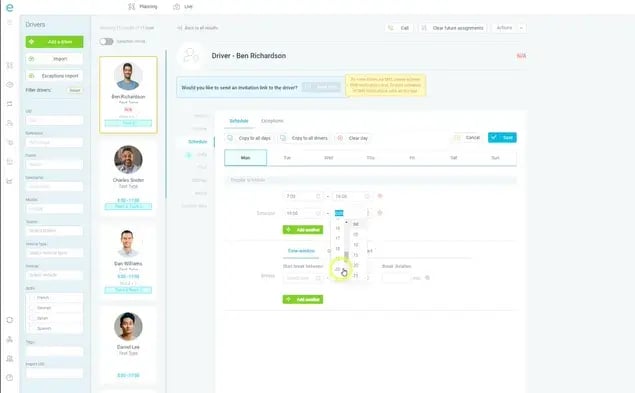
Inefficient schedules shrink the number of slots an operation can offer. A technician loses a mid-morning appointment because a customer reschedules, and if that gap can't be filled cleanly, the capacity simply disappears from the day.
Repeat that often enough and the operation serves fewer customers with the same workforce. Less usable capacity means fewer booking options and longer waits for everyone else.
Giving customers easy self-service appointment scheduling helps here, but only if the operation can absorb the changes those customers make.
Delayed Arrival Times
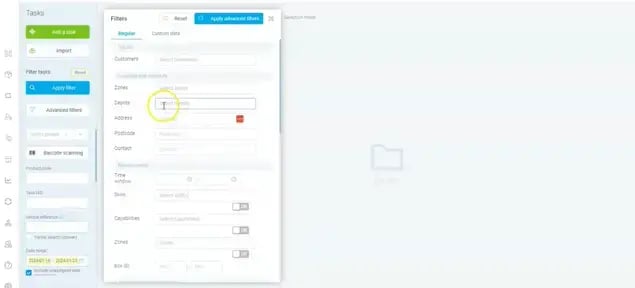
One moved job can reorder the appointments around it.
When a customer shifts their slot to later in the day, the technician often has to change the order of nearby jobs, adding travel or delay that lands on customers who changed nothing.
Those customers can end up dealing with:
- Late arrivals
- Narrower or missed appointment windows
- Longer waiting times
- Last-minute schedule updates
They experience the consequences of a decision they had no part in.
Reduced Service Reliability
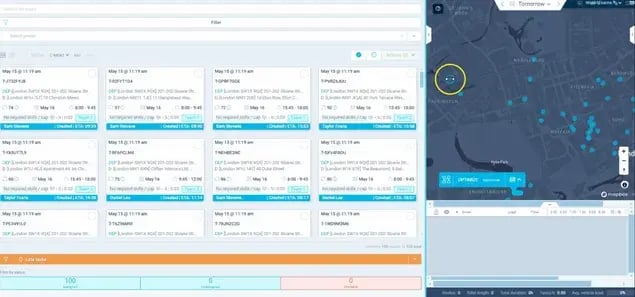
Customers judge field service on whether the company does what it promised, when it promised it.
This matters most in trades with tight windows, like HVAC service appointments, where a missed slot can leave someone without heating or cooling for a day.
Repeated schedule disruption makes service less predictable. Appointments get pushed back, technicians arrive later than expected, customers receive last-minute updates, and urgent jobs bump previously scheduled visits.
Over time, that reduces trust more than any single late arrival.
Customer experience is tied to the operational efficiency happening behind the scenes.
A field operation that can't absorb schedule changes eventually passes that disruption on to customers through delays, reduced availability, and unreliable windows.
The chain runs like this, though it isn't automatic:
A schedule change leads to route disruption
↓
Which creates capacity or travel inefficiency
↓
Which produces downstream delays
↓
Which finally reaches other customers.
Well-absorbed changes break that chain early. Poorly absorbed ones let it run all the way to the doorstep.
Managing rescheduling well isn't only about accommodating the customer who changed their appointment. It's about making sure that change doesn't compromise the experience of everyone else on the schedule.
The real challenge is finding a way to absorb customer changes without passing the disruption down the line.
The Financial Cost of Rescheduling Your Customers
The cost of rescheduling isn't limited to the appointment that moved. The bigger financial hit comes from what that change does to the capacity around it.
When schedules become unstable, the effects show up in revenue, labor costs, and the number of jobs an operation can complete each day.
That matters most for high-utilization operations, where technician time is directly tied to revenue-generating capacity.
Three financial consequences deserve attention.
Lost Revenue Opportunities
A rescheduled appointment often creates an empty slot that can't be filled with another suitable billable job. A technician has a cancellation at 11:00 AM. There's technically time available, but there may be no suitable customer nearby who can be booked into that window.
The technician still gets paid. The business simply loses the chance to earn revenue during those otherwise productive hours. That's the difference between available technician capacity and revenue-generating technician capacity.
One missed opportunity is trivial. Repeated across dozens or hundreds of technicians, the leakage becomes substantial.
Higher Labor Costs
Schedule disruption can raise labor costs even when headcount stays flat. Inefficient schedules feed overtime, paid idle time, longer working days, extra dispatcher intervention, and more manual coordination.
One technician loses productive time to a reschedule while another becomes overloaded and works past planned hours.
The operation pays for unused capacity in one place and additional labor in another. Scheduling instability can create underutilization and overtime at the same time.
This bites hard in reactive-heavy trades. In plumbing appointment management, an emergency callout can bump a planned visit, and the day's careful labor plan absorbs the cost twice over.
Reduced Daily Capacity
Every technician has a finite number of productive hours per day. When more of that time goes to waiting, extra travel, schedule gaps, and manual coordination, less remains for billable work.
According to FieldEdge's utilization analysis, saving just 30 minutes per technician per day through better scheduling and routing can create more than 100 additional labor hours per technician each year, without adding trucks, staff, or overtime.
Lose that half hour instead, and the same math runs in reverse across a large workforce and many working days.
The opportunity isn't only cutting cost. It's recovering capacity that converts into completed work and revenue.
These three impacts connect directly: rescheduling leads to lost productive capacity, which means fewer completed jobs, which drives labor inefficiency, which puts pressure on revenue and margin.
The financial effect depends on utilization, job value, technician availability, geographic coverage, and how well the operation absorbs change.
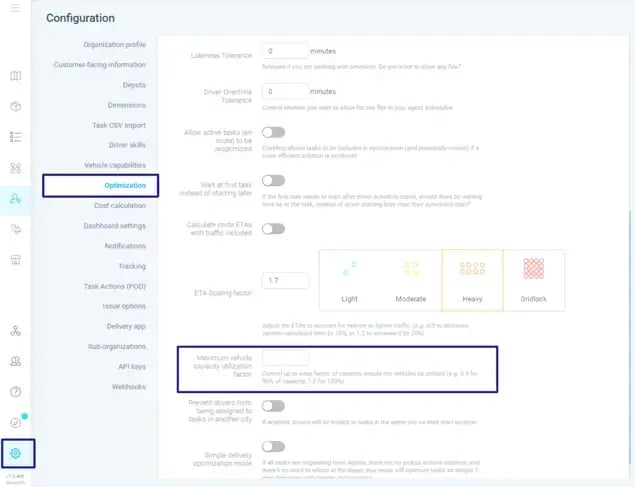
Most field service organizations aim for utilization rates in the 65-80% range, and instability is one of the quieter reasons teams fall short of it.
Leaders should look past the count of rescheduled appointments and measure what those changes do to:
- Revenue-generating hours
- Jobs completed per technician
- Overtime
- Paid nonproductive time
- Technician utilization
- Daily service capacity
Once you start measuring rescheduling in lost capacity and not just changed appointments, the financial impact becomes much harder to ignore.
Strategies for Reducing Rescheduling Disruptions
The goal isn't to eliminate customer rescheduling. It's to build an operation that can absorb it without letting one change disrupt the entire day.
Customers will cancel, move, and change appointments. That's a given.
The operational question is how effectively the business responds when they do. Rescheduling becomes expensive when the operation has no flexibility left after the schedule changes.
Three complementary strategies help.
Proactive Planning
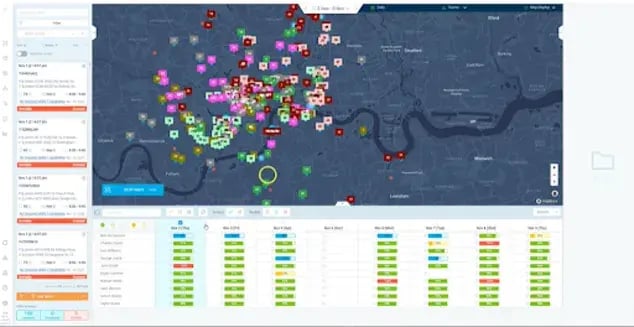
Better planning before the workday begins reduces how much a disruption can hurt later.
That means grouping work geographically, building realistic schedules, respecting appointment windows, matching jobs to technician skills, avoiding overly compressed days, and understanding expected demand.
When technicians are scheduled with reasonable geographic and time buffers, a customer reschedule is far easier to absorb than when every minute is packed.
Proactive planning lowers your vulnerability to disruption. It can't eliminate it.
Flexible Capacity
Some ability to absorb change during the day is essential.
That can come from available technician capacity, flexible appointment windows, work that can be moved forward, nearby jobs that can be reassigned, and slack that opens up when cancellations occur.
A customer cancels a morning appointment. Rather than leaving the technician with an empty block, the operation pulls in available nearby work to use that newly freed capacity.
Flexibility creates options when the original plan changes.
There's a genuine trade-off. Too much unused capacity is expensive, while zero flexibility makes the operation fragile.
The way you offer and manage bookable time matters, which is where appointment slot booking and smarter, AI-powered slot booking help you shape demand before it hits the schedule.
Dynamic Scheduling

Dynamic scheduling handles changes after the day has already started.
When a customer reschedules, the operation reassesses the remaining work instead of just moving that one appointment and leaving everything else untouched.
Rather than manually rebuilding the technician's whole day, the operation evaluates the remaining jobs and checks whether the new schedule can be improved by changing sequences, assignments, or timing.
That kind of schedule adjustment automation is what keeps the rest of the day intact.
The outcome is less idle capacity, fewer unnecessary detours, better utilization, more protected windows, and less manual dispatcher work.
Companies using this kind of scheduling report 20-30% improvements in technician utilization, though your mileage depends on how much change you deal with.
Dynamic scheduling doesn't mean constantly churning routes. It means making meaningful adjustments only when changes actually warrant them.
That discipline matters just as much in recurring-visit work like cleaning appointment scheduling, where over-adjusting a stable weekly route creates its own confusion.
The three strategies reinforce each other:
→ Proactive planning creates a strong starting point
→ Flexible capacity creates room to absorb disruption
→ Dynamic scheduling adapts the plan when reality changes.
The strongest operations use all three rather than leaning on one.
Operational resilience is a schedule that can change without falling apart.
The difference is how much disruption that change creates when it does.
eLogii Enables Seamless Customer Rescheduling Throughout the Day
Start with a familiar scenario:
A technician has a fully optimized route for the day. At 10:00 AM, a customer calls to move their 11:30 appointment to the afternoon.
The dispatcher now faces three choices:
- Manually move the appointment and adjust everything around it by hand.
- Leave the original route intact and accept the resulting inefficiency.
- Recalculate the remaining schedule based on the new reality.
The first choice eats dispatcher time. The second wastes capacity. eLogii exists to make the third choice practical.
eLogii acts as an execution layer that can dynamically adjust the remaining routes and schedules when customer requirements change, without the dispatcher rebuilding the whole day. The workflow is straightforward:
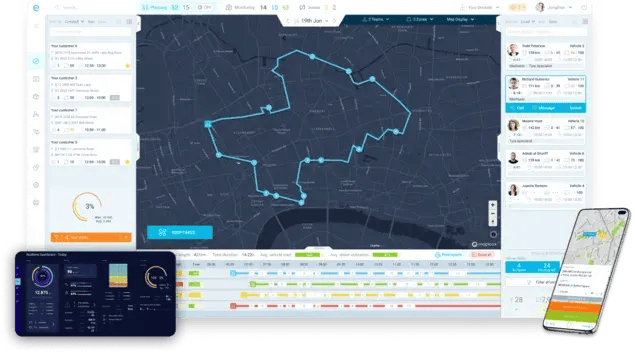
- The customer reschedules their appointment.
- The updated requirement enters the operation.
- eLogii evaluates the remaining work and current operational conditions.
- It recalculates the relevant routes and assignments against the new constraints.
- The operation receives an updated plan that reflects the change.
Completed work and appropriate in-progress work stay protected. Only the remaining schedule gets reconsidered.
The new plan isn't simply built around the rescheduled customer.
It weighs the broader operational context, including technician location and availability, remaining jobs, customer time windows, job priorities, travel time, existing route commitments, service requirements, and other constraints.
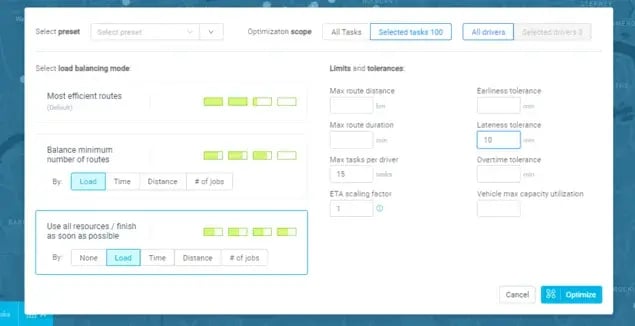
The point is that eLogii looks at how the change affects the remaining operation, not just where to drop the rescheduled appointment.
A concrete example makes it clear. A technician has six jobs scheduled.
One customer moves their appointment from 11:30 AM to 3:00 PM. Instead of leaving a large gap in the route.
eLogii can reassess the remaining jobs and determine whether another nearby appointment should move into the opening, whether the sequence should change, or whether a different technician is better positioned to absorb the work.
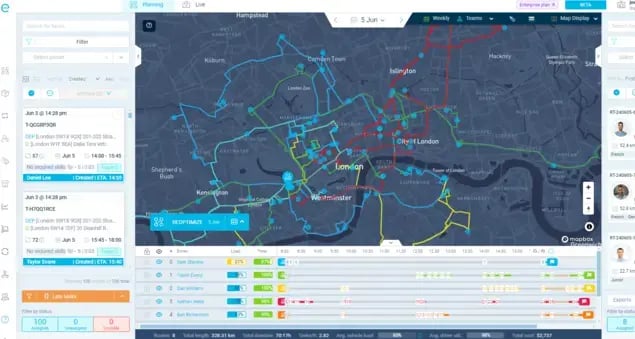
The objective is to make the smallest or most appropriate set of changes needed to keep the operation efficient.
That protects several things at once:
- Technician utilization - Less avoidable idle time and better use of available working hours.
- Route efficiency - Fewer unnecessary detours and less inefficient sequencing.
- Time windows and SLAs - Better odds of keeping commitments to the customers who didn't change anything.
- Daily capacity - A stronger chance of completing the planned workload despite the disruption.
- Dispatcher productivity - Less manual rebuilding and constant coordination.
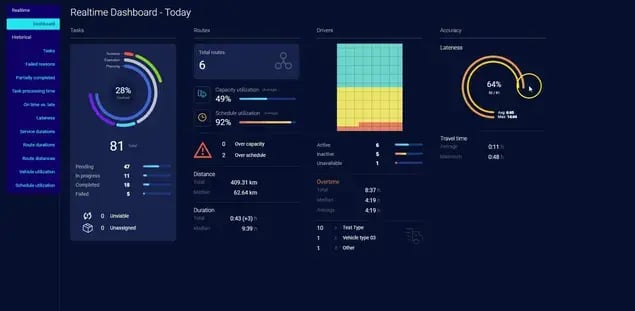
None of this promises that every rescheduling event lands without impact. The goal is to minimize the disruption the change creates.
eLogii doesn't have to replace your existing FSM, CAFM, ERP, EAM, or CRM. Those systems keep managing the information and processes they already own.
eLogii adds the execution capability that translates changing operational information into updated routes and schedules throughout the day.
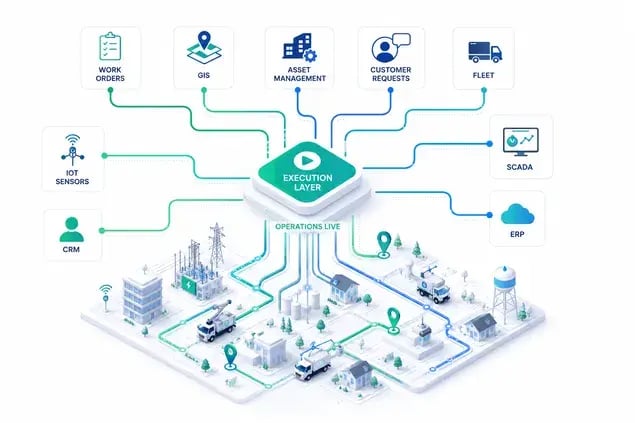
The distinction is simple: the existing stack tells the operation what work needs to be done, and the execution layer helps determine how that work gets carried out as conditions change.
Customer rescheduling doesn't have to trigger a chain reaction across the entire day. The right execution layer can absorb the change, reconsider the remaining work, and keep the operation moving.
The result isn't a schedule that never changes. It's an operation that can change without losing control of the day.
From Rescheduling Disruptions to Measurable Results: How Field Teams Use eLogii
Rescheduling disruption is ultimately a capacity and execution problem. The real question is what an operation can do with that disruption, and whether it can turn unused capacity, inefficient routes, and manual work into measurable productivity.
Two organizations in very different fields show what happens when routing, scheduling, and operational visibility improve.
Turning Better Routing Into 22% More Visits for Debt Collection Operations
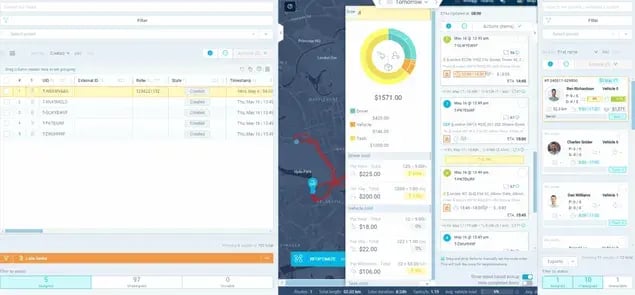
Richburns runs a large field-based debt recovery and data collection operation, with agents working across broad geographic territories.
Previously, individual agents carried much of the responsibility for planning their own routes.
When field agents plan their own routes, management loses visibility into workload distribution, territory performance, and overall route efficiency. It becomes hard to see where capacity is being wasted.
Richburns moved from agent-planned routes to centrally optimized routes, ensuring maximum efficiency. That shift gave the operation far greater control over how work was distributed.
The results were concrete. Field agents gained two additional hours of productive time weekly, increasing their time "on the door" from 37 to 39 hours, which resulted in approximately 20-22% more visits per agent, significantly boosting revenue and efficiency.
The operation also had the confidence to grow, expanding the team by 9 agents.
The point isn't that agents simply drove better routes. Better scheduling unlocked more productive field capacity from the existing workforce.
When schedules and routes are managed as one interconnected operation rather than isolated agent plans, an organization gets more out of the capacity it already has, which is exactly the lever that matters when appointments change.
Paul Clark, Co-Chief Operating Officer at Richburns, put it plainly, noting that
"eLogii has fundamentally transformed the way we operate."
You can read the full set of appointment scheduling improvements in their story.
Cutting Manual Work While Improving Driver Efficiency in Healthcare Field Operations
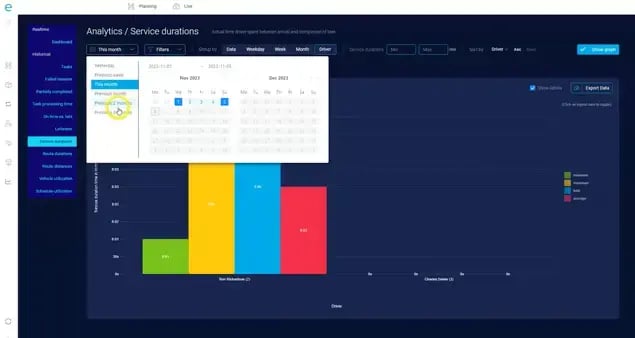
Northern Care Alliance NHS Foundation Trust runs time-critical healthcare pickup operations, with staff working multiple routes under strict timing requirements.
The work mixes recurring routes with daily changes, staff availability shifts, and schedule exceptions, all demanding accuracy and visibility.
The Trust previously had a solution where the scanning functionality was hit and miss and pickups, which are highly time sensitive, often took longer than desired, while the routing functionality was not strong enough to support operations and Google Maps was being used to create and update recurring routes.
Manual planning struggles when routes have to account for changing circumstances while still meeting time-sensitive requirements.
With eLogii, the team automated route and schedule planning, handled exceptions, improved visibility, and managed changing driver availability.
If regular drivers were away, the Trust could set exceptions to exclude particular drivers from planning for a defined period and allow relief drivers to automatically be considered in the planning.
The measurable outcomes were strong: the Trust cut manual work by 90% and achieved 99% scanning accuracy and 52% fewer human errors.
Less manual scheduling and better visibility let the team spend less time managing the plan and more time executing it well.
In a dynamic field operation, responding to exceptions and changes matters as much as building the original schedule.
Stephen Pitt, Transport Supervisor, summed up the shift, describing how:
"eLogii is a very complete and easy-to-use solution that has cut the vast majority of our manual work."
Their full patient scheduling optimization story has the detail.
The Common Thread
Debt collection and healthcare logistics could hardly be more different. Yet both demonstrate the same principle: better field execution can unlock capacity without simply adding more people.
Neither organization got there by hiring its way out. The gains came from improving how existing resources were planned, routed, scheduled, and managed.
That's the heart of dynamic field operations, keeping productivity high when the real world changes the plan, not chasing a perfect schedule that never moves.
The common thread is the ability to turn better scheduling and routing into more productive use of the field capacity already available.
The Bottom Line
Treat customer rescheduling as a capacity-management and execution problem, not an administrative one, and its true cost stops hiding.
A single change can drain technician utilization, leave gaps, lengthen routes, unbalance workloads, add overtime, cut daily capacity, and reach customers who never touched their booking.
The problem was never that customers reschedule. It's whether your operation can absorb those changes before they cascade through the rest of the day.
Proactive planning, flexible capacity, and dynamic scheduling are what make that possible.
A schedule is only valuable if it stays productive when reality changes.
Take one recent reschedule and trace what it actually cost you in lost capacity. That number usually tells the real story.
If you're looking to reduce that number, book a demo and see how eLogii can do it.
FAQ about Rescheduling Customers
What are the most common reasons customers reschedule field service appointments?
Common causes include availability conflicts, access issues at the property, forgotten commitments, weather, and work that overruns from an earlier job. The specific reason matters less than how well your operation absorbs the change. A team built to adapt handles a weather delay and a forgotten booking the same way.
What's the difference between a cancellation, a reschedule, and a no-access visit?
A cancellation removes the job and frees the slot with no new time attached. A reschedule moves the job to a future window, so capacity has to be found twice. A no-access visit means the technician arrived but couldn't complete the work, wasting travel and time. Each needs a different recovery action.
When does customer rescheduling become particularly expensive?
Rescheduling gets expensive in high-utilization, high-volume operations with tight windows and little spare capacity. When every technician's day is packed, there's no slack to absorb a change, so it forces detours or overtime. A team running at 80% utilization across tight SLAs feels one reschedule far more than a lightly booked one.
How can we measure the true cost of rescheduling?
Track lost revenue-generating hours, jobs completed per technician, overtime, paid idle time, and added mileage, not just the count of reschedules. The number of changes tells you nothing about impact. Compare planned versus actual completed jobs on high-reschedule days to see what capacity you're actually losing.
How does rescheduling affect technician utilization?
Rescheduling leaves capacity idle in one place and overloaded in another. A technician who loses a two-hour appointment has an unfillable gap, while another nearby runs late with stacked jobs. Utilization drops on both routes at once, one from idle time and one from delays and overtime.
Should every rescheduled appointment trigger a change to the technician's route?
No. Adjust the route only when the change meaningfully improves the outcome, such as filling a gap, protecting an SLA, or cutting a wasteful detour. Constant re-routing confuses technicians and creates its own overhead. If the existing route still works reasonably well, leave it alone.
How can dispatchers decide which schedule changes actually need action?
Prioritize by SLA risk, the size of the gap created, and the downstream impact on other jobs. A change that threatens a promised window or leaves a large unfillable hole needs attention first. A minor shift with no knock-on effect can usually wait or be left as is.
How much schedule flexibility should a field operation keep?
Keep enough slack to absorb typical daily changes without leaving expensive capacity idle. Too much buffer wastes paid hours, while zero flexibility makes the operation fragile. A practical rule is to hold a small amount of reassignable or standby capacity in each territory, sized to your normal reschedule and callout volume.
Can dynamic scheduling reduce the impact of same-day customer changes?
Yes. Dynamic scheduling reassesses the remaining work when a change happens, rather than just moving one job and leaving the rest untouched. That means gaps get filled, sequences get corrected, and windows get protected automatically. It turns a manual rebuild into a quick, controlled adjustment that keeps the day productive.
Which metrics show whether rescheduling is hurting performance?
Watch technician utilization, the drive-time-versus-work-time ratio, jobs completed per technician per day, overtime hours, and SLA adherence. When reschedules climb, these numbers slip first. Reviewing them together, rather than in isolation, shows whether schedule instability is quietly eroding your capacity and your service commitments.