Dynamic dispatch is the difference between quietly absorbing an emergency callout and losing a whole day to manual replanning.
When an urgent job lands in a schedule that's already built, most operations react on instinct.
That reflex often causes more disruption than the emergency itself.
This guide shows you a practical way to fit emergency and high-priority work into live routes without derailing existing appointments, SLAs, or technician capacity.
With dynamic dispatch and scheduling as the backbone.
Here's what you'll learn:
- Why emergency jobs are harder to schedule than planned work
- The common decisions that turn one urgent job into several problems
- How to prioritize emergencies by consequence, not volume or noise
- Three practical ways to insert urgent work into active routes
- How dynamic scheduling software automates the whole response
Let's get started.
Key Takeaways
- Emergency jobs are difficult because they force urgent, unpredictable work into a plan built around different priorities, while existing routes, appointments, and commitments still need protecting.
- The closest technician is rarely the best choice once you account for skills, current workload, time windows, and the disruption to their remaining route.
- Urgency and priority are not the same thing. The right job to move first is the one where delay creates the biggest SLA, customer, or operational consequence.
- Emergency work can be absorbed through reassignment, dynamic route reoptimization, or load balancing across teams, and the best option depends on how the job affects the whole operation.
- The goal is targeted adaptation, not rebuilding the day. Change the smallest part of the plan that solves the problem.
- Dynamic scheduling software reduces the manual effort of evaluating these trade-offs and adjusts affected routes while respecting the constraints you already set.

Why Emergency Jobs Create Scheduling Challenges
Emergency jobs create scheduling challenges because they force urgent, unpredictable work into an already planned operation.
Usually this is with little notice.
On the other hand, existing routes, appointments, technician availability, and service commitments still have to be protected.
The plan was built around a different set of priorities and timings, and the emergency doesn't respect any of them.
Planned work is predictable. You know the job, the location, the duration, and the skills it needs.
This allows you to sequence it days in advance.
Emergency work behaves differently in almost every way:
- Little or no advance notice
- High urgency and strict response requirements
- Limited flexibility around timing
- Unknown or hard-to-estimate job duration
- Different skill, equipment, or certification needs
- Real consequences if the job is delayed
That combination is what makes emergencies hard to slot in.
This pressure is rising, too. According to a FieldEdge industry report, 50% of customers now expect proactive communication and fast response times as a baseline, not a bonus.
When speed becomes the expectation, absorbing urgent work cleanly is a core part of running field service operations.
Picture a technician with four planned appointments across the morning and afternoon.
At 11:00 AM an emergency job appears two miles from their current stop. Assigning it there feels obvious, but the ripple spreads fast.
The extra visit pushes back the remaining three appointments, changes the route sequence, adds travel time, and eats into time windows the customers were promised.
If any of those jobs carry an SLA, you're now at risk on more than one commitment.
Pull in a second technician to cover the overflow, and the disruption spreads to their route as well.
Disrupting Existing Routes
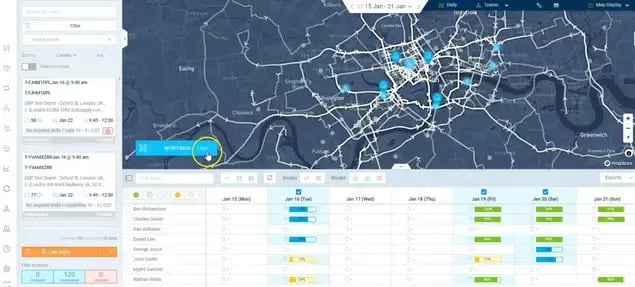
Inserting an urgent job mid-route almost always makes the original sequence less efficient. A route that flowed cleanly from stop to stop now involves backtracking, longer drive legs, and broken time windows. The emergency gets handled, but the technician spends more of the day in the van and less of it completing work.
Protecting Existing Commitments
Every appointment already on the schedule is a promise to a customer, and some carry contractual weight. Dispatchers have to weigh the emergency against those existing SLAs and bookings rather than treating the newest job as automatically the most important. This matters most in compliance-critical field work, where statutory inspection windows and fixed service dates leave very little room to move committed jobs around.
Assigning the Right Technician
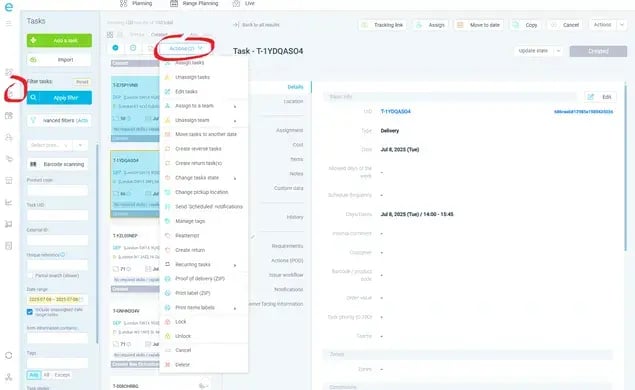
Proximity is a weak signal on its own. The nearest technician may lack the right certification, already be carrying a full route, or be missing a part the emergency needs. A good assignment weighs skills, availability, current workload, equipment, job priority, and travel time together. (Not just who shows up closest on the map.)
Capacity Trade-Offs
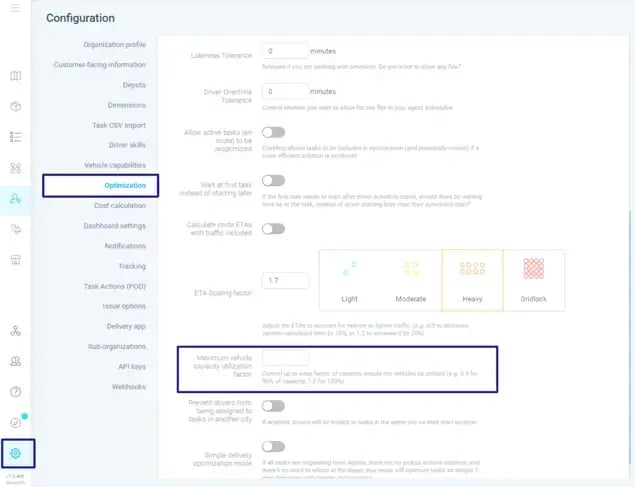
Underneath all of this sits a capacity trade-off. Keep technicians packed to full utilization and every emergency becomes disruptive because there's no slack to absorb it. Leave too much idle capacity and the operation runs inefficiently on quiet days. Poorly absorbed emergencies can drag on utilization, jobs completed, travel time, overtime, and SLA performance, though not every emergency touches all of them.
Why Contingency Planning Doesn't Help
Contingency planning helps you prepare for emergencies in general.
But it can't tell you how to handle the specific one that just arrived against the schedule you're actually running today.
That requires reconsidering the remaining plan in real time.
It's also why finding a technician for the emergency without creating a new problem somewhere else in the schedule is the hard part.
Common Mistakes Dispatchers Make During Emergencies
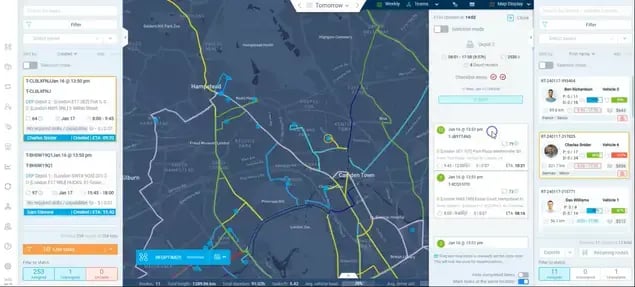
Dispatchers tend to create larger disruptions during emergencies when they make reactive decisions that solve the urgent job in isolation, without accounting for how that choice affects the rest of the live schedule.
The pressure to act fast is real, but speed alone doesn't guarantee a good operational decision.
None of the mistakes below come from carelessness. They come from making complex calls quickly, with incomplete information.
- Assigning the closest technician without checking the full schedule. Proximity is easy to see, so it becomes the default. The trouble is that a nearby technician may already be holding several time-sensitive appointments or the exact skills another job needs.
Solving the emergency in two minutes can quietly delay three other jobs. A better approach weighs who can take the work with the least knock-on damage, not just who is nearest.
- Treating the emergency as an isolated job. Inserting the urgent job without reassessing the remaining work is where hidden delays start. Jam it between two stops and you can trigger appointment delays, an inefficient route, missed time windows, extra travel, and an uneven workload for the technician who took it.
Dispatching and scheduling inefficiencies are already a widespread drag. In Field Nation's field service research, scheduling and dispatching inefficiencies impact 38% of service providers.
- Rebuilding too much of the schedule by hand. Under pressure, some dispatchers overcorrect, manually moving five or six appointments to compensate for one emergency.
Each change adds risk and makes the day harder to control. The goal is targeted adaptation, changing only the part of the plan the emergency actually affects.
- Ignoring technician capacity and workload. Repeatedly handing urgent jobs to the same reliable technicians overloads their routes and drives overtime and burnout, while others sit with unused capacity.
Spreading urgent work according to what each person can realistically absorb keeps the operation balanced. This is exactly where deliberate technician workload balancing earns its keep.
- Protecting the emergency at the expense of existing SLAs. Responding fast to the newest job can breach a commitment already on the books. Good prioritization looks at the whole set of obligations, not just whichever request feels most urgent in the moment.
- Failing to reassess after the emergency is assigned. Assigning a technician doesn't end the disruption. Their remaining route may still need adjusting as the day unfolds and other jobs run long or fall through.
Put those together in one scenario:
A technician is mid-route with several booked appointments when an emergency lands nearby. The dispatcher assigns the closest person without checking their commitments.
The new job overruns, the next appointment slips, the technician backtracks across town to recover, the dispatcher steps in to reshuffle two more stops, and the day ends in overtime.
One reasonable-looking decision cascaded into five problems.
The deeper issue is the difficulty of making decisions across a complex, interconnected operation while conditions keep changing.
That's why it helps to separate two questions.
Reactive dispatching asks:
"Who can take this job right now?"
Operational decision-making asks:
"Who can take this job while causing the least disruption to everything else we've committed to today?"
The second question produces better outcomes because it accounts for the full cost of the decision, not just the emergency in front of you.
The goal during an emergency is to make a fast decision without losing sight of the rest of the operation.
Evaluating the True Priority of Emergency Work
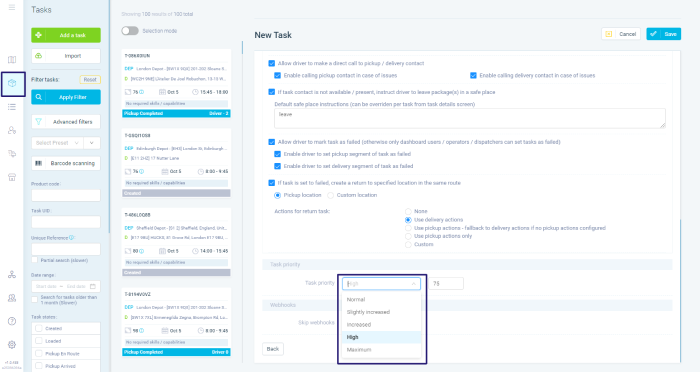
Emergency work should be prioritized by its actual business and operational impact, not by how urgent the request happens to sound.
A caller who is loud or anxious can make a minor issue feel like a crisis, while a genuinely serious problem arrives calmly by email.
Urgency is a feeling. Priority is a judgment.
And that's why it rests on three factors:
- SLA commitments
- Customer impact
- Operational risk
The aim is to decide which work genuinely needs to happen first, and why.
SLA Commitments
Contractual commitments should shape prioritization more than tone of voice.
What matters is the response-time requirement, the resolution commitment, the penalty for missing it, how critical the service is, and how much time is left before the SLA breaches.
This pressure is widely felt.
In fact, drawing on IFS research summarized by SightCall, 46% of organizations struggle to meet customer SLAs.
Say two urgent jobs arrive within minutes of each other. One has a four-hour contractual response window. The other has no fixed SLA but a frustrated caller.
The contracted job may deserve priority even if the other sounds more dramatic, because the consequence of missing it is defined and measurable. Because that call is based on the actual agreement, not your assumption about it.
Customer Impact
The number and severity of affected customers should also weigh on the decision.
Consider:
- How many customers are hit?
- How badly?
- How vulnerable or important is the customer?
- What happens if you delay action?
Two jobs needing near-identical technical work can carry very different consequences.
Restoring a fault that has knocked out service for many customers may outrank an isolated issue affecting one.
This is common in telecom service interruptions, where a single failure can cascade across a whole area.
High volume doesn't automatically win, though. It's one factor to weigh alongside SLA exposure and operational risk.
Operational Risk
Operational risk is about what happens if you don't deal with a job now.
Consider:
- Safety implications
- Asset or infrastructure damage
- The chance of escalation
- Environmental or regulatory consequences
- Dependencies between jobs
A small water ingress near electrical equipment might look manageable at 9:00 AM and become a far larger, more expensive failure by mid-afternoon.
Ask what the delay could turn this into, rather than how urgent the request sounds.
Now weigh three competing emergencies together.
Job A has a tight SLA but affects one low-risk site. Job B has no strict SLA but affects dozens of customers. Job C has a moderate SLA and a genuine safety risk if left.
There's no first-come rule that resolves this. A dispatcher reasons through the trade-off: Job C's safety exposure likely goes first, Job A's contractual clock comes next, and Job B's broad but lower-risk impact is managed around them.
Good prioritization is about understanding what's genuinely at stake when each job waits.
This makes decisions more consistent and easier to defend when several requests hit at once.
But determining priority is only step one.
Once you know which job matters most, you still have to decide who responds, what moves, how the route changes, and how the rest of the schedule stays protected.
That's why clear priority-based scheduling has to sit upstream of any routing decision.
The most urgent-sounding job isn't always the one that should move first.
The right priority is the job where delay creates the greatest consequence.
Strategies for Inserting Emergency Jobs Into Active Routes
Emergency jobs can be inserted into active routes by reassigning existing work, dynamically reoptimizing routes, or balancing work across teams. And this depends on the job's urgency and the constraints you're operating under.
Finding an available technician is the start. The operation has to absorb the new work while minimizing disruption to existing routes, customer commitments, and capacity.
But no single response fits every emergency you encounter.
That's why the approach depends on urgency, location, skills, workload, time windows, SLAs, travel time, and remaining capacity.
Reassigning Existing Work
One way to create room for an emergency is to move an existing job to another technician.
Suppose a technician is best placed to take an urgent callout, but they already have a routine appointment later that afternoon.
If a nearby colleague has capacity, transferring that planned visit frees the first technician to respond without abandoning the commitment.
Reassignment makes sense when the displaced job is less time-sensitive and another qualified technician can absorb it without breaking their own time windows.
Weigh proximity, skills and qualifications, and existing workload before you move anything.
The risk is shifting the problem rather than solving it.
Moving work can create fresh inefficiencies if you don't look at the broader schedule, which is why team-based dispatching works best when coverage is planned across a group rather than handled technician by technician.
Dynamic Route Reoptimization

Reoptimization reconsiders the active routes when an emergency appears, instead of just wedging the job in.
- Static routing keeps the original route largely intact and slots the emergency between two stops by hand.
- Dynamic reoptimization reassesses the remaining jobs against the new work and current conditions.
Take a technician with several jobs left when an emergency comes in nearby.
Rather than forcing it between two appointments, the operation can reconsider the sequence of remaining stops, travel times, assignments, and appointment constraints to find a cleaner overall result.
The point is to work out whether adjusting the relevant part of the plan produces a better outcome across location, remaining jobs, time windows, priorities, travel time, skills, SLAs, and workload.
This matters most when the emergency creates a change too messy to handle with a simple manual tweak, and it's the core idea behind dynamic route optimization.
Our guide on dynamic route optimization software goes deeper on how live adjustments work in practice.
Load Balancing Across Teams
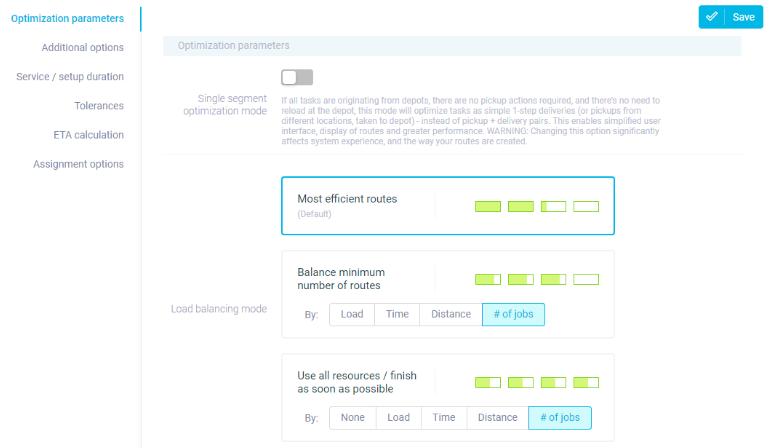
Sometimes the cleanest way to absorb urgent work is to redistribute it across technicians, crews, territories, or teams.
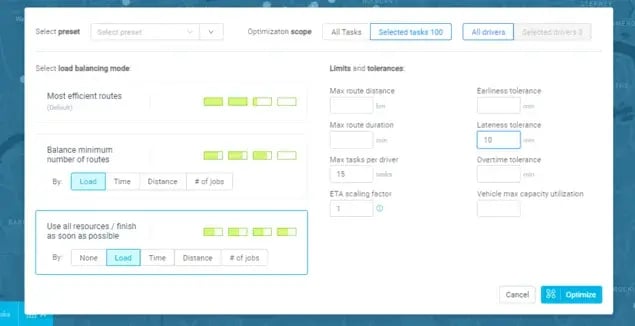
When one team is running near capacity and another has hours of headroom, pushing the emergency, or some of the displaced work, to the team with room prevents the busy team from becoming a bottleneck.
That delivers more balanced workloads, better use of capacity, less overtime pressure, fewer overloaded routes, and more resilience when demand shifts.
The limits are real, though.
Teams may have different skills, territories create travel constraints, equipment isn't always interchangeable, and existing commitments still need protecting.
Load balancing is about handing work to whoever looks freest and finding usable capacity.
(Not just available capacity.)
Here's how the three approaches compare at a glance:
| Approach |
Best suited for |
Main benefit |
Main consideration |
| Reassigning existing work |
An emergency near a technician who can respond if a low-priority job is moved |
Frees the right person quickly without a full replan |
Can shift the problem elsewhere if the wider schedule is ignored |
| Dynamic route reoptimization |
Emergencies that can't be slotted in cleanly by hand |
Finds a better overall sequence across all constraints |
Needs current operational data to reassess routes well |
| Load balancing across teams |
One team near capacity while another has headroom |
Spreads workload and reduces overtime and bottlenecks |
Skills, territory, and equipment limits restrict who can help |
These aren't mutually exclusive.
A complex emergency may call for several moves at once: decide who responds, reassign work if needed, reoptimize the affected routes, and rebalance remaining capacity if the disruption spreads.
The objective is the smallest set of changes that absorbs the emergency effectively.
Emergency response is fundamentally a live scheduling problem. The strongest operations are the ones that make controlled changes when circumstances demand it without destabilizing the whole day.
How Dynamic Scheduling Software Automates Emergency Response
Dynamic scheduling software cuts the manual work of emergency response by evaluating a new emergency job against the live schedule.
It helps you to identify the best operational response, and dynamically adjusts the affected routes and assignments while respecting the constraints you already set.
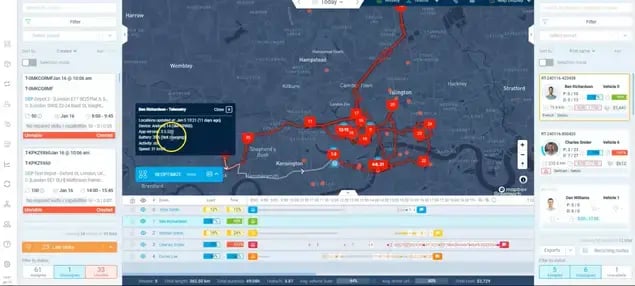
To see why that matters, look at what a dispatcher does by hand when an emergency arrives:
→ They find a suitable technician
→ Check that person's location and current route
→ Review their existing appointments
→ Confirm skills and availability
→ Decide what work has to move
→ Recalculate travel and timing
→ Protect the SLAs in play
→ Then communicate every change to the field
Your dispatchers can do this. But the problem is that doing it accurately gets overwhelming as the operation grows and several disruptions land at once.
It shows in the numbers, too.
As one 2026 field service data roundup notes, the industry averages 7.4 hours from initial customer contact to technician dispatch**.
Automating the repeatable parts of that decision through dispatch decision automation is where a lot of that lag disappears.
Dynamic scheduling changes the process by evaluating the live operational state instead of leaning on the frozen morning plan.
→ The emergency arrives
→ Current state gets assessed
→ Feasible options surface,
→ Affected routes recalculate
→ Updated assignments go out to the field
Along the way the system can weigh technician location, remaining jobs, skills, availability, time windows, job priority, SLAs, travel time, working hours, and capacity together.
The goal is to identify the relevant changes and adapt without disturbing work already completed or in progress.
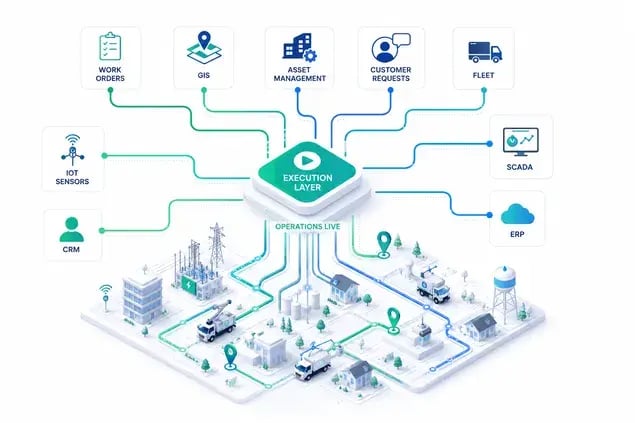
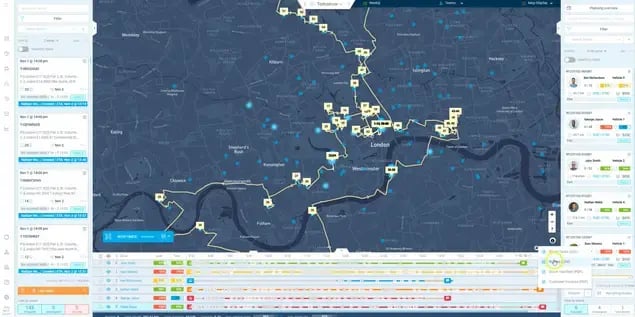
This is where eLogii acts as the execution layer.
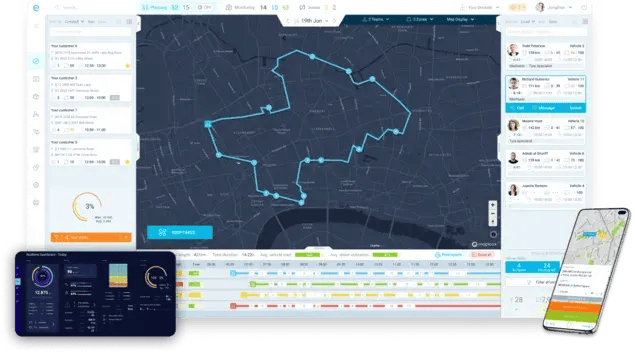
eLogii doesn't replace your FSM, ERP, CAFM, or CRM. Those systems of record hold the work and the operational data; the execution layer decides how that work gets carried out as conditions change during the day.
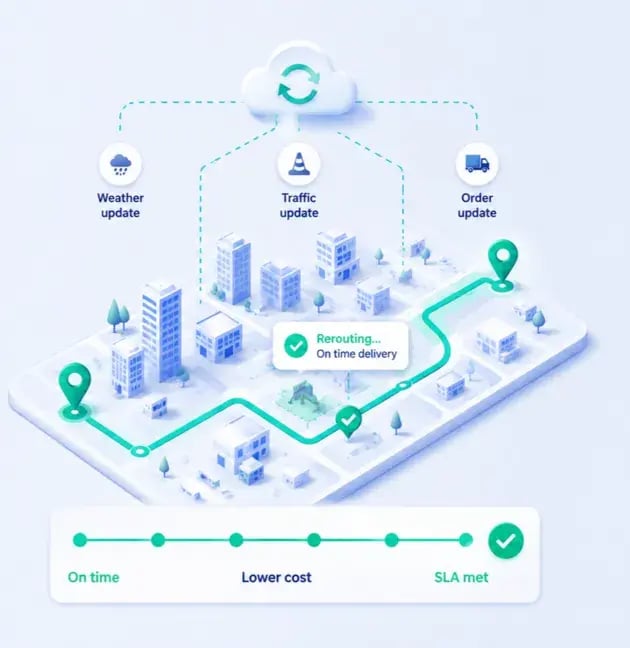
When a new priority job, a cancellation, a delay, or another exception hits, eLogii can adjust the schedule and the affected routes around it rather than forcing a manual rebuild.
Let's walk through one example:
- At 11:15 AM an emergency request enters while technicians are mid-route.
- Its priority, location, timing, and skill requirements are considered against the live picture.
- Current routes and remaining capacity get evaluated, feasible technician options surface, and the affected routes and assignments recalculate while existing commitments stay protected where possible.
- Updated routes then reach the relevant field workers. The dispatcher no longer has to calculate every possible combination by hand.
- The software handles the optimization math while the dispatcher keeps operational oversight and final judgment.
The broader operational value shows up in real deployments.
Vergo Pest Management runs urgent service request handling across around 400 technicians nationwide in the UK, with 100% KPI and SLA compliance and 3-4x ROI generated.
As CEO James Gilding put it,
"eLogii is a hugely flexible tool, allowing us to take into account all of our KPIs and SLAs. We've beaten all records that we put in place, generated 3-4x ROI and I think we're heading well ahead of that!"
A different kind of scale shows up at Bristow & Sutor, whose high-priority field operations span a UK enforcement agency managing 40,000 to 50,000 tasks simultaneously across 200+ agents in England and Wales, with a 35% reduction in planning time.
They visit approximately 200,000 cases per year, and COO Susan Ring described the need plainly:
"Our planning team needed a better, quicker and more scalable way of doing things."
What they demonstrate is the dynamic planning, exception handling, live route changes, and scalable execution that emergency response depends on.
Adopting this for emergency work follows a natural sequence:
- Start by defining the emergency workflow: what qualifies, the priority levels, the SLAs, and the response requirements.
- Connect the system where emergencies originate, whether that's your FSM, ERP, CRM, or CAFM.
- Configure the constraints that shape every decision, including skills, territories, availability, working hours, time windows, SLAs, priorities, vehicles, and equipment.
- Define the response logic that decides when an emergency triggers dynamic scheduling and which routes or teams get considered.
- Pilot it on one territory, service line, or emergency category rather than attempting an enterprise rollout overnight.
- Then measure the baseline and the results: response time, manual dispatch effort, utilization, travel time, SLA performance, schedule changes, and jobs completed.
This model scales to enterprise operations with:
- Thousands of field workers
- Multiple territories and operating units
- Different SLAs and emergency definitions
- Complex skills and resource constraints
- Several systems of record
- Concurrent emergencies and urgent jobs
The key is integrating the execution layer into your existing stack rather than ripping out systems that already work.
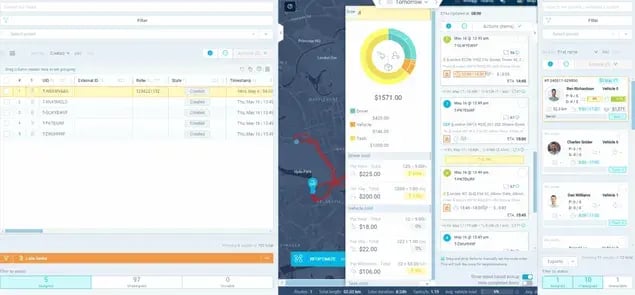
That progression tends to run in one direction: emergency response, then broader dynamic scheduling, then same-day route optimization, then wider field execution.
It applies naturally in emergency-heavy verticals like facility emergency maintenance and alarm emergency response, where reactive callouts are the norm rather than the exception.
Our overview of field service optimization covers how these pieces fit together across a whole operation.
Dynamic scheduling doesn't remove the unpredictability of emergency work, but it does reduce the manual effort and operational disruption of responding to it.
The real value is adapting the live operation while protecting the commitments that matter most.
The Bottom Line
Emergency jobs are hard to plan, manage, and execute because they drop unpredictable work into a dispatched schedule.
This is what puts routes, capacity, customer appointments, and SLAs at risk all at once.
Handle that well and three habits will appear in how you manage field operations:
- Prioritizing jobs by consequence rather than volume or urgency.
- Avoiding reactive decisions that fix one job while breaking others.
- Absorbing work through targeted reassignment, route changes, or load balancing instead of rebuilding the day.
Dynamic scheduling makes that practical by adapting the live plan rather than leaning on a static one.
And it strips out most of the manual math involved in weighing every trade-off.
The next step?
Start by defining what actually counts as an emergency and how you'll prioritize competing ones.
The best emergency response is about adapting the operation without letting one urgent job derail everything else.
And when you're ready book a demo to see all of this in action.
FAQ about Emergency Service Jobs
What should you do when an emergency job arrives and no technician is immediately available?
Triage by consequence first, then find the nearest qualified technician who can respond with the least disruption. Options include reassigning a lower-priority job to free someone or escalating. Weigh the trade-off between waiting for capacity and pulling a technician off work you've already committed to.
Should emergency work always take priority over planned appointments?
No. It depends on the emergency's SLA exposure, customer impact, and operational risk versus the commitments already booked. A calmly reported safety issue can outrank a loud but minor request, and a contracted appointment with a tight window may deserve protection over a newer job that only sounds urgent.
How many emergency jobs can a field operation realistically absorb in a day?
It depends on your built-in reserve capacity, how broadly your technicians' skills overlap, and territory density. Too much idle capacity is expensive; too little makes every emergency disruptive. Most operations size slack around their typical reactive volume rather than their busiest possible day.
How does emergency scheduling affect technician utilization?
There's constant tension between high utilization and the slack needed to absorb urgent work. Pack routes tight and emergencies force overtime and reshuffles. Repeatedly assigning urgent jobs to the same reliable technicians also drives burnout and uneven workloads, so spreading reactive work matters as much as the utilization number itself.
How can you protect existing customer appointments when adding urgent work?
Use targeted adaptation instead of full rebuilds. Move only the stops the emergency actually affects, honor existing time windows and SLAs where you can, and communicate changed ETAs proactively. Customers tolerate a shifted arrival far better when they hear about it before it becomes a missed window.
How should you measure emergency dispatch performance?
Track response time against SLA, manual dispatch effort, schedule changes per emergency, technician utilization, travel time, and jobs completed. Watch them together. Optimizing one metric in isolation, like raw response speed, often hides damage elsewhere, such as broken appointments or overtime spent recovering the rest of the route.
What happens when multiple emergencies arrive at the same time?
Prioritize each by consequence rather than order of arrival, then distribute across teams or territories so one crew doesn't become a bottleneck. Concurrent emergencies are where manual dispatch usually stops scaling, because a person can't accurately weigh several competing routes and constraints at once under time pressure.
How does emergency scheduling work across multiple territories or teams?
It relies on load balancing, subject to territory boundaries and skill coverage. A team with free hours only helps if its members have the right qualifications, equipment, and a workable travel distance. The aim is finding usable capacity, not merely available capacity, so idle time in the wrong place isn't much use.
What information do you need to make a reliable emergency dispatch decision?
You need technician location, skills and certifications, availability, current workload, remaining jobs, customer time windows, the emergency's priority, relevant SLAs, and travel time. Missing any of these turns the decision into guesswork, which is how a fast assignment ends up delaying several other committed jobs.
When does manual dispatching stop being enough for emergency operations?
At the tipping point where a growing field workforce, simultaneous disruptions, and complex constraints outpace what one person can evaluate quickly and accurately. A dispatcher managing a handful of technicians can hold it in their head. Across hundreds of jobs with concurrent emergencies, the number of variables exceeds manual capacity.