Cascading delays is what happens when one late service visit knocks the rest of your technician's day off track. It turns a single schedule slip up into a chain of missed customer time windows.
If you run a field operation mixing planned and reactive work across a multiple regions, you've watched it happen:
One job overruns, and by mid-afternoon three customers are calling to ask where your field technician is.
The fix is rarely a tighter schedule or better planning.
It's the ability to keep those plans usable through real-time dynamic scheduling as operational conditions change.
That's exactly what this guide is about.
Here's what else you'll learn:
- What separates an isolated delay from a genuine cascade
- The common causes behind schedule delays
- How one late job spreads through a route
- The operational and customer cost of letting it run
- How dynamic scheduling helps contain the damage
If you're short on time, here's a quick overview of everything in this guide:
Key Takeaways
- A late arrival or delayed service visit isn't a cascade because it affects one stop. A cascade changes the timing of every service visit that follows and puts later appointments at risk of missing deadlines and SLAs.
- Adding time buffers to your schedule is a tradeoff between operational costs, technician utilization, and stop density on your routes. Forecasting drive time and service assumptions only incorporates a small number of disruptions.
- Scheduling delays rarely come from one thing, and can include underestimated time to complete jobs, traffic, emergency callouts, and gaps in technician and resource availability. All these issues tend to stack up together across a single day.
- Early delays cost more than late ones. A slip early in the day has more scheduled work ahead of it, so it has more stops to disrupt.
- Operational costs extend beyond lateness because they can cascade to consume headcount capacity, add travel and overtime, unbalance workloads, and erode customer confidence.
- Dynamic scheduling doesn't eliminate late arrivals. Instead, dynamic scheduling contains them and allows you to adapt plans before disruptions spreads to a route-wide problem.

What Is a Cascading Delay in Field Service?
A cascading delay occurs when one delayed field visit causes the jobs that follow it on the same route to run late, creating a chain reaction that progressively disrupts the rest of the day's schedule.
It's the difference between "we were late to one job" and "we were late to everything after lunch."
How Cascading Delays Happen in Field Operations?
Here's how cascading delays develop:
An initial disruption pushes the first stop late. That eats into the buffer the rest of the day was relying on. The next arrival slips, more appointments move into the at-risk zone, and the delay spreads down the route.
Picture a technician with five jobs. Traffic adds 30 minutes at the second appointment, which pushes the third job outside its planned window. The third job then runs longer than expected, squeezing the travel time to the fourth and fifth.
Each small delay gets harder to handle as the day goes on.
Cascades become more likely under specific conditions:
- Tight customer time windows
- Little or no schedule buffer
- Long travel distances between jobs
- Unpredictable job durations
- High route density
- Multiple time-sensitive appointments
- Limited technician capacity
- Traffic and other external disruptions
- Routes planned without built-in flexibility
But the deeper issue is that the schedule had no room to offset that delay without passing it on.
A schedule buffer is how you manage delays and lateness.
When your route has realistic travel and service assumptions, a minor delay can disappear without touching later jobs.
On the other hand:
If you plan every minute tightly, the same delay rolls straight through to the next stop.
However, adding more buffers isn't automatically better, though.
There's a real tension between resilience to disruption, technician utilization, route density, and the customer commitments you've promised.
That's because a field service route isn't a collection of independent service jobs. Instead, the timing of one stop shapes whether everything after it is still achievable.
That's why you should judge schedule performance on whether individual jobs get done and how well your technician's day handles disruptions.
A late arrival becomes a cascade at the moment the schedule can no longer manage delays, letting one disruption push the rest of the route off track.
Causes of Schedule Delays in Field Operations
Field service schedule delays usually come from a mix of inaccurate planning assumptions, unpredictable conditions, urgent work, and limited resources.
Any one of these can spread across the rest of the day, while most delays trace back to factors the original plan couldn't accurately predict or buffer.
Here's how the more predictable and less predictable causes compare:
| Cause |
Type |
Typical operational effect |
| Underestimated job duration |
More predictable |
Eats travel and service time downstream |
| Incomplete job information |
More predictable |
Wrong parts, skills, or scope on arrival |
| Poor resource planning |
More predictable |
Jobs assigned that can't be executed |
| Traffic incidents |
Less predictable |
Outdates travel-time assumptions mid-day |
| Emergency callouts |
Less predictable |
Inserts unplanned work, tightens capacity |
| Unexpected site conditions |
Less predictable |
Job scope grows beyond the estimate |
| Sudden technician unavailability |
Less predictable |
Work needs reassigning at short notice |
Underestimated Job Duration
When a job takes longer than planned, every appointment behind it receives the time overrun.
Job complexity, new work discovered on site, technician experience, incomplete job information, and plain variation between similar jobs all push actual time past the estimate.
An extra 20 to 30 minutes at one stop reduces what's available for the travel and service that follow.
A job simply overrunning becomes a cascading delay when that lost time starts pushing later appointments out of reach.
But longer jobs aren't always a planning failure. Some work shows true scope only once someone is on site.
Traffic Delays
Traffic congestion, road closures, accidents, and weather can make the planned stop sequence unrealistic within hours of the day starting. And the drive times you built the route on may no longer hold by mid-morning.
A single delay between two appointments ripples into arrival times, customer windows, technician utilization, and the remaining route.
Even a well-planned route slips when actual conditions are different from your assumptions.
This is why planning around traffic-aware routing matters more than a clean map from last night.
Emergency Work
Emergency callouts and urgent jobs disrupt a stable schedule because they introduce work that was never in the plan.
The emergency may need immediate attention, but you still have to protect existing commitments, find an available technician, add extra travel time, and create buffers for multiple other appointments.
The real challenge here is deciding where to insert the reactive work with the least overall disruption.
For operations handling time-sensitive service calls, that decision can reshape an entire afternoon.
Resource Constraints
Schedules also fall behind when the resources to execute them aren't available.
Common causes include:
- Missing technician
- A technician running late
- Vehicle problems
- Finding a technician with the right skill or certification
- Unavailable equipment or parts
- Too many jobs for your current headcount capacity
If you want to find out whether your current technician capacity matches your current workload, try out our free headcount capacity planning tool.
These causes rarely stay in their lanes. And the impact of any one delay depends on where it sits in the route:
A 20-minute delay before a flexible appointment barely registers, while the same 20 minutes before a tightly constrained window creates a much bigger problem.
This is exactly why field service schedules that look solid on paper still fail under real-world conditions.
How Delays Spread Across Field Service Schedules
Delays spread when one late job reduces the time available for the travel and work that follow, so time of arrival to later stops slips or moves into risk of breaching service agreements. This is when small disruptions to schedules become problems for the entire route.
Follow the chain.
An initial delay reduces available time for one job → The next job gets harder to reach on time → That stop starts late → Remaining schedule loses flexibility → More appointments come under pressure down the line.
The result is that it gets progressively harder for your technicians to keep to the planned route.
A general rule is this:
Delays compound and each appointment after that is less flexibile than the one before it.
How much your delays compound depends on what follows:
- Tight customer windows
- Long drive time
- Short buffer times
- Unpredictable service times
- High stop density
- Limited capacity
All of this amplifies the effect.
And even though not every delay cascades to ruin your schedule, the tighter the day, the faster it does.
Schedule buffers prevent this.
A route with realistic service and drive time assumptions might incorporate a 15-minute delay without it affecting later jobs. But a route with high stop density and tight customer time windows lets that same 15 minutes roll through several next stops.
That's the tradeoff between high utilization, route efficiency, schedule resilience, and the commitments to your customers.
Timing within the day matters too, because an early delay usually costs more than a late one.
The more scheduled work sits ahead of those delays, it gives the disruption more stops to affect. Alternatively, a slip on the last job of the day has almost nowhere left to spread.
How that flexibility is distributed across a route depends on how you build the schedule in the first place. This is where balanced daily schedules change how much buffer time each stop actually has.
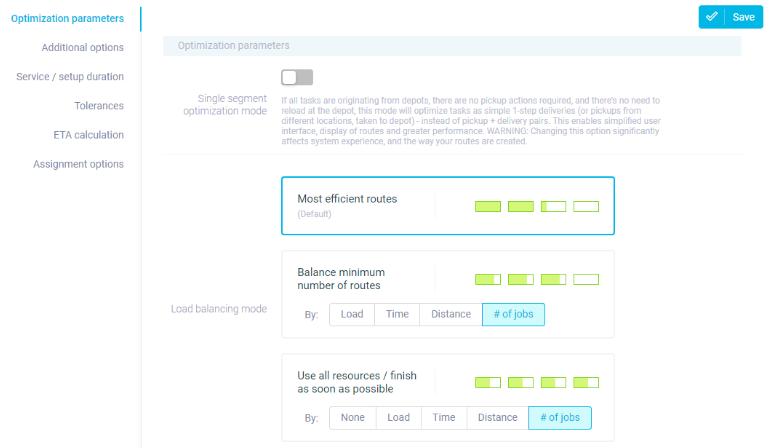
The consequences are interconnected rather than separate: missed windows, longer customer waits, reduced productivity, extra dispatcher intervention, overtime, rescheduling, and reduced daily capacity.
A cascade is the defining feature where one disruption contributes to the next, which raises the odds of the one after that.
Once a schedule delay starts eating the time the following stops depend on, it isn't contained. And the original slip turns into a chain reaction across the route with significant consequences to field service operations.
Operational and Customer Consequences
Those delays hit more than route and schedule times:
Cascading delays reduce capacity, raise labor and travel costs, unbalance workloads, and give customers a worse experience as lateness spreads through the day.
What happens after a delay spreads is where the real cost sits.
On the operational side, the effects stack up:
- Reduced daily capacity
- Lower technician utilization
- More travel and waiting time
- Additional dispatcher intervention
- Overtime
- Reassignments and schedule changes
- Compressed or missed appointments
- Work pushed into the later part of the day
Every technician has a finite number of productive hours. Time lost to waiting, extra travel, coordination, and recovering from earlier delays is time not spent on planned work.
That's a capacity cost.
It's also an opportunity cost that's real even when no extra line item shows up on an invoice.
Worst of all:
Your customers only experience the outcome. Not the cause of a technician who's late (traffic, overruns from an earlier job, or emergency callout).
As one guide puts it:
"Late arrivals lower trust and increase complaints, even if the service itself is great."
On-time arrival is a direct reflection of reliability. While repeated delays chip away at it through longer waits, missed windows, short-notice changes, and lost confidence in your appointment promises.
Multiple late-arrivals also create uneven workloads:
One technician runs badly behind while capacity sits unused elsewhere in the operation, which makes clean reassignment harder and overtime more likely.
Again, not every delay ends in overtime. But the work imbalance makes it a live risk. And seeing that imbalance as it develops depends on live operational visibility rather than finding out at end of day.
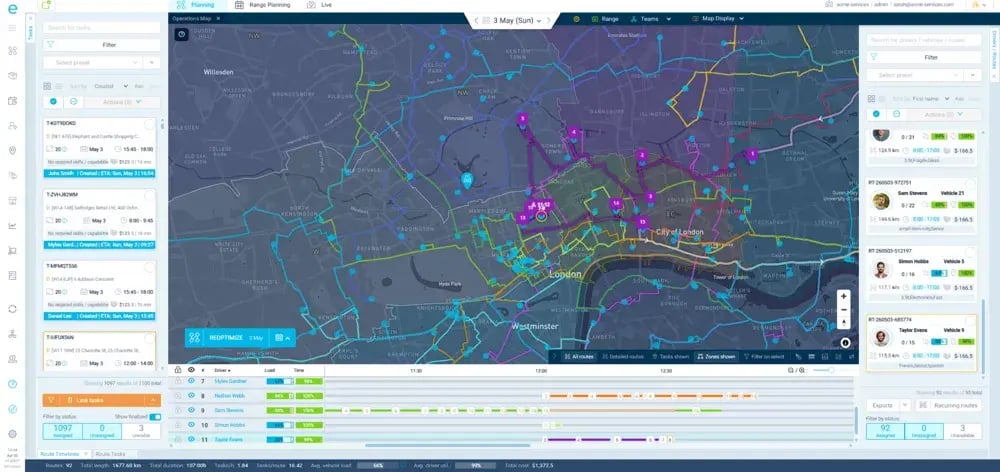
The connection we want to make explicit is this:
Operational instability becomes customer-facing instability.
When your operation can't manage delays, the result surface as lost capacity, higher operational effort, workforce disruption, and a customer experience that gets steadily harder to protect.
That's what makes protecting schedule reliability both an efficiency goal and a customer-experience goal.
Now, let's see how you can do it.
Preventing Cascading Delays Through Dynamic Scheduling
Dynamic scheduling helps prevent cascades by continuously evaluating the active schedule and adjusting routes, assignments, and sequences when disruptions happen.
Simply put:
Dynamic scheduling helps you to address delays early so it doesn't run unchecked through the rest of your schedule.
This is a shift from static to dynamic schedules:
A static schedule is built before the day begins and drifts further from reality as conditions change.
A dynamic schedule treats the initial schedule as a starting point which will be adjusted as conditions change.
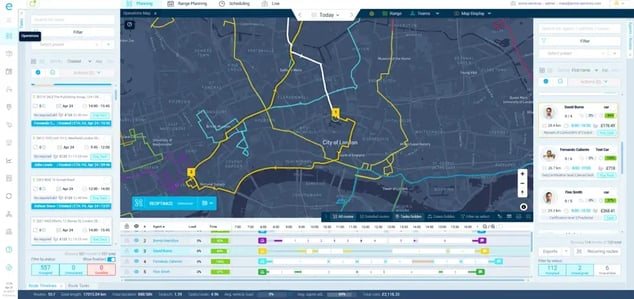
And the earlier your operation can spot that the schedule is becoming impractical, the more options you have to protect what's left.
Here's how the two approaches behave when disruptions occur
| |
Static scheduling |
Dynamic scheduling |
| When the plan is set |
Fixed before the day starts |
Continuously reassessed |
| Response to a mid-day delay |
Manual reshuffling or none |
Automatic re-evaluation |
| Dispatcher workload |
High during exceptions |
Focused on priorities |
| Downstream impact |
Delay propagates |
Impact contained where possible |
| Information used |
Morning assumptions |
Current conditions |
When a disruption occurs, the schedule is reassessed, affected routes and appointments are evaluated, alternatives are considered, and targeted adjustments follow.
The goal is to contain unavoidable disruptions so they don't needlessly derail the rest of the route.
Managing schedule disruptions can take several forms. None of these are guaranteed, and all of them are situational:
- Adjusting the sequence of remaining jobs
- Reassigning work to another technician when constraints allow
- Recalculating routes around actual travel conditions
- Protecting high-priority or tightly constrained appointments
- Using unused capacity elsewhere in the operation
This is where automation steps in to carry the manual workload for your planning team.
Without dynamic scheduling software, dispatchers have to manually identify at-risk jobs, check technician locations, review remaining routes, compare capacity, and test alternatives one by one.
Software supports or automates much of that scheduling evaluation, freeing up dispatchers to focus on exceptions and priorities.
A key thing to note is that:
Dynamic scheduling software doesn't remove human oversight, but it does focus the oversight on schedule disruptions that actually require your team's attention.
Dynamic scheduling also doesn't mean rerouting or rescheduling everything each time a technician is a few minutes late.
Constant changes create confusion, lost capacity, and uncertainty about who's doing what. That's why the aim is controlled adaptability, which allows you to manage variations and change routes and schedules only when the disruption justifies it.
As one analysis notes, the value of dynamic scheduling comes from:
"Adjusting as conditions change throughout the workday rather than locking in a morning schedule that breaks down by noon."
You can read more on why so many tools fall short in this look at dynamic route optimization.

The point is that one delay doesn't have to dictate the outcome of everything after it. And dynamic scheduling doesn't prevent every delay.
Instead, it prevents a manageable delay from becoming a much larger operational problem by giving you room to adapt the schedule before the disruption spreads across the entire workload.
How eLogii Helps You to Manage Late Arrivals and Schedule Delays

eLogii helps stop late arrivals and schedule delays from cascading through the day by using dynamic scheduling to continuously reassess routes and schedules as real-world conditions change.
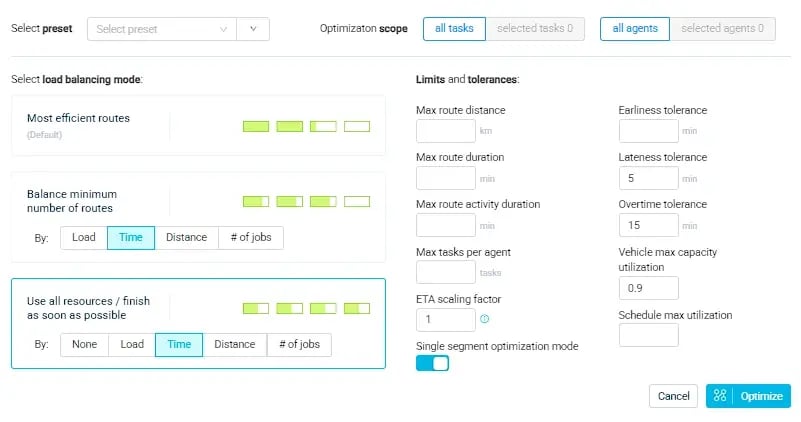
It won't make disruptions vanish. No software can do this.
But eLogii does help to contain, reduce, and prevent avoidable downstream disruption to your schedule once a delay hits.
eLogii's process is straightforward:
A delay occurs → Operational data changes → Schedule is reassessed → Alternatives are evaluated → Routes or schedules are adjusted (if necessary) → Disruption is prevented.
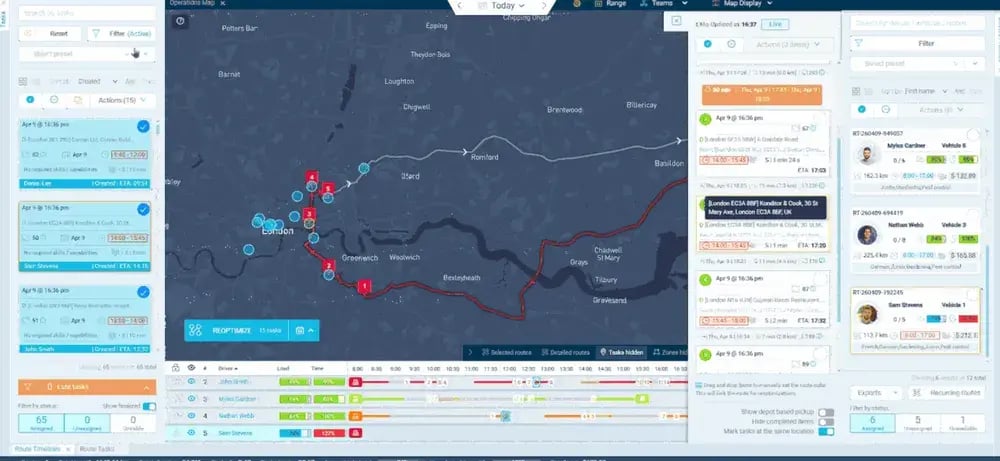
The purpose is to make targeted adjustments when they can improve the outcome, rather then rebuild routes and schedules every time a delay occurs.
That's why these scheduling decisions are only as good as the information behind it.
eLogii's live route reoptimization takes into account:
- Current technician location
- Actual job progress
- Updated travel and traffic conditions
- Remaining work and job priority
- Customer and service time windows
- Technician availability
- Existing workload on site
- New or urgent jobs
- And other operational constraints that make field service hard
The underlying route optimization software can evaluate whether to reorder the remaining jobs, reassign one, have another nearby technician take up the work, adjust the route around current traffic, or move a lower-priority job to protect a critical window.
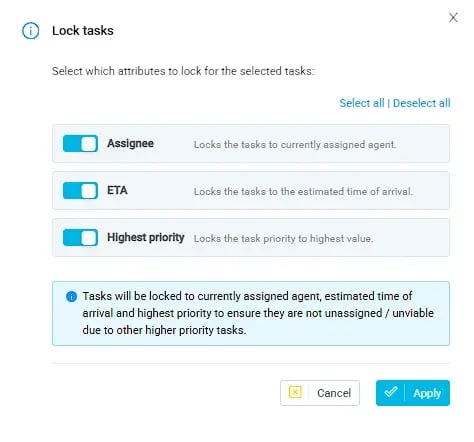
The available options depend on real constraints, but one delay no longer automatically determines every appointment that follows.
Scheduling automation also handles the legwork dispatchers would otherwise do manually. This includes: identifying affected appointments, checking locations, reviewing capacity, comparing assignments, and communicating changes.
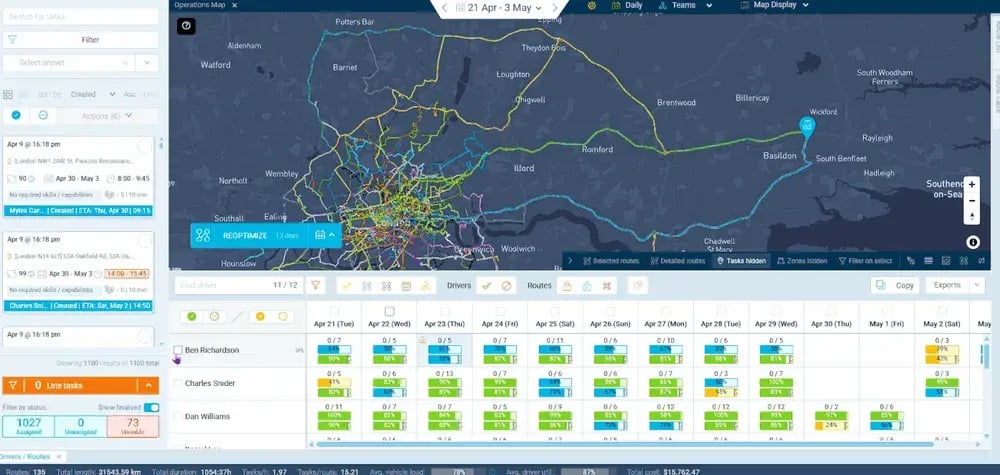
All of this happens while your team keeps control of priorities and exceptions. Which protects their capacity.
eLogii also improves timing of how and when you take action once a delay occurs.
As you're aware, there's a limited window to influence the rest of the day when disruptions hit your schedule. So the sooner the schedule reflects reality, the more accurately you can judge what remains possible.
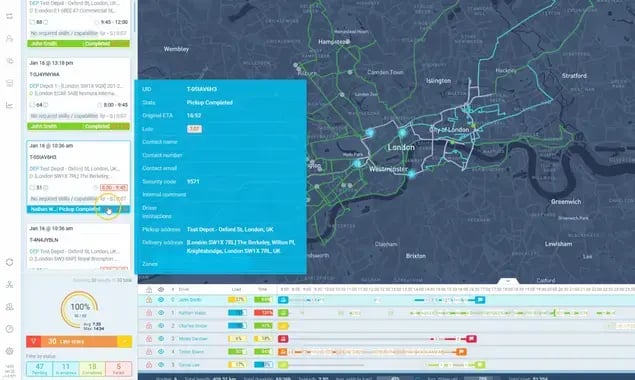
Accurate ETA prediction accuracy keep customers informed about these changes, with arrival windows that hold up through the day.
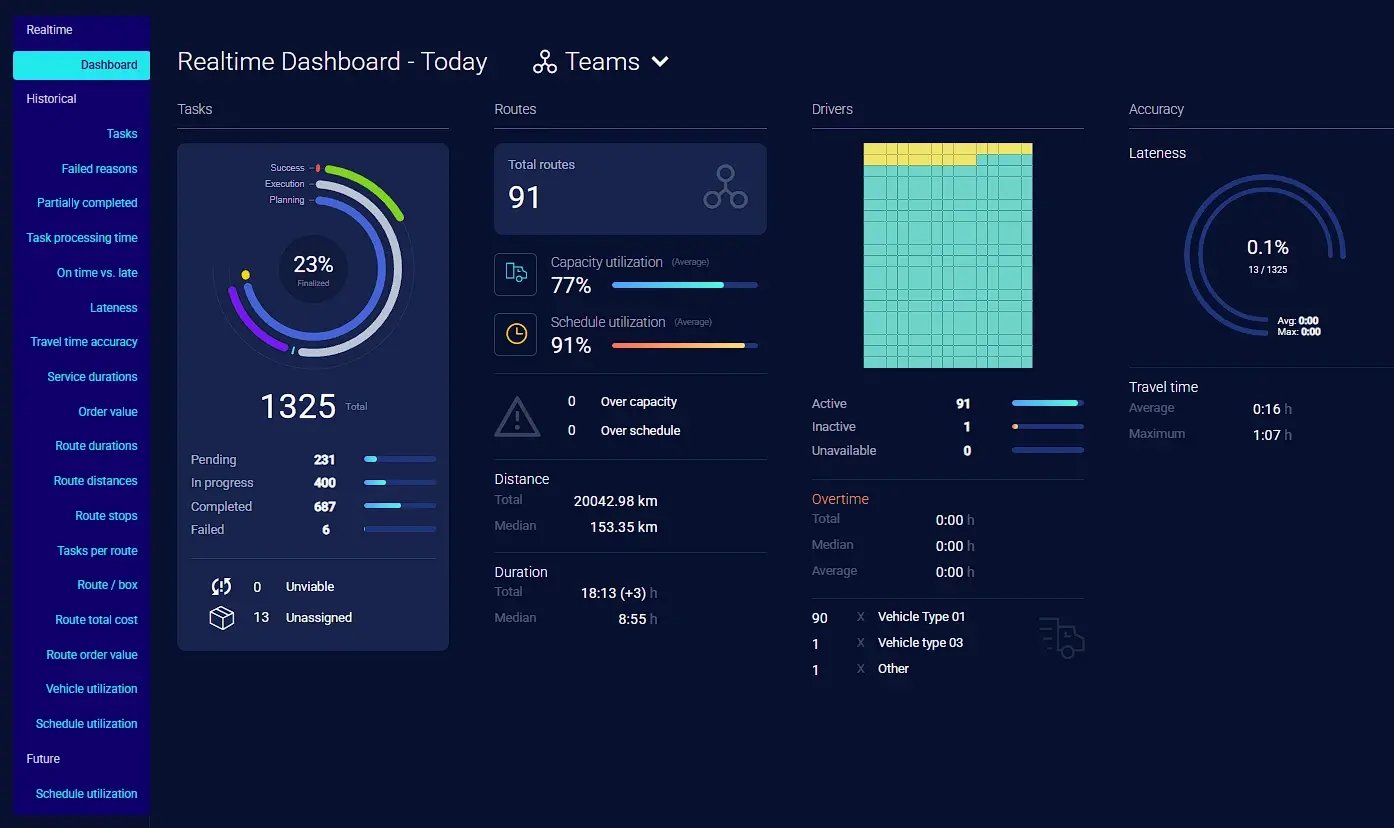
On the other hand, route duration controls keep adjustments realistic instead of pushing your technicians into overtime.
Another key thing to note is this:
eLogii doesn't replace for your FSM, CAFM, ERP, CRM, or TMS, which stay in place to manage work orders, customers, assets, and records.

eLogii is the optimization and execution layer that plans routes, responds when execution diverges, and pushes completion data back to your system of record. It's the approach explored in more depth in this guide to field operations optimization.
With dynamic scheduling in place, current conditions are reflected in your schedule.
Evaluating alternatives is automated.
Affected work is adjusted and disruptions stay contained.
The results show up across sectors:
In pest control, eLogii supports field technician scheduling at scale.
For example, Vergo Pest Management works with eLogii to get real service arrival improvements at scale. Alongside real efficiency gains as their operation continues to grow. Here's what they have to say about it:
In enforcement, Richburns saw field service efficiency gains that lifted agent door-time and gave managers the confidence to expand the team.
The same containment logic applies to routing and scheduling technicians in other industries, where narrow windows and reactive callouts make cascading delays a daily risk.
eLogii can't make real-world disruptions disappear. But it can (and does) help you to stop late arrivals from becoming a chain reaction, by continuously adapting your schedule to what's actually happening in the field.
Bottom Line
If you take anything from this article, it should be this:
Treat schedule resilience as an operational capability.
A late arrival only becomes a serious problem when your day has no room to incorporate it.
But you can't prevent every delay. Unpredictability is a permanent features of field work.
What you can change is how far each delay travels.
The practical next step is to look at your own routes and ask a sharper question than "Did the jobs get done?"
Instead, ask yourself:
- How much slack sits between stops?
- Where your tightest windows fall?
- How quickly your team learns a plan has broken?
Then decide whether your current approach lets you adapt to changes. Or you only react after customers call in to complain.
A resilient field operation doesn't depend on every appointment running perfectly.
It depends on being able to adapt when one doesn't.
And if you're looking to learn how eLogii can help you with this, the easy next step you can take right now is to book a demo.
FAQ
How should field service teams measure the impact of late arrivals?
Track on-time arrival rate alongside travel time, technician utilization, and first-time fix rate rather than relying on one number. Late arrivals show up across capacity and customer metrics, so pair operational KPIs with complaint volume and rescheduling rates to see the full picture.
What counts as an acceptable on-time arrival rate?
There's no universal benchmark. The right target depends on your service model, appointment density, geography, and SLA commitments. Set targets against clearly defined arrival windows, track performance on a rolling basis, and compare against your own trend rather than a generic industry figure.
How much schedule buffer should an operation build in?
Buffer is a tradeoff against utilization and route density, so there's no fixed percentage. Size it to your actual job-duration variability and travel conditions - work with wide time swings and unpredictable traffic needs more slack. Review real completion data regularly and adjust rather than guessing.
How can managers tell whether delays come from routing or job-duration estimates?
Compare planned versus actual travel time against planned versus actual on-site time. If travel consistently overruns, the issue is routing or travel-time assumptions. If on-site time overruns, your job-duration estimates or scoping need work. Isolating the two stops you from fixing the wrong problem.
How should dispatchers decide which late appointments to prioritize?
Prioritize by SLA exposure, time-window tightness, and downstream impact rather than first-come order. Protect the most constrained commitments and the jobs whose delay would cascade furthest. A flexible appointment can often wait; a narrow statutory or contractual window usually can't.
Can predictive or dynamic scheduling reduce the likelihood of cascades?
It improves your ability to respond and reallocate early, which reduces how far disruption spreads. It won't prevent every delay, since traffic, emergencies, and overruns still happen. The gain is faster recognition and more options while there's still time to protect later appointments.
How do you balance technician utilization with schedule flexibility?
Packing every hour maximizes utilization but raises cascade risk sharply. Some deliberate slack improves resilience and reliability, often protecting more completed jobs overall. The right balance depends on your work mix, customer expectations, and how much reactive work interrupts planned schedules.
Try out our free headcount capacity planning tool to calculate your current technician utilization against optimal numbers.
How should companies handle customers when an appointment is likely to run late?
Communicate proactively with an accurate updated ETA rather than staying silent. Earlier notice lets customers adjust their own plans and sharply reduces inbound "where's my engineer?" calls. Honest, timely updates protect trust better than a technician arriving late with no warning.
What data does an operation need to improve schedule reliability?
Collect actual job durations, real travel times, technician availability and skills, and accurate appointment windows. Reliability improves as this operational data accumulates and feeds better estimates. Clean historical data on how long work actually takes is often the single biggest lever.
How can a team decide whether dynamic scheduling is worth implementing?
Assess your volume of reactive work, how often mid-day disruption hits, current planner workload, and the effort spent recovering from delays. The higher the volatility and the more manual firefighting involved, the stronger the case. Stable, low-change operations gain less from it.