Field service route optimization software works well right up until it meets field service.
That's because most route optimization tools were built to solve a logistics problem.
And field service is an execution problem.
For field service businesses, the frustration is all too familiar:
→ The routing tool demos beautifully
→ It plans a clean day
→ Then the day starts and the plan stops matching your operational reality.
That gap isn't a vendor's fault. It's a category mismatch.
Most route optimization software solves the wrong problem very well. This article explains why.
We're also going to show you what field service actually demands instead.
Plus, how to evaluate routing tools when execution (Not route quality!) is what you're really buying.
Let's start with a quick overview of what you'll find in this article:
Key Takeaways
- Logistics routing and field service execution are different problems. One is deterministic and drop-based; the other is probabilistic and job-based.
- A route is an output, not an input. In field service, the schedule is the result of decisions made all day, not a plan fixed at 7 AM.
- Jobs aren't drops, because planning logistics isn't the same planning field services. A drop completes or fails. A field service job progresses, can partially succeed, and often needs a revisit.
- Static optimization breaks after the day starts for field service operations. Without continuous re-optimization, the original route loses relevance with every overrun, no-access, or reactive insert.
- FSM or CAFM on top doesn't close this gap because they're systems of record. And systems of record track work. FSM and CAFM tools don't make live execution decisions. That's why planners become manual middleware.
- When choosing route optimization software for your field service, evaluate for execution first. Continuous re-optimization, job-level decisioning, SLA-aware trade-offs, and dynamic reprioritization matter more than a tidy route.

What Route Optimization Software Is Usually Designed For
Route optimization software plans the most efficient sequence of stops for a fleet, and most of it is engineered for logistics-style delivery, where the shape of the day is largely known before anyone leaves the depot.
→ You upload the stops
→ The routing engine sequences them
→ Drivers execute that plan
But the problem is that that plan was correct only at the moment it was created.
The design of most routing tools rests on a few assumptions:
- Known stops: The full list of destinations exists before dispatch.
- Fixed sequences: Once optimized, the order holds for the day.
- Determined outcomes: A stop is a delivery that either happens or doesn't.
- Minimal intra-day change: Few surprises arrive after wheels are moving.
None of this is bad.
For parcel runs and predictable delivery, deterministic drop-based routing is exactly right. The work is well defined, the durations are short and similar, and the goal is simple:
Visit every point in the least time and distance.
Those same assumptions are precisely why the tools struggle the moment the work stops behaving like delivery.
Why Field Service Breaks These Assumptions
Field service breaks generic routing because the day is probabilistic, not deterministic. That's why the plan you start with rarely survives contact with reality.
Delivery assumes a stop is a known quantity. Field service assumes almost nothing until a technician is on site and diagnosing.
And that's not the same thing.
Here 5 key features of field service planning that break the logistics model:
- Variable job duration: A 45-minute estimate becomes two hours once the panel comes off. Every downstream slot shifts.
- Failed access: The site is locked, the contact is out, the asset is offline. The visit can't complete as planned.
- Compliance windows: Some work must happen inside a legal or contractual window, not just efficiently.
- Reactive inserts: An emergency call lands at 10 AM and has to be absorbed into a day that was already full.
- Multi-skill constraints: Not every technician can do every job, so proximity alone can't decide who goes where.
Each of these turns a clean plan into a moving target.
One overrun pushes three later jobs. One reactive insert forces a re-shuffle across multiple technicians.
That's why in field service, the route is the result. It's never the input.
The Critical Difference: Jobs vs Drops
A drop is a delivery that either completes or doesn't. A field service job is work that progresses, can partially succeed, and may need to be revisited.
That single distinction carries the whole argument.
Logistics optimizes for drop completion. Field service optimizes for job progression.
That's why when you optimize for drops, success is binary and the math is clean.
But when you optimize for jobs, success is a spectrum.
A technician might complete the diagnosis, order a part, and book a return visit, all inside one "job" that isn't finished but has genuinely moved forward.
That changes the whole downstream logic:
- Partial success: Work advances without closing, so the system has to track state, not just completion.
- Revisit logic: An unfinished job has to re-enter the schedule intelligently, often with a specific skill or part attached.
- Sequencing fragility: One overrun or failed access cascades through rest of the day, and every job needs rethinking.
| Dimension |
Logistics (Drops) |
Field Service (Jobs) |
| Unit of work |
A delivery stop |
A job with tasks and states |
| Outcome type |
Binary: done or not |
Spectrum: partial, deferred, revisit |
| Duration certainty |
High and consistent |
Low and variable |
| Intra-day change |
Minimal |
Constant |
| Success definition |
Package delivered |
Work progressed or resolved |
| Effect of one failure |
Isolated, one stop |
Cascades across the day |
| Optimization goal |
Least time and distance |
Job progression within constraints |
Why Generic Routing Fails After the Day Starts
Generic routing fails after the day starts because it optimizes once, in a static window, and has no way to continuously re-optimize as conditions change. The plan is a snapshot taken before reality had a vote.
The mechanics are straightforward:
- Static optimization windows: The engine runs at planning time and produces a fixed route.
- No continuous re-optimization: When a job overruns or a reactive call lands, the tool doesn't rebuild the day; it holds the plan it already made.
- Constant human intervention: Someone has to notice the drift, then manually patch the schedule, job by job, technician by technician.
The effect compounds:
→ By mid-morning, the plan and the field have diverged.
→ By early afternoon, coordinators are working from whiteboards, phones, and instinct rather than the system, because the system froze at 7 AM.
The more the day changes, the less relevant the original route becomes.
You recognize this from live ops.
The tool isn't wrong about the day it planned. It's just describing a day that no longer exists.
Why Adding FSM on Top Doesn’t Fix It
Adding an FSM or CAFM on top doesn't fix bad routing because those systems track and record work; they don't make live execution decisions.
FSM and CAFM systems tell you what the work is, who owns it, and whether it's closed. They don't decide, in the moment, how to reshape the day when everything moves.
It helps to keep the architecture straight:
- FSM and CAFM are systems of record: They hold the work, the assets, the history, and the compliance trail.
- Generic routing engines are planning tools: They produce a good route at a point in time.
- Neither is an execution layer: FSM plus routing still doesn't equal execution control.
So the gap stays open, and a human fills it.
Planners become the live decision engine, re-sequencing by hand every time a job overruns or a reactive call arrives.
They're doing skilled, high-stakes work with spreadsheets and phone calls, effectively acting as middleware between two systems that were never designed to run a volatile day together.
The system of record is doing its job well. It just isn't the piece that runs execution, and no amount of stacking makes it so.
The Hidden Costs of Using the Wrong Class of Optimization
Using the wrong class of optimization creates predictable, recurring costs even when the tool works exactly as designed, because it's a system mismatch, not a product failure.
The engine optimizes cleanly, but the problem is that a clean logistics route quietly generates field service waste.
Those costs show up in familiar places:
- Duplicate visits: Without smart revisit logic, jobs get re-scheduled inefficiently, sending a second van where better sequencing needed one.
- Planner headcount growth: The more volatile the day, the more people you need to patch the plan by hand, so coordination cost scales with complexity.
- SLA volatility: When the plan can't flex, compliance windows slip unpredictably, and your penalty exposure becomes a matter of luck.
- Technician idle time: Poorly absorbed changes leave skilled staff waiting, driving, or arriving without the right parts or access.
None of this means the tool is broken. It's doing its job. It's just the wrong job for field service.
And the bill lands where it hurts:
- Penalty clauses
- Eroded margin
- Diminished customer trust
All of that is expensive to rebuild once it slips.
What Route Optimization Must Do to Work in Field Service
To work in field service, route optimization has to make decisions continuously at the job level, not just produce a clean route once at the start of the day. That's why the true measure of a field service tool is how well it responds operational changes during the day.
Four capabilities separate execution-grade optimization from planning-grade optimization:
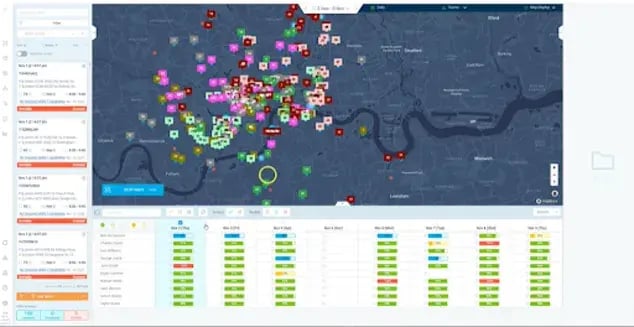
- Continuous re-optimization: When a job overruns, the system rebuilds the affected part of the day automatically, rather than waiting for a human to notice.
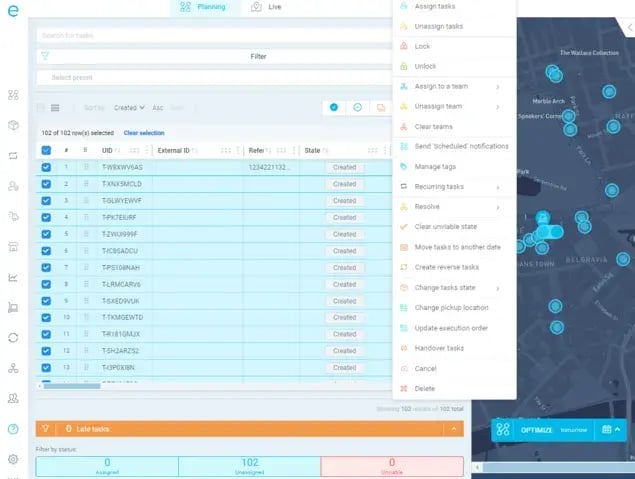
- Job-level decisioning: When access fails, the tool reasons about the job's state, not just a missed stop, and re-queues it with the right skill and parts.
- SLA-aware trade-offs: When two jobs compete, it weighs contractual and compliance windows against efficiency, not distance alone.
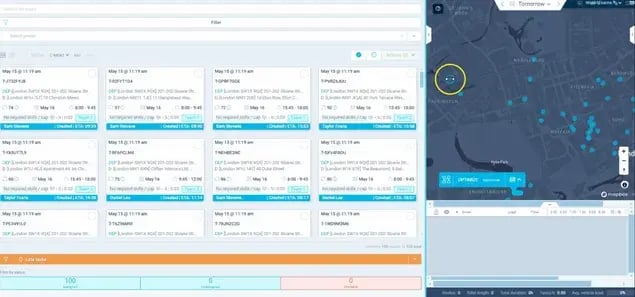
- Dynamic reprioritization: When a reactive job lands, it absorbs the new work across the fleet and re-sequences in real time.
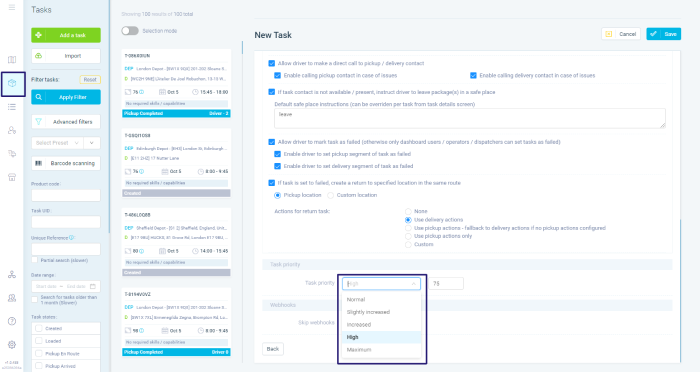
Each capability is about the same thing: deciding well while the day is still moving, because field service optimization is execution-first.
Where the Field Service Execution Layer Fits Into Route Optimization
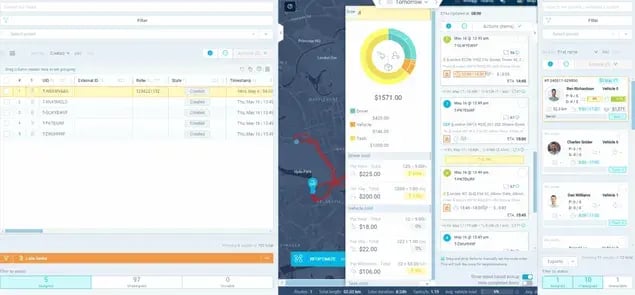
The execution layer is the piece that absorbs field service volatility in real time, sitting alongside your FSM or CAFM rather than replacing it.
It's the layer that decides, continuously, how the day should reshape itself as jobs overrun, access fails, and reactive work arrives.

This is where eLogii fits.
Think of eLogii as execution infrastructure purpose-built for field service volatility.
Your system of record keeps holding the work, the assets, and the compliance trail. Your planning tools keep doing what they do. eLogii takes on the live decisioning that neither was designed for, absorbing the complexity that generic routing engines simply can't.
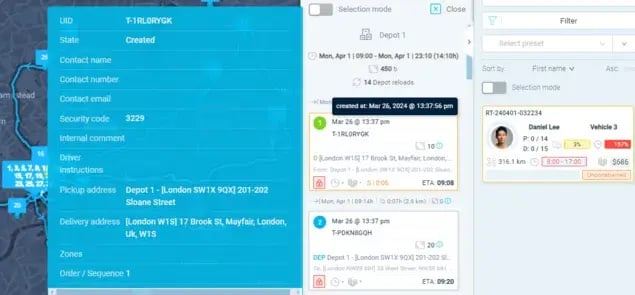
It's a category placement.
The point isn't to swap out what you already run. It's to add the missing layer between your systems of record and the reality on the road, so the plan stays relevant all day instead of freezing at dawn.
How eLogii Integrates With Most FSM and CAFM Systems
eLogii is designed to connect to the FSM and CAFM systems field service teams already run, so the execution layer adds decisioning without ripping out existing records.
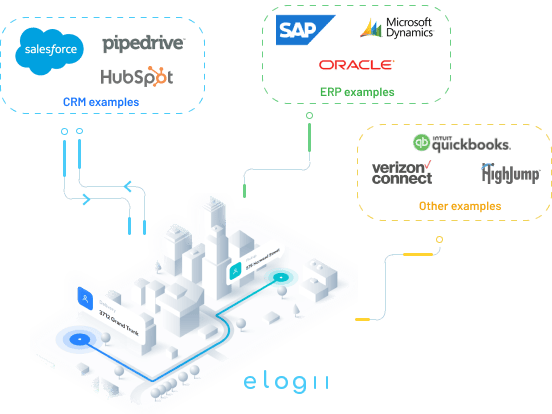
The API-first architecture is what makes that practical: work, jobs, and routing decisions can flow between systems rather than living in isolation.
You can see how that connects across common stacks through eLogii's integrations with Simpro, Samsara, and FieldRoutes.
For teams evaluating how the execution layer compares to their current tools, these breakdowns go deeper by capability:
The through-line is the same:
Complement the system of record and the planning tools you already have, and add the decisioning layer on top.
Who This Distinction Should Matter to
This distinction matters if your day changes after it starts and you carry SLA or compliance exposure, and it doesn't matter if your routes are static and predictable.
The table below lets you self-qualify in seconds.
| Operational Signal |
Execution Layer Matters |
Generic Routing Is Fine |
| Job structure |
Multi-job days |
Single drops |
| Work type |
Reactive or variable |
Fixed schedules |
| Contractual risk |
SLA or penalty exposure |
No penalty exposure |
| Work mix |
PPM plus reactive |
Pure delivery |
| Scale |
50 to 500+ technicians |
Small static fleet |
| Day stability |
Frequent intra-day change |
Stable, predictable day |
| Completion model |
Failed-access and revisit logic |
One-and-done drops |
| Timing rules |
Compliance windows |
Open delivery windows |
| Business stage |
PE-backed or scaling teams |
Steady-state logistics |
| Existing systems |
FSM or CAFM in place |
No system of record |
Read plainly, the execution layer is for complex field service, compliance-driven operations, and PE-backed or scaling teams whose days move. It isn't for logistics, static routing, or predictable delivery.
If most of your answers sit in the right-hand column, generic route optimization software is genuinely enough, and that's a fine place to be.
Bottom Line: How to Choose Route Optimization Software for Field Service
If your operation is genuinely field service, evaluate for execution first and treat route quality as an output, not the deciding feature. The prettiest morning route means little if it can't survive the first overrun.
The reason most routing tools disappoint in field service is architectural, not a defect. They were built for deterministic, drop-based logistics, and they do that well.
Field service is probabilistic, job-based, and volatile, so this is a category fit decision, not a vendor scorecard. Judging these tools on route quality alone measures the wrong thing.
Apply one evaluation lens instead. Ask whether the tool:
- Re-optimizes continuously as the day changes
- Decides at the job level, not just the stop level
- Weighs SLA and compliance trade-offs, not distance alone
- Reprioritizes dynamically when reactive work lands
Reassess your current routing tool against those four criteria. If it falls short on most of them, the gap you're feeling is structural, and no feature checklist will close it.
To see how field service execution actually scales, explore execution-first field service optimization with eLogii.
FAQ about Route Optimization for Field Service
What is route optimization software?
Route optimization software plans the most efficient sequence of stops for a fleet of vehicles, balancing time, distance, and constraints. Most of it is built for logistics-style delivery, where the day's stops are largely known in advance and each stop is a simple completion. That focus makes it excellent for parcel and predictable delivery work.
Is route optimization software made for field service route optimization?
It can be. But standard route optimization software optimizes deterministic drops, where a stop either completes or doesn't. Field service route optimization has to manage volatile, job-based execution, where work progresses, can partially succeed, and often needs a revisit. The second problem demands continuous decisioning, not a one-time plan.
Why does most route optimization software struggle with field service?
It struggles because it optimizes once, in a static window, and can't continuously re-optimize as the day changes. When jobs overrun, access fails, or reactive calls arrive, the original plan drifts from reality and someone has to patch it by hand. The more the day changes, the less relevant that first route becomes.
What's the difference between a job and a drop?
A drop is a delivery that either completes or fails, with no state in between. A job is work that progresses, can partially succeed, and may need a revisit with the right skill or part. Logistics optimizes for drop completion; field service optimizes for job progression.
Can I just add routing to my FSM or CAFM system?
You can, but it won't close the gap on its own. FSM and CAFM systems are systems of record: they track and store work, but they don't make live execution decisions as the day moves. Without an execution layer, planners end up bridging the two systems manually, re-sequencing the day by hand.
What should field service teams evaluate in route optimization software?
Evaluate for execution capabilities rather than route quality alone. The four that matter most are continuous re-optimization, job-level decisioning, SLA-aware trade-offs, and dynamic reprioritization. Together they determine whether the tool can keep the plan relevant once the day is underway.
Does my operation actually need an execution layer?
Look at the decision table signals: multi-job days, frequent intra-day change, and SLA or penalty exposure. If your day reliably changes after it starts and you carry compliance or contractual risk, an execution layer earns its place. If your routes are static and predictable, generic route optimization software is enough.