CUSTOMER COMMUNICATIONS & EXPERIENCE
 Click to zoom
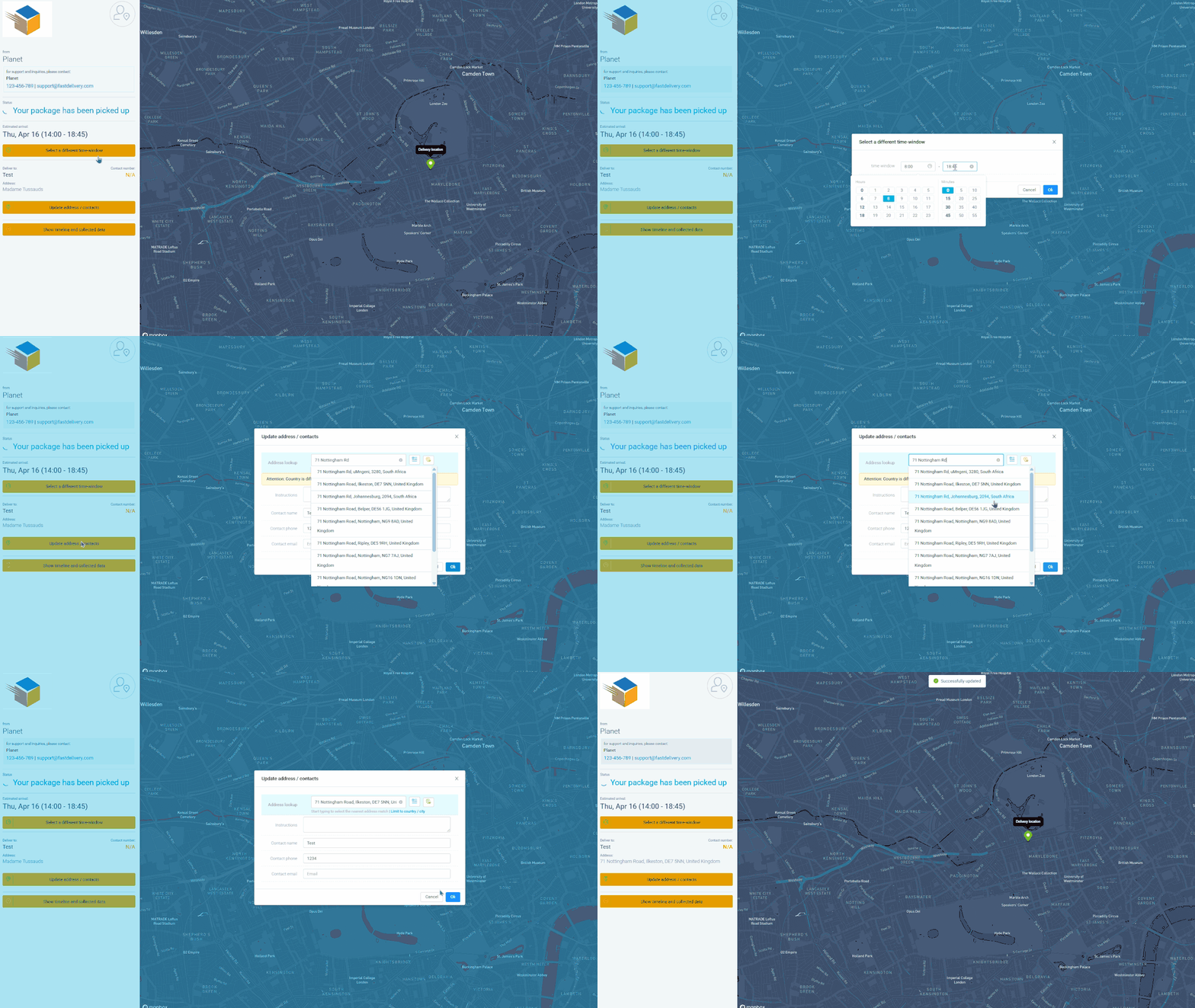
Phone-based rescheduling costs your team time and your customer patience. Self-service options on the tracking page let recipients edit their delivery address, adjust the time window, or reschedule to a different day - all without calling your office. You control the boundaries: configure how far ahead customers can reschedule, which days of the week are available, how many reschedule attempts are allowed, and set a minimum time-window width and scheduling buffer (e.g. changes must be made at least 2 hours before delivery). Courier operations can allow rescheduling until the day of delivery. Grocery distributors can let customers adjust time windows with a minimum 60-minute slot. For ecommerce operators, allowing address edits on the tracking page prevents failed deliveries before they happen.
A customer realises they will not be home for their 2pm HVAC appointment and wants to shift to Thursday. From the tracking page, they select a new date from the available options you have configured and confirm the change - no phone call needed. Pest control customers can reschedule quarterly inspections when meeting conflicts arise, within the reschedule limits you set. Plumbing customers can update their address details, coordinates, and access instructions directly from the tracking page. For electrical contractors, customers can adjust their preferred time window within the minimum width you configure. Every self-service interaction is one fewer phone call for your dispatch team, and every change is visible to the assigned driver in real time.
GET STARTED
Book a personalized demo and see how eLogii's 84 features work together to transform your field operations.
