CUSTOMER COMMUNICATIONS & EXPERIENCE
 Click to zoom
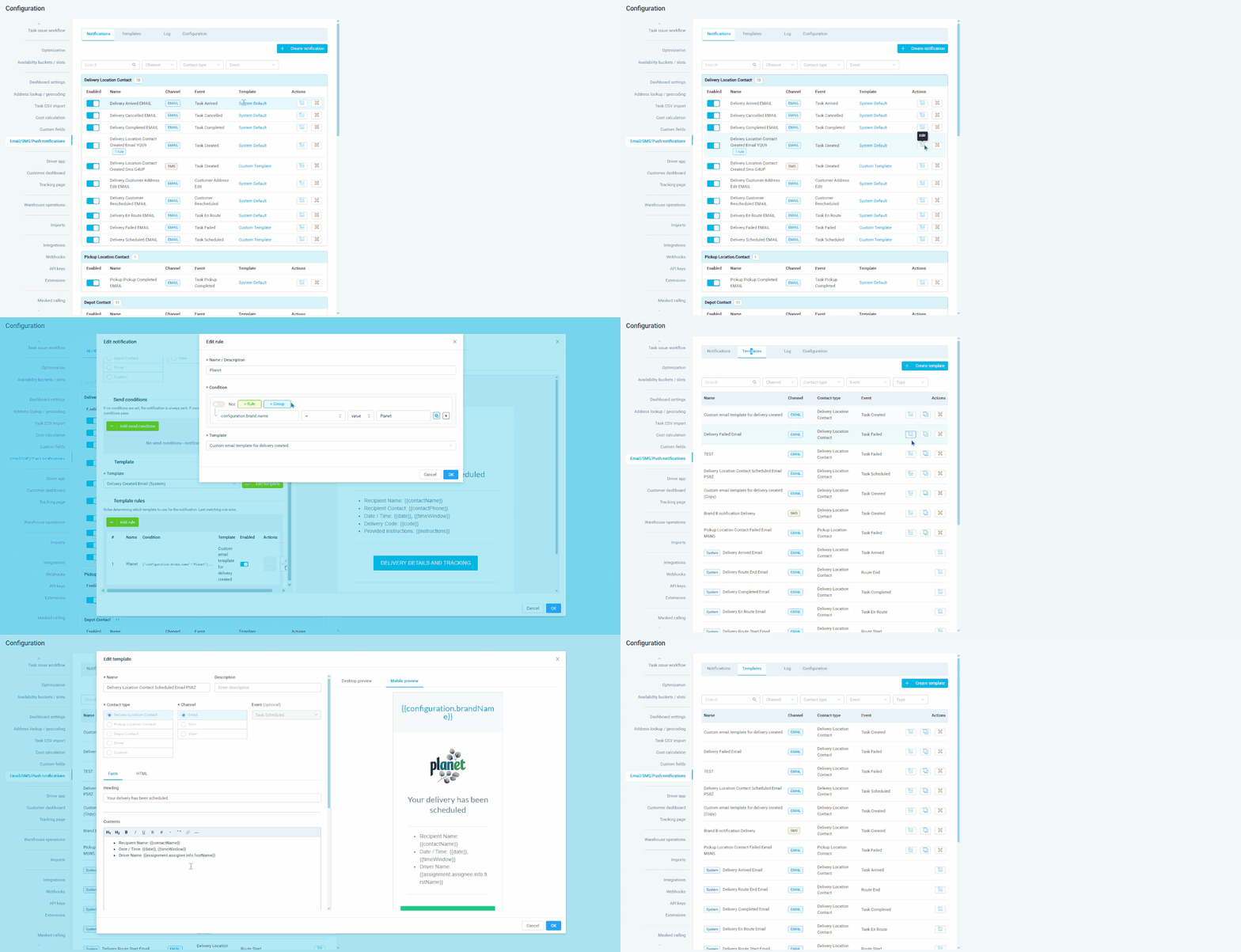
Every missed notification is a support call waiting to happen. eLogii sends automated email, SMS, and push notifications triggered by task state updates throughout the lifecycle - from task scheduled through to pickup completed, delivered, and failed. Each notification is customisable: edit the heading, body content, and footer, or switch to the full HTML editor to redesign the email entirely with images, videos, and custom elements. Template tags like {{contactName}}, {{date}}, {{timeWindow}}, {{trackingLink}}, and {{companyName}} personalise every message automatically. Courier operations can configure different notification content per customer. Grocery distributors can send morning delivery confirmations with the scheduled time window. For ecommerce operators, branded HTML email templates with tracking links create a seamless experience from purchase to doorstep.
Customers should never have to wonder where their technician is. Automated notifications at each task state update keep them informed throughout the lifecycle. Each notification can be customised by channel (email, SMS, or push), and the content is fully editable with template tags for dynamic fields like {{contactName}}, {{timeWindow}}, {{arrived}}, and {{trackingLink}}. HVAC companies can include the scheduled time window and tracking link in every notification. Pest control businesses can use the {{instructions}} tag to send pre-visit preparation reminders automatically. For electrical contractors, notifications can include the task reference and time window so customers know exactly what to expect. QR codes can be embedded in email notifications for identity verification at the door.
GET STARTED
Book a personalized demo and see how eLogii's 84 features work together to transform your field operations.
