CUSTOMER COMMUNICATIONS & EXPERIENCE
 Click to zoom
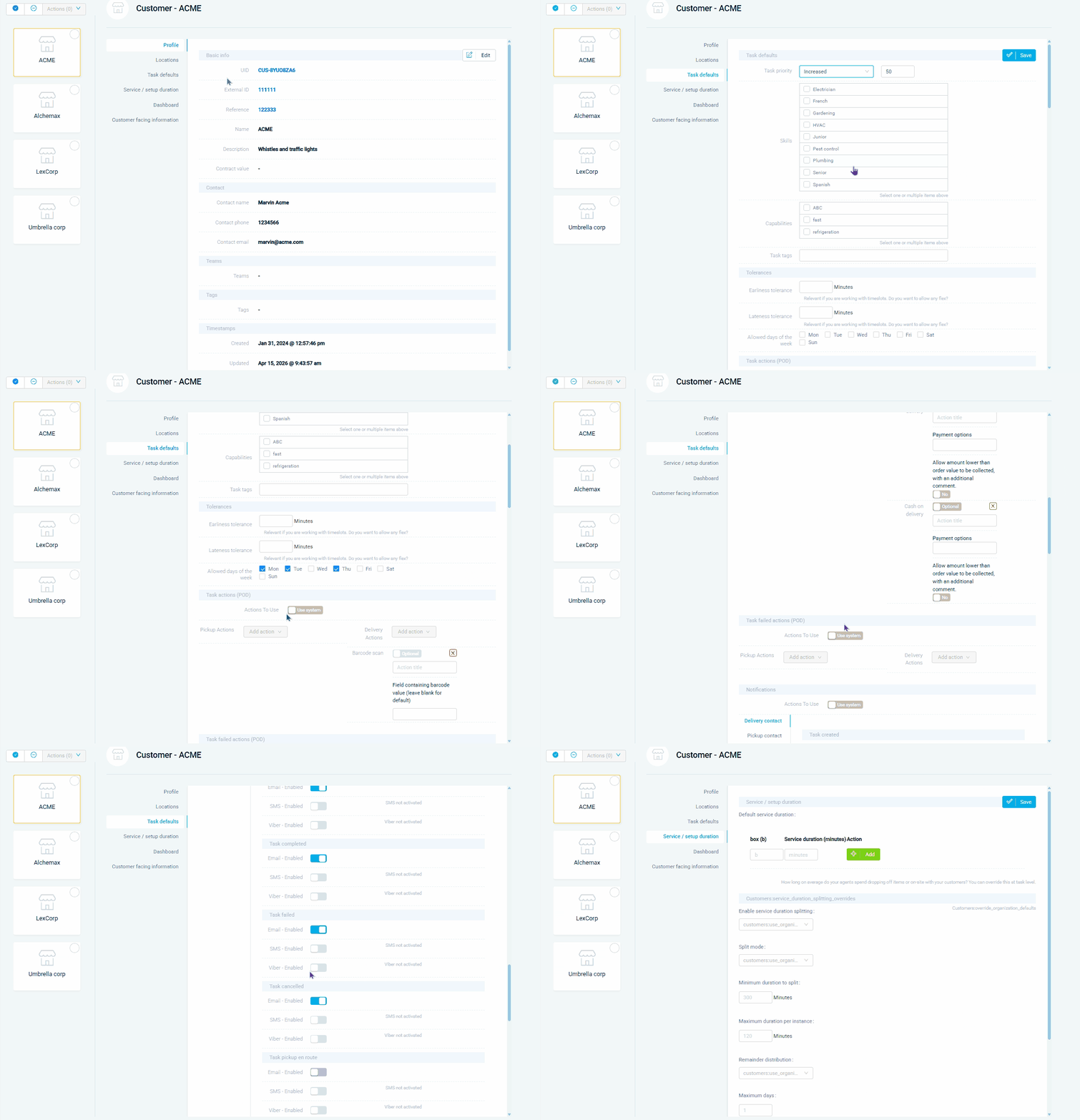
Every customer has different requirements, and remembering them all is impossible without system-level defaults. Set per-customer task priority, required driver skills, vehicle capabilities, POD actions, and notification preferences so every new task for that client inherits the right settings automatically. Each customer location can have its own contact details, service duration, address, and opening/closing hours - and those hours automatically become time windows for tasks that don't have one explicitly defined. Courier operations serving enterprise accounts can set VIP priority levels that persist across every order. Grocery distributors can define per-location service durations (the corner shop gets 5 minutes, the distribution centre gets 30). For wholesale operators, per-customer defaults ensure the right POD requirements and notification channels apply every time without manual configuration.
A facilities management company serving a hospital chain has specific requirements at every site: required certifications, mandatory skill sets, and extended service durations for security screening. Per-customer task defaults encode all of this so every job for that client inherits the right settings automatically - overriding your system-wide configuration without affecting other customers. HVAC companies can set default priorities for care homes (always high) versus residential customers (standard). Pest control businesses can configure per-client notification preferences so commercial clients receive email updates while residential customers get SMS. For property maintenance companies, per-location opening hours ensure that tasks are only scheduled within access windows, and per-customer skill requirements guarantee the right operative is always assigned.
GET STARTED
Book a personalized demo and see how eLogii's 84 features work together to transform your field operations.
