INTEGRATIONS & API
 Click to zoom
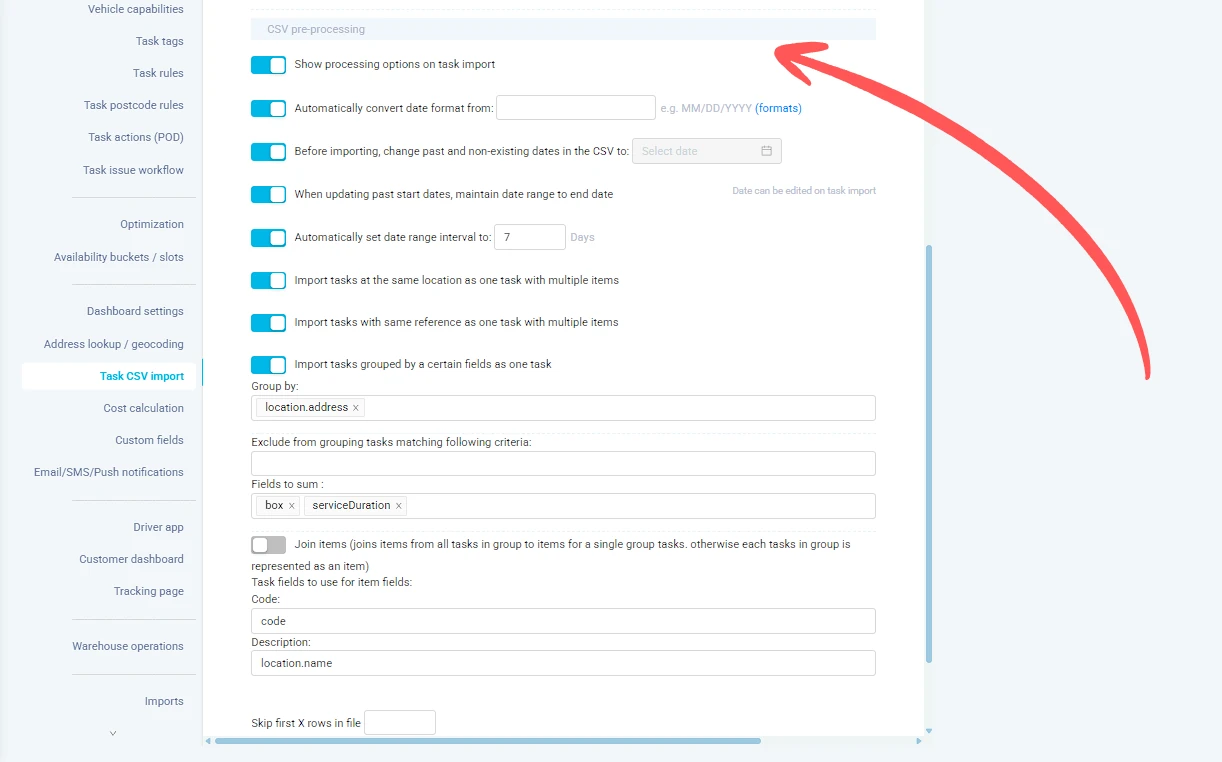
Your ERP exports dates as DD/MM/YYYY but eLogii expects YYYYMMDD. Data transformation capabilities handle these conversions automatically during import. Date format auto-conversion lets you specify the source format and eLogii converts it on import. Task rules at Configuration, Task Rules apply conditional logic with 18 operators to auto-populate or modify fields during task creation or update. SFTP folder-based mapping lets different folders apply different pre-saved column mappings to incoming files. Courier operations receiving files from multiple clients can route each to a different SFTP folder with its own mapping preset. For wholesale operators, postcode rules auto-assign drivers, teams, depots, or skills based on postal code matching with partial match support.
A facilities management company's CMMS exports job priorities as text values but eLogii uses numeric scores. Task rules with the fieldName target type can copy and transform data between fields based on conditions. HVAC companies can use date auto-conversion to handle different date formats from various client systems. Pest control businesses can use postcode rules to auto-assign technicians to territories based on job location. For telecoms providers, SFTP folder-based mapping means each client's data feed is processed with the correct column mapping automatically. Task rules support AND/OR logic with nested condition groups, 18 operators, and target field types including text, number, date, boolean, JSON, and action types like unassign or create/update tasks. Rules execute sequentially and are non-retroactive.
GET STARTED
Book a personalized demo and see how eLogii's 84 features work together to transform your field operations.
