INTEGRATIONS & API
 Click to zoom
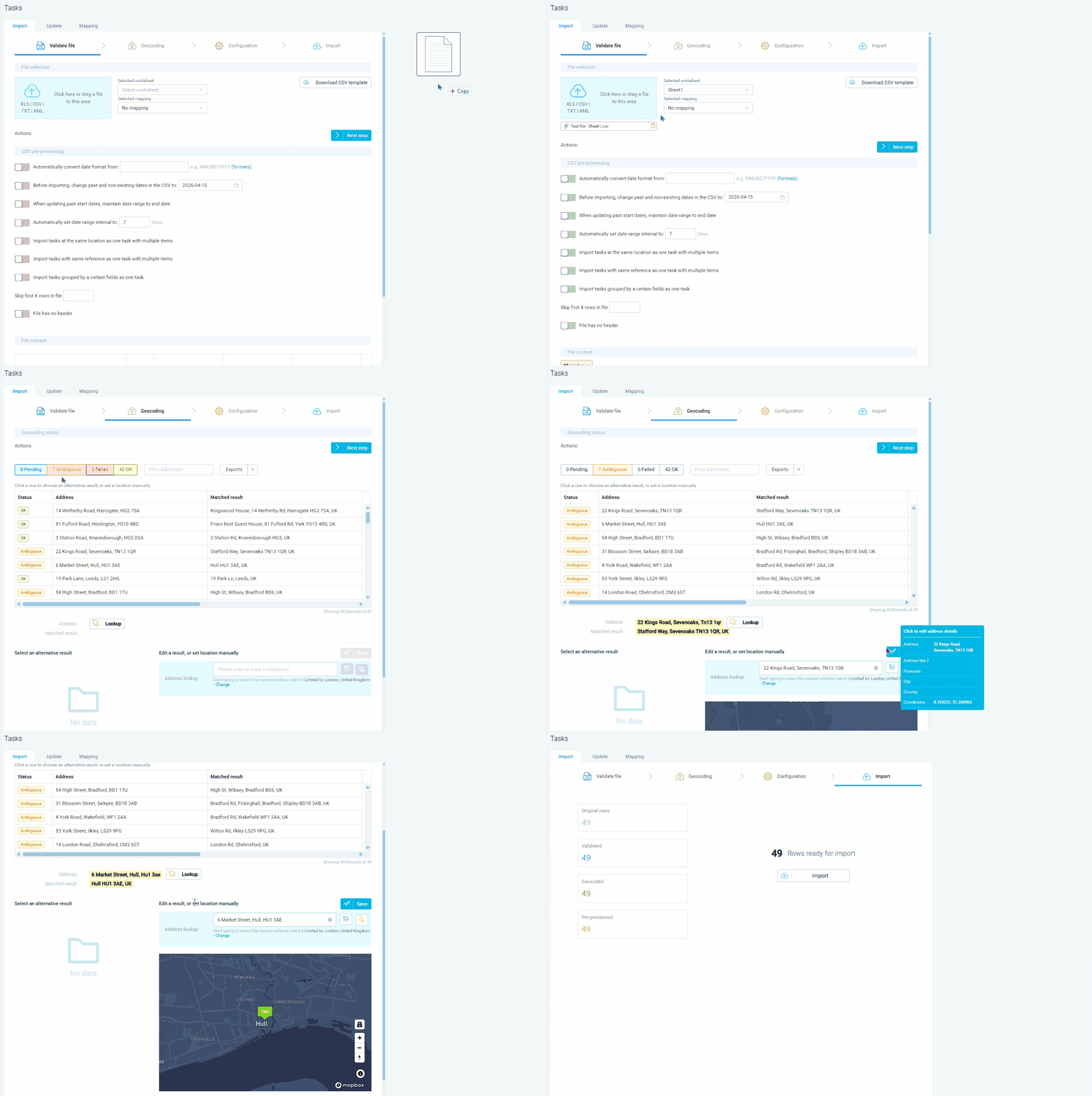
Most operations start with a spreadsheet. CSV import lets you upload hundreds or thousands of orders in one go. The five-step process covers upload and preview, geocoding, duplicate handling configuration, final review, and import execution. Mandatory columns are date (YYYYMMDD format), pickup location, drop-off location, and at least one dimension. Addresses are automatically geocoded during import, with coordinates taking precedence when both are provided. Courier operations receiving client order files can use custom column naming including customData.FieldName for custom fields. Scheduled SFTP feeds at Configuration, Imports/Exports, Automated SFTP Imports process files automatically when dropped into mapped folders. For grocery distributors, task grouping on import can consolidate multiple tasks at the same location into one task with multiple items.
A cleaning company with 500 weekly commercial contracts stored in a spreadsheet can import the entire week's schedule via CSV in one upload. Column names must match eLogii entity names, with custom data using the customData.FieldName convention and items using items[0].customData.FieldName syntax. HVAC companies migrating from paper-based scheduling can bulk-import customer databases and recurring job schedules. Geocoding results show as OK, Ambiguous, Failed, or Pending, with an option to force postcode matching and exclude ambiguous results from optimisation. Pest control operators can import inspection schedules from client-provided files. For facilities management teams, SFTP folder-based mapping lets different folders reference different mapping presets, so each client's feed is processed with the correct column mapping automatically. Driver CSV import is also supported with mandatory columns for first name, username, password, and start location.
GET STARTED
Book a personalized demo and see how eLogii's 84 features work together to transform your field operations.
