INTEGRATIONS & API
 Click to zoom
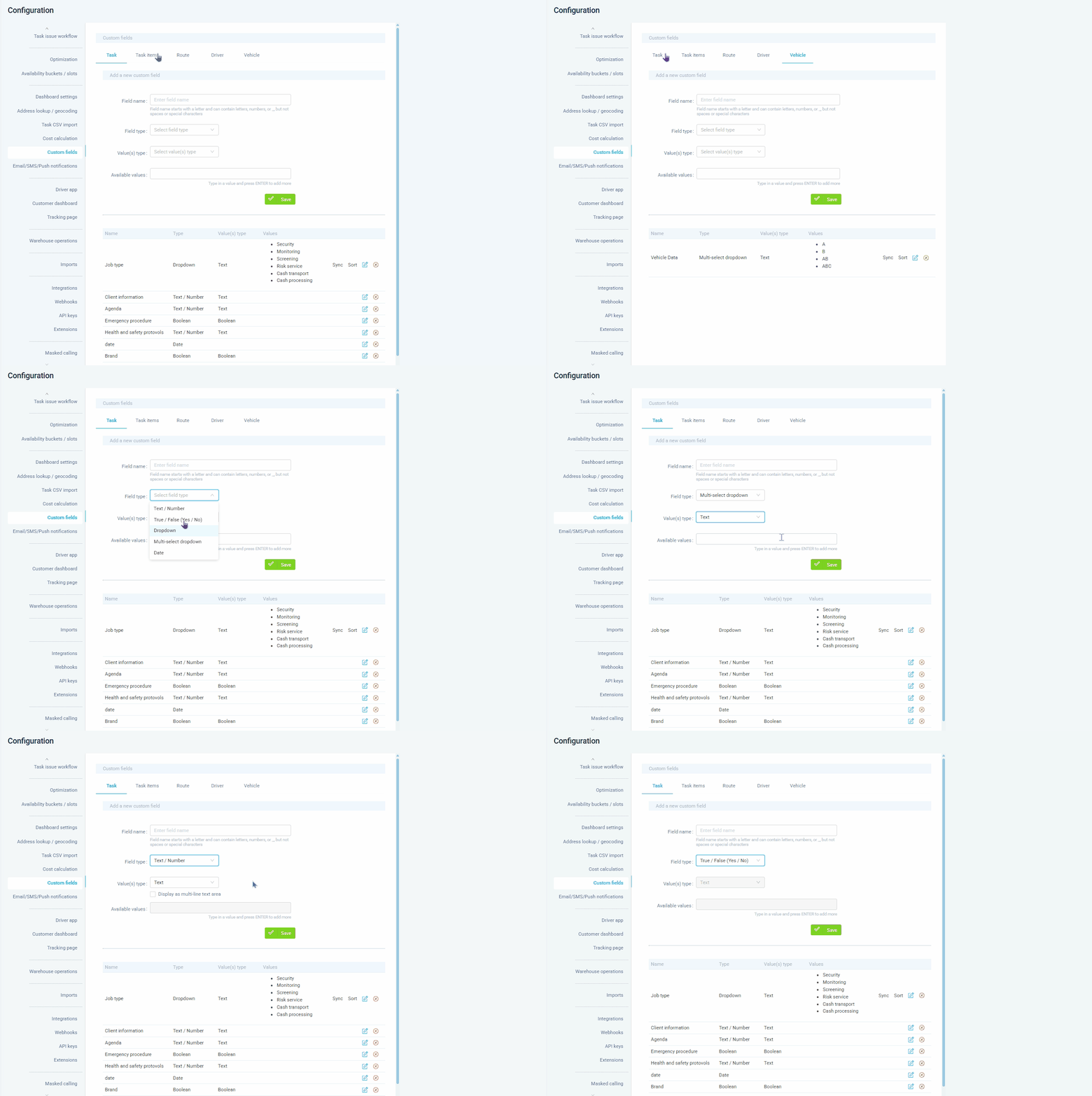
Every operation has data that standard fields do not cover: order reference numbers, customer PO numbers, or product temperature requirements. Custom data fields let you add any data point to tasks, items, drivers, vehicles, vehicle types, and routes. Five field types are available: text/number, dropdown with predefined options, true/false boolean, multiselect dropdown, and date. Create fields globally at Configuration, Custom Data or on individual entity profiles. Courier operations can track client reference numbers alongside internal task IDs. Grocery distributors can add allergen codes and temperature class fields. For wholesale operators, custom fields carry pricing data and sales rep assignments that flow into notifications via the {{customData}} template tag, the driver app, CSV exports, and API responses.
An HVAC company needs to track boiler model numbers, warranty status, and last service date against each task record. Custom data fields support five types: text/number, dropdown, boolean, multiselect dropdown, and date. Create them globally at Configuration, Custom Data for all entities of a type, or on individual profiles for specific records. Pest control businesses can add COSHH reference numbers and pesticide batch IDs to treatment tasks. Electrical contractors can track certificate numbers and next-test dates. For facilities management teams, custom fields carry asset IDs and building access codes that appear in the dashboard, driver app (enabled via Configuration, Driver App, Task Custom Data toggle), and notification templates using the {{customData}} tag. Custom fields are also available in advanced filters for dashboard searchability and can be imported via CSV using the customData.FieldName column convention.
GET STARTED
Book a personalized demo and see how eLogii's 84 features work together to transform your field operations.
