FIELD EXECUTION & EFFICIENCY
 Click to zoom
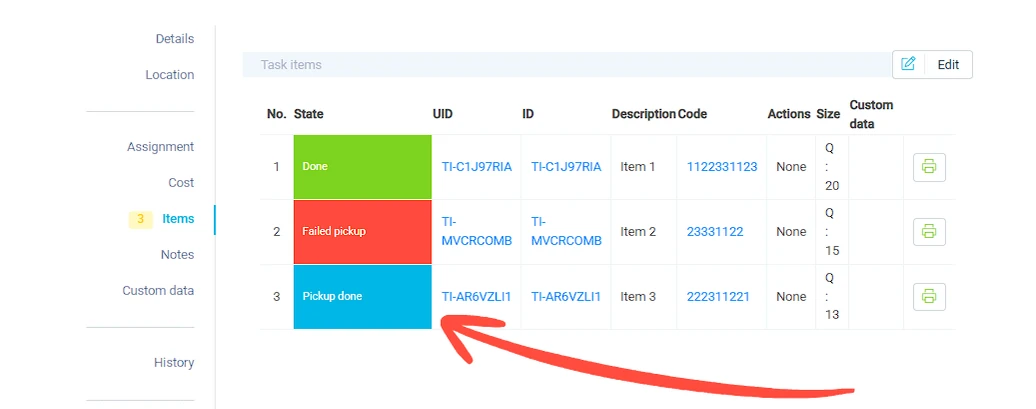
A furniture retailer delivering a sofa, coffee table, and two lamps to one address needs to track each item separately. Item-level tracking shows which items were picked, which are on the van, and which have been delivered. If the lamps arrive but the coffee table does not, the system records a partial delivery with the correct items marked as done and the missing item marked as failed. Courier operations handling multi-parcel orders can track each parcel's status independently within a single task. For wholesale distributors, item quantities and sizes feed directly into load capacity calculations so the optimizer knows exactly how much space each delivery needs.
An HVAC company replacing a boiler, thermostat, and two radiator valves on one job needs to track which parts were installed and which were not needed. Item-level tracking within the task shows individual part status. Electrical contractors managing multi-component installations can mark each item as installed, failed, or returned. Pest control operators tracking bait stations across a large commercial site can log the condition of each station as a separate item within the service task. For facilities management teams replacing multiple fire extinguishers in a building, each unit is tracked individually with its serial number and location.
GET STARTED
Book a personalized demo and see how eLogii's features work together to transform your field operations.
