FIELD EXECUTION & EFFICIENCY
 Click to zoom
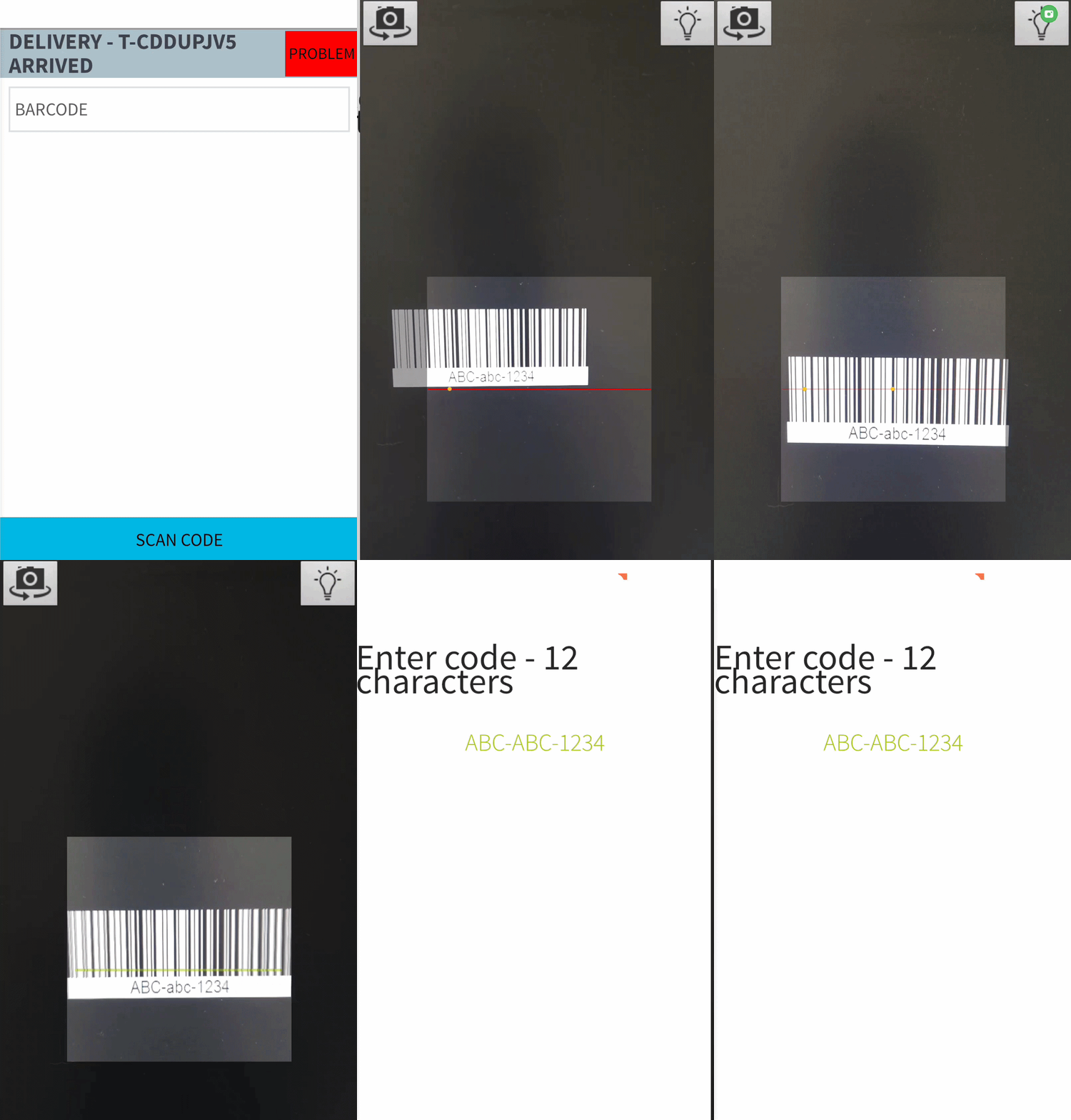
A pharmaceutical distributor needs to confirm that batch number XY-4421 was scanned at pickup, loaded onto the correct van, and scanned again at delivery. Barcode scanning creates verified handoff records at every stage. Scan using the mobile app camera for standard operations or connect Zebra TC-series and MC-series handheld devices for high-volume warehouse and depot environments. Courier depots processing thousands of parcels per shift get laser-based scanning that works at conveyor-belt speeds. Grocery distributors scanning crates in cold storage get devices that function reliably at low temperatures. For ecommerce fulfilment, continuous scanning mode lets drivers process multi-item orders without tapping between each scan.
A telecoms engineer installing a router scans the serial number to link it to the customer account and prove the correct unit was deployed. Scan using the phone camera for routine jobs or connect Zebra rugged handhelds for challenging field conditions. HVAC engineers scanning equipment asset tags on rooftop plant rooms get devices that handle rain, dust, and temperature extremes. Pest control technicians scanning bait station tags in dark basements get laser scanning that works where phone cameras fail. For electrical contractors scanning meter serial numbers in poorly lit switchgear rooms, Zebra hardware outperforms camera-based alternatives. The app recognises 12 barcode formats including QR codes, Code 128, Code 39, Data Matrix, UPC, and EAN.
GET STARTED
Book a personalized demo and see how eLogii's features work together to transform your field operations.
