Alcohol delivery operations live or die on execution:
The right cases have to get on the right trucks.
Those trucks have to hit a narrow receiving window.
The driver has to collect a signature and do an age check that holds up later.
That's the job.
It's the same job across beverage distribution whether you move wine to restaurants, beer to supermarkets, or spirits to bars.
And demand just keeps climbing.
In fact, the alcohol market is expanding fast. It's expected to grow at a compound annual growth rate of 17.1%.
More volume means more stops, more windows, and more profit.
But also more compliance exposure and thinner margins under current fuel and labor pressures.
That's why this guide is written for for growing distribution operations running multi-drop on-trade and off-trade routes.
You'll get practical direction on routing, workforce management, delivery-window scheduling, proof of delivery, and customer visibility.
Plus, the levers that separate a fleet that scales from one that adds planners every time volume grows.
Let's start with what you'll actually learn by reading this guide.
Key Takeaways
- Age checks, mandatory signatures, and no unattended drops apply at every alcohol stop. Those extra steps make alcohol delivery slower and higher-risk than standard parcel work.
- Treat delivery windows as hard constraints that drive every route. A missed kitchen receiving window can push a restaurant's whole service.
- Routing complexity comes from mixed on-trade and off-trade stop types. Glass handling and uneven dwell times demand more than shortest-distance planning.
- Workforce gains come from removing friction with balanced workloads and demand-based shifts. Fewer wasted miles get more from the drivers you already have.
- Software is the execution layer between your ERP, OMS, and the road. It decides how, when, and with which driver each delivery actually happens.
Why Is Alcohol Distribution Different from Standard Delivery
Alcohol delivery often gets lumped in with general parcel or last-mile delivery.
On the surface they look similar:
Load orders onto a vehicle, plan a route, drop off the order at an address.
But the constraints underneath are different enough to break planning methods that work fine for standard delivery.
The core difference comes down to what each type optimizes for.
Standard parcel delivery optimizes for volume and speed across uniform, low-touch drops.
Alcohol distribution optimizes for compliant, in-window handoffs at commercial accounts with uneven service times.
That single distinction shapes everything else.
Alcohol Delivery vs. Standard Delivery: The Core Difference
Standard delivery assumes an interchangeable package and a flexible drop.
Alcohol assumes a regulated product and a supervised handoff.
You can't leave cases at the door, you often need an adult signature and ID verification, and you're frequently restricted to legal delivery hours.
That turns a quick drop into a controlled transaction.
The Key Distinctions
Four factors set alcohol distribution apart in practice:
- Regulated payload: Age and ID verification, obligatory sign-off, and no unattended delivery add extra steps at every stop.
- Receiving windows: On-trade accounts have narrow slots: morning kitchen receiving, pre-service bar restock, and retailer dock hours.
- Customer mix: You serve restaurants, bars, retail stores, convenience stores, and hospitality venues, each with different receiving rules.
- Product handling: Glass breakage risk, weight, and temperature-sensitive stock affect loading and dwell time.
| Comparison area |
Alcohol distribution |
Standard delivery |
| Handoff |
Supervised, ID/signature often required |
Often unattended |
| Timing |
Legal hours + tight receiving windows |
Broad delivery windows |
| Customer |
Mixed on-trade and off-trade accounts |
Mostly uniform recipients |
| Dwell time |
Uneven, per account |
Short, consistent |
| Product |
Glass, weight, temperature |
Standardized parcels |
When Each Applies
Standard delivery methods suit high-volume, low-touch drops where any package fits any route.
Alcohol distribution planning suits regulated, window-driven, multi-stop routes where a missed constraint has downstream consequences.
Using parcel logic for alcohol routes is where missed windows and compliance gaps start.
Understanding this distinction matters because it tells you where to invest.
The gains in alcohol delivery come from managing compliance, windows, and mixed stop types deliberately.
What Actually Matters in Alcohol Delivery Operations
Plenty of operations chase surface metrics like average speed or cost per mile in isolation.
Sustained performance in alcohol delivery depends on getting a handful of core factors right.
And doing it consistently.
Here's where attention pays off:
1. Managing Operations Around Clear Delivery Goals

Every operational decision should trace back to a defined service outcome.
This can include things like in-window delivery rates or stops per driver.
Without clear goals, dispatchers optimize routes and stops for whatever feels urgent that morning.
Operations that anchor planning to explicit targets make better trade-offs.
It also allows you to actually measure whether they're improving.
2. Staying Compliant With Legal Requirements
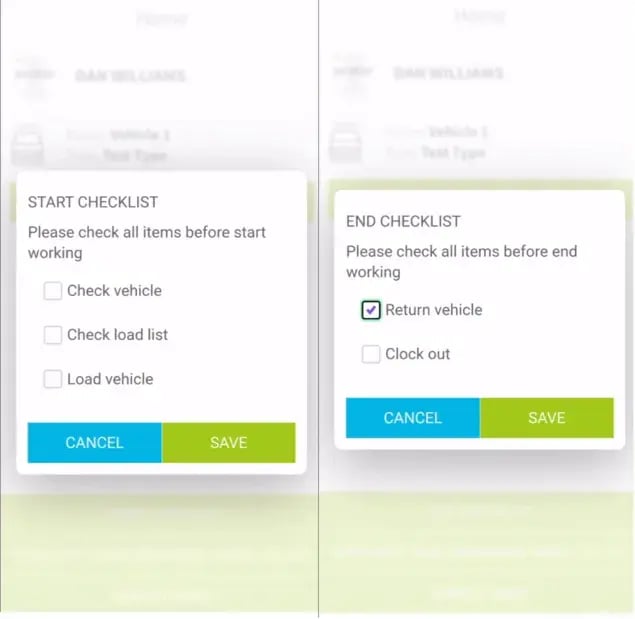
Age verification, signatures, and legal delivery hours aren't optional.
When compliance is treated as a driver's memory task rather than a built-in process step, you get inconsistent checks and audit gaps.
Bake it into the workflow, and every delivery generates the same defensible record.
3. Meeting Tight Customer Windows
Windows are the constraint most likely to cause a failed delivery.
A late truck at a restaurant can mean a refused delivery and a return trip.
Treat windows as fixed inputs to planning, and on-time performance becomes a design outcome rather than luck.
4. Coordinating Different Fleet Models
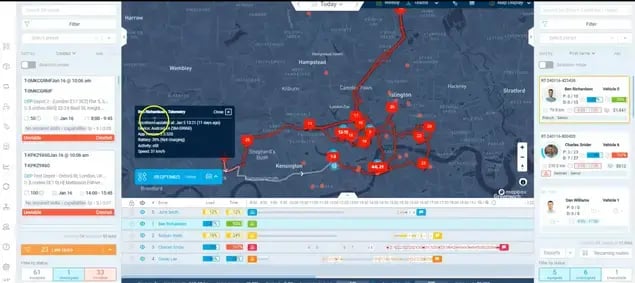
Own fleet, mixed fleet, and third-party and courier carriers each carry different cost and control profiles.
The factor that matters is matching the model to the route type:
Dense urban runs versus long rural drops.
Get the fit wrong and you either overpay or underserve.
5. Planning Multi-Stop Routes and Schedules
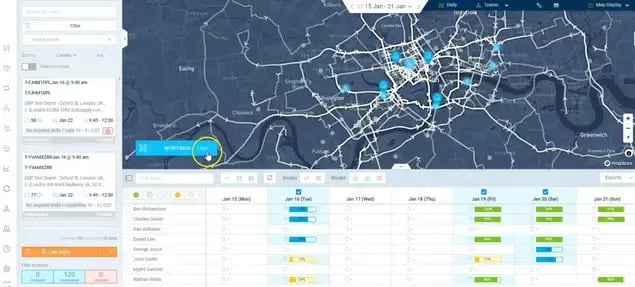
Multi-drop routing with windows, capacity, and dwell-time variation is genuinely hard to do by hand.
Good sequencing is the single biggest lever on daily mileage and stop count.
Poor sequencing quietly inflates fuel, overtime, and missed windows.
6. Covering Different Delivery Zones
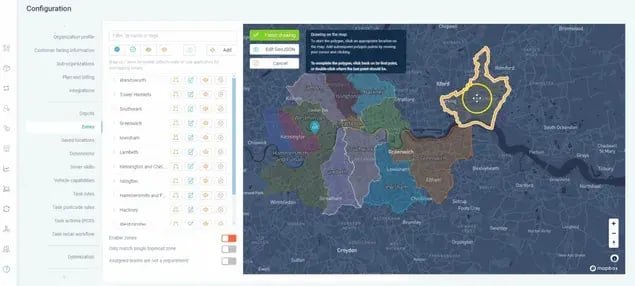
Urban, suburban, and rural zones have different density, travel times, and capacity limits.
Designing zones around realistic drive times keeps routes predictable.
Ignore zone design and drivers spend the day crossing territories instead of clearing stops.
7. Planning Driver Availability and Capacity
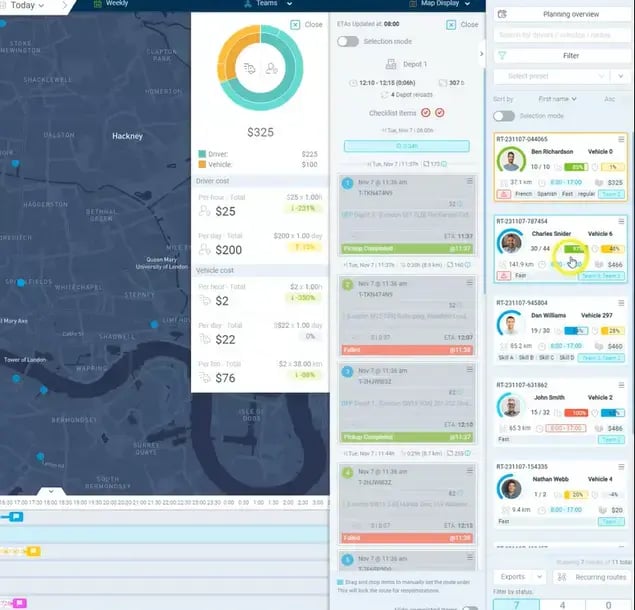
Routes only work if the drivers and vehicles exist to run them.
Matching capacity to real demand prevents both overtime and idle trucks.
When availability isn't planned, one sick driver triggers a full-day rebuild.
8. Connecting Tools Within Your Technology Stack
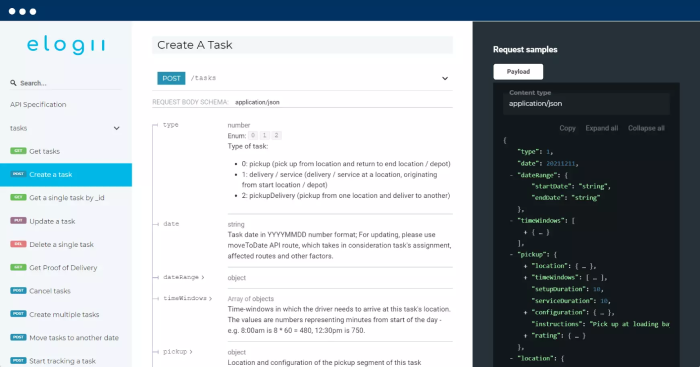
Orders, routing, driver apps, and proof of delivery need to share data.
Disconnected tools force manual re-keying and hide what's actually happening on the road.
A connected stack turns order data into executable plans without a dispatcher retyping everything.
Alcohol Delivery Routing Best Practices
Strong routing is the difference between clearing 20 stops and 30 with the same fleet.
These five practices have the biggest practical impact on alcohol delivery routing, and each one compounds the others.
Best Practice #1: Cluster Stops by Location
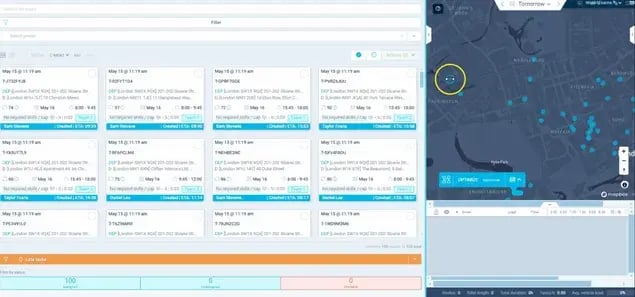
Group accounts that sit close together into the same route.
Tight geographic clusters cut the drive time between stops, which is where routes bleed hours.
To apply it, build routes around natural delivery territories and account density rather than order sequence.
Done well, drivers spend more time delivering and less time in transit.
Best Practice #2: Balance Routes Across Drivers
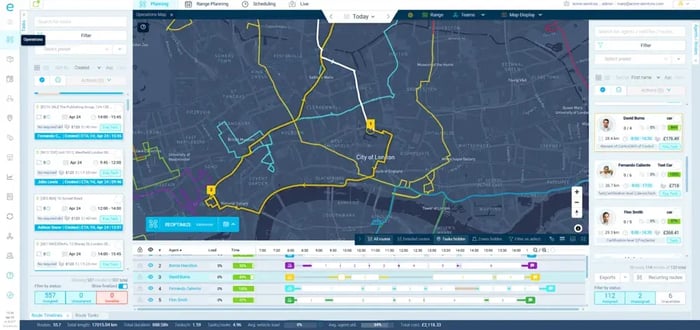
Spread stops, mileage, and workload evenly so no driver finishes at noon while another runs into overtime.
Balanced routes matter because uneven loads waste paid capacity and burn out your best drivers.
Distribute stops by realistic workload, not just stop count, since a hotel restock and a convenience drop aren't equal.
The result is steadier days and fewer overtime hours.
Best Practice #3: Plan Routes Around Delivery Capacity
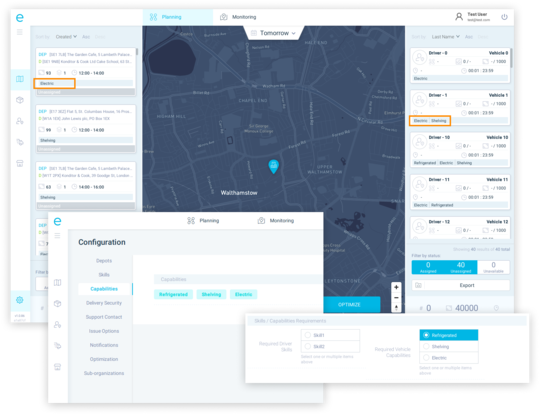
Build routes to the real limits of each vehicle: weight, cube, and case count.
Capacity-blind routes look efficient on a map and then fail at the loading dock.
Match stop volume to vehicle capability before dispatch, factoring in glass and mixed-product loads.
This prevents mid-route returns and second trips.
Best Practice #4: Align Routes With Business Goals
Route to your actual objective, whether that's protecting service windows, minimizing cost, or maximizing stops.
Distance-only optimization ignores the constraints that matter most in alcohol delivery.
Weight routing decisions toward the outcome you're measured on.
Good execution means routes that reflect priorities, not just the shortest line between points.
Best Practice #5: Re-Optimize Routes as Conditions Change
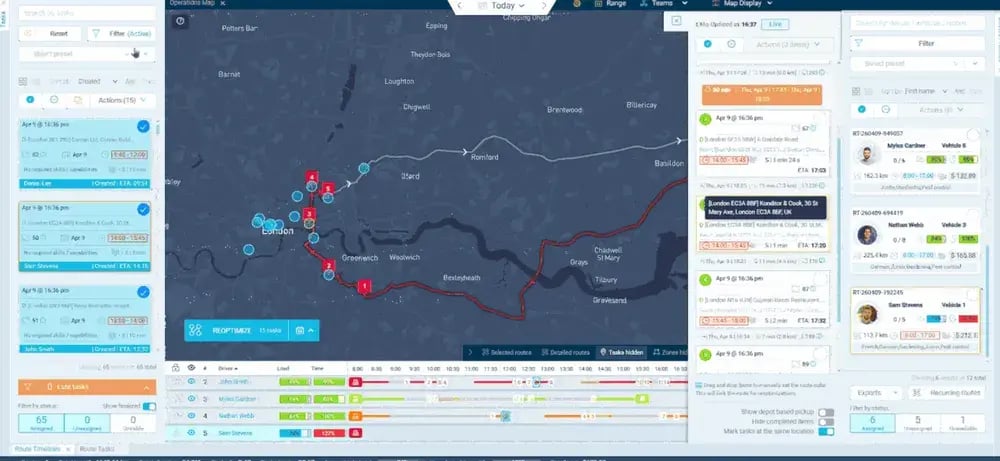
Plans made at 6 AM rarely survive the day intact.
New orders, cancellations, traffic, and running-late stops all shift the picture.
Re-sequence remaining stops when reality changes instead of pushing drivers through a stale plan.
This keeps the day recoverable rather than letting one delay cascade.
Scheduling Alcohol Delivery According to Tight Customer Time Windows
Scheduling alcohol delivery around customer time windows is where most service failures start.
This is because a window missed by 20 minutes can undo an otherwise efficient route.
Restaurants, bars, and retailers all receive orders within narrow, non-negotiable slots.
So your delivery schedule has to treat those windows as the anchor.
Why Delivery Windows Matter in Beverage Distribution
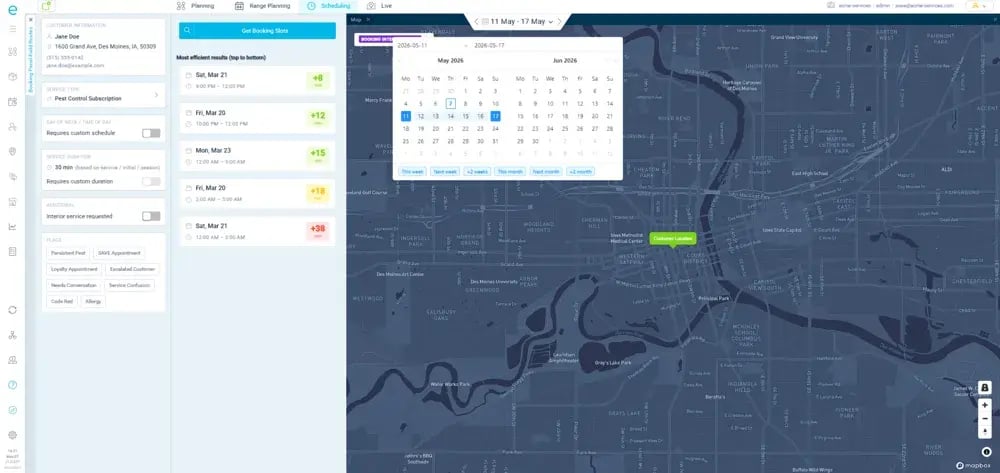
Miss a window and the consequence lands on the customer's operation, not just yours.
A restaurant that receives after the kitchen opens can't check in stock during service.
A bar needs its restock before doors open, not during the first rush.
Retailers work within fixed dock hours and will turn a truck away if it arrives outside them.
Each miss risks a refused delivery, a return trip, and a strained account.
How Delivery Windows Vary by Customer Type
Different accounts have different receiving patterns.
This is why a single schedule template rarely fits a mixed route.
| Customer type |
Typical window pattern |
What breaks if you miss it |
| Restaurants (on-trade) |
Early morning, before service |
Stock not checked in before opening |
| Bars and pubs (on-trade) |
Pre-open restock |
Understocked for peak trade |
| Hotels and resorts (on-trade) |
Around events and operations |
Missed event or function supply |
| Liquor and retail stores (off-trade) |
Set dock/receiving hours |
Truck turned away, return trip |
| Convenience stores (off-trade) |
Replenishment slots |
Shelf gaps, lost sales |
The Problem With Managing Delivery Windows Manually
Spreadsheet scheduling forces dispatchers to hold hundreds of account-specific rules in their heads.
As volume grows, that breaks down predictably.
Manual planning leads to poor prioritization, which leads to missed windows, which leads to SLA violations and refused deliveries.
One bar refusing a late truck then pushes every following stop, and the delay cascades through the rest of the route.
Routes optimized for distance alone make it worse, because the shortest path ignores when each account can actually receive.
How to Optimize Alcohol Delivery Time-Windows
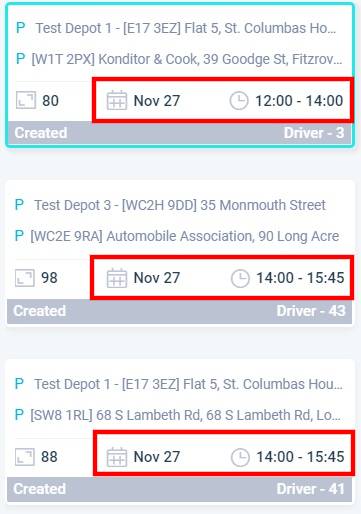
These principles work together, not as isolated tips:
- Treat windows as hard constraints: Build the schedule around the receiving hours for each account first. Then optimize distance only inside those windows so a shorter route never lands a driver after the dock has closed.
- Use realistic service times: Account for loading, staging, ID checks, and dwell time per account so planned ETAs still hold once the truck is on site.
- Add buffers for traffic and delays: Leave room in the schedule so one slow stop, extra dwell, or traffic delay doesn't push the next drop past its receiving window.
- Re-sequence when conditions change: Reorder remaining stops as delays emerge so you can skip or swap late accounts and still hit the receiving windows that remain open.
How to Get More From Your Delivery Workforce
Getting more from your delivery workforce isn't about pushing drivers to work harder.
It comes from removing operational friction, balancing workloads, and designing days around real demand and available capacity.
Each practice below targets a specific workforce problem.
Balance Workloads Across Drivers
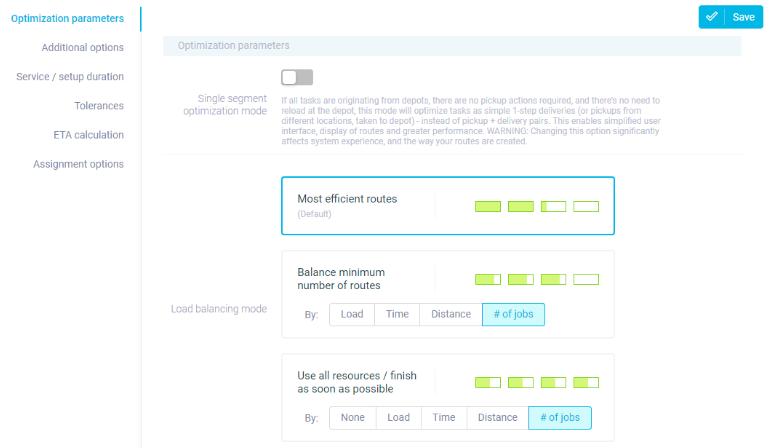
Uneven workloads leave one driver idle while another runs late.
Distribute stops, mileage, and service time evenly across the fleet based on realistic effort per account.
Balanced days mean fewer overtime hours and more consistent delivery performance across the whole team.
Build Shifts Around Real Delivery Demand
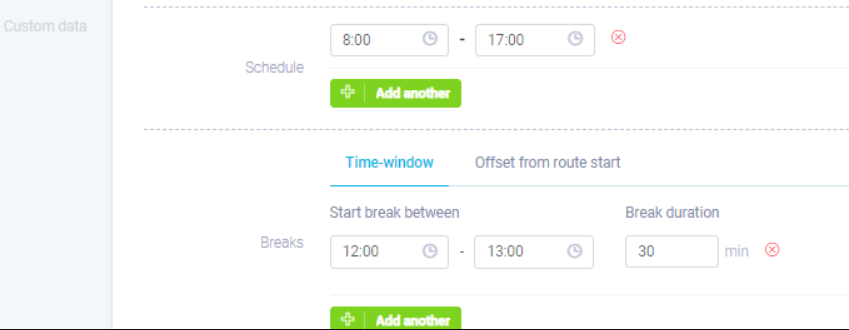
Overtime and idle time both come from shifts that ignore actual volume.
Design shift lengths and start times around the demand pattern you actually see by day and zone.
Shifts that match real workload cut unnecessary overtime while keeping enough capacity to hit windows.
Plan Around Driver Availability and Coverage
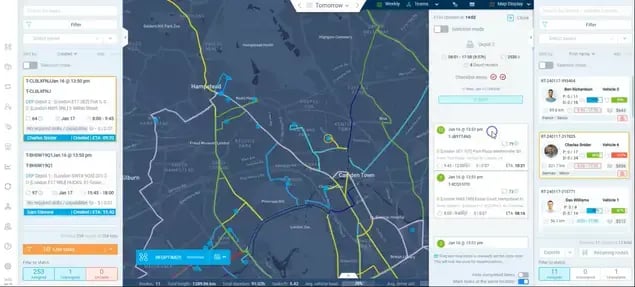
Driver shortages and no-shows trigger last-minute scrambles.
Plan routes against confirmed availability and build in coverage for absences before the day starts.
Planning around who's actually available keeps routes runnable when someone calls out, instead of forcing a full rebuild.
Track Planned vs. Actual Performance
Without visibility into productivity, you can't tell a genuine capacity limit from an execution gap.
Compare planned routes against what drivers actually completed, stop by stop.
That comparison shows where time is lost and gives dispatchers real data to adjust routes and expectations.
Reduce Unnecessary Driver Miles
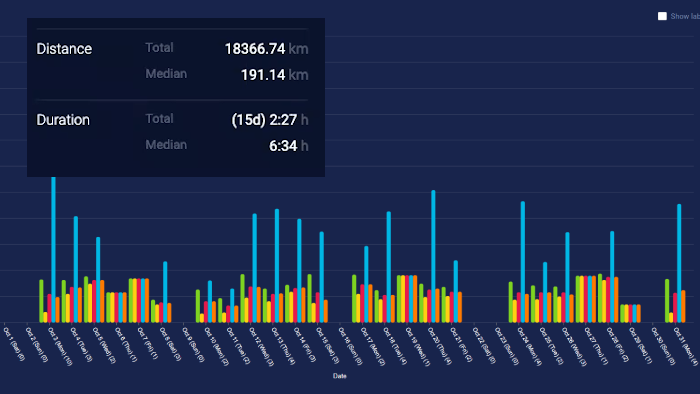
Wasted travel between poorly sequenced stops eats into paid hours.
Tighten sequencing and clustering so drivers cover less ground between deliveries.
Fewer miles means lower fuel cost, less driver fatigue, and room for more stops in the same shift.
We typically tend to aim for a 20-40% mileage reduction across our user deployments.
Give Customers More Visibility Into Their Deliveries
When customers can't see where their delivery is, they call.
And when a bar manager calls your dispatcher three times before a restock arrives, that's dispatcher time lost and a customer already frustrated.
Real-time delivery visibility replaces that uncertainty with information.
Better visibility lets accounts know what's happening without contacting your team.
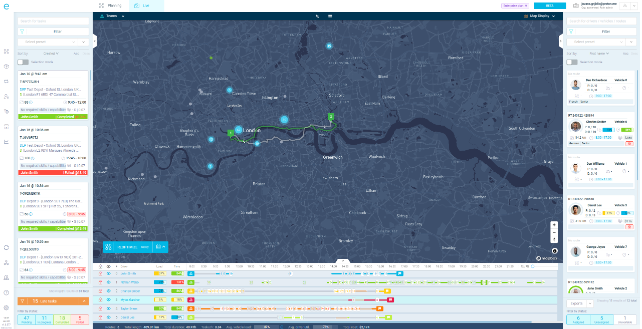
Here's what changes when you provide visibility over orders to customers:
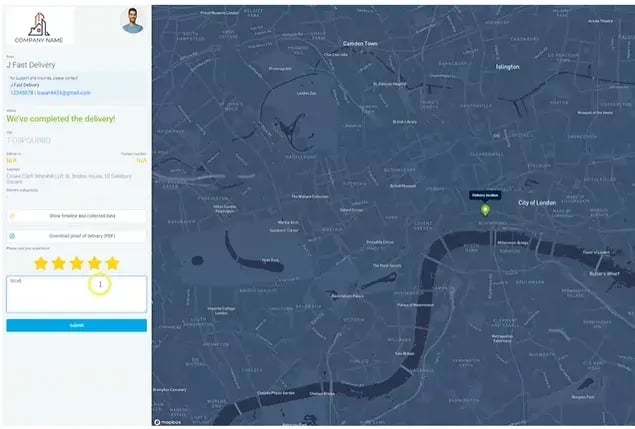
- Live ETAs show accounts when a delivery is genuinely expected to arrive. A restaurant can plan its morning around an accurate window instead of holding staff at the dock. That reduces the "Where's my order?" calls that pile onto dispatchers during the busiest hours.
- Tracking links give each customer a self-serve view of delivery status. Instead of phoning for an update, they check a page. This is especially useful for accounts juggling multiple deliveries around a single service window.
- Automated notifications keep customers informed when status changes, including when a delivery runs late. A heads-up before a window slips lets the account adjust rather than discovering the problem when the truck fails to show. It also surfaces issues earlier, while there's still time to fix them.
Accurate delivery information does more than reassure.
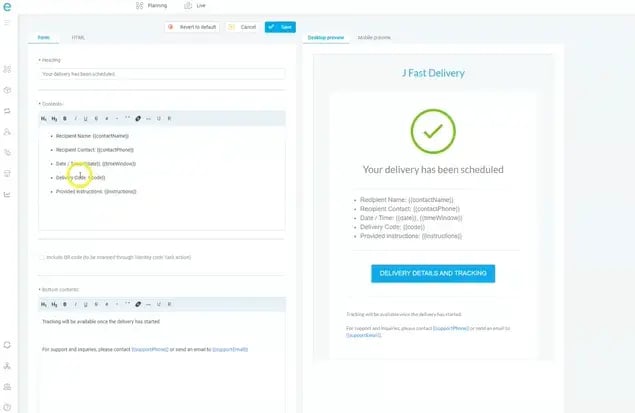
When a customer can see what was scheduled and when it's arriving, discrepancies and delays get spotted early.
(Before they turn into disputes or credit claims.)
That transparency protects the account relationship and cuts the avoidable back-and-forth that clogs your customer service line.
Verify Every Alcohol Delivery With Proof of Delivery
Alcohol deliveries need stronger confirmation than a "delivered" checkbox because the handoff itself is regulated and disputable.
Proof of delivery creates a verifiable record of what was delivered, where, when, and whether required age or identity checks happened.
That record links delivery to verification to evidence to accountability.
A complete POD record documents the handoff, supports compliance requirements, reduces disputes, and helps reconcile what went out against what came back.
| Evidence type |
What it proves |
When to capture |
| Electronic signature |
An authorized person received the order |
At handoff |
| ID / age check record |
Required age verification was completed |
Before releasing product |
| Delivery photo |
Condition and location of the drop |
At handoff |
| Geo-stamp |
Delivery occurred at the correct site |
On completion |
| Time-stamp |
Delivery hit the required window |
On completion |
| Barcode scan |
The right cases were delivered |
During unload/handoff |
| Digital audit trail |
The full sequence of the transaction |
Across the delivery |
These forms of evidence work as a chain:
Identity and eligibility → Product → Location → Time → Handoff → Record that ties them together.
Here's why this matters:
Compliance
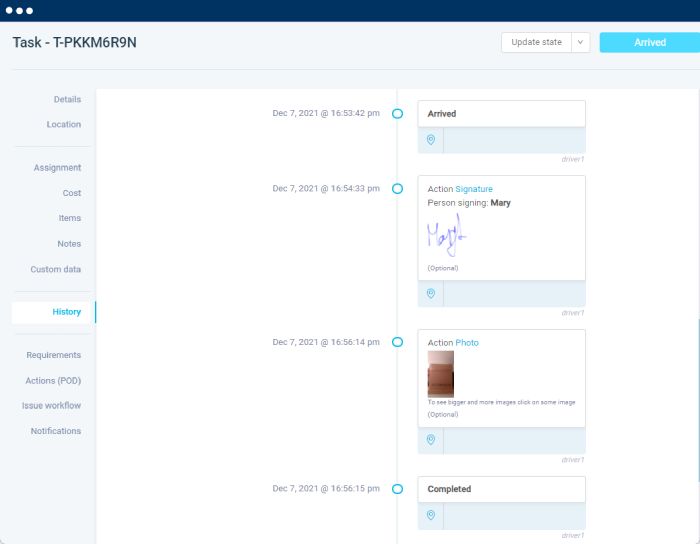
A structured delivery record documents required verification steps and creates an auditable trail of each transaction.
It won't, on its own, guarantee legal compliance.
Requirements vary by jurisdiction and operating model.
But it gives you the evidence to show checks were performed.
Dispute and Chargeback Reduction
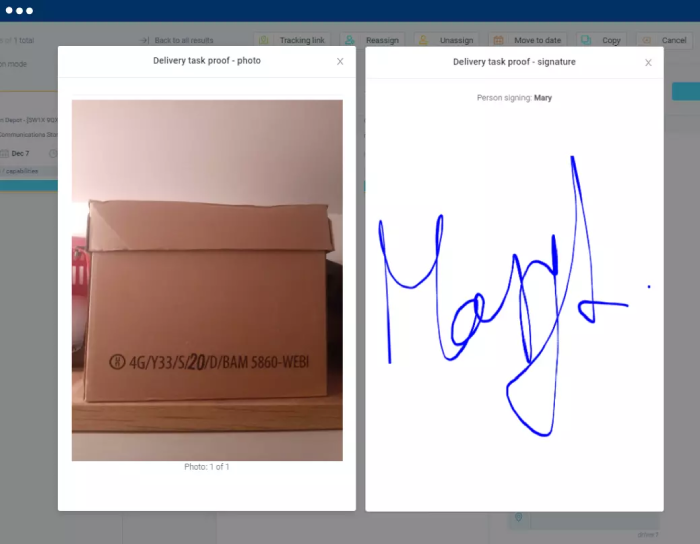
When a customer claims an order never arrived or came up short, documented evidence settles it fast.
A signature, timestamp, geo-stamp, and photo together establish what happened at the stop.
This cuts the time spent litigating he-said-she-said claims.
End-of-Day Settlement
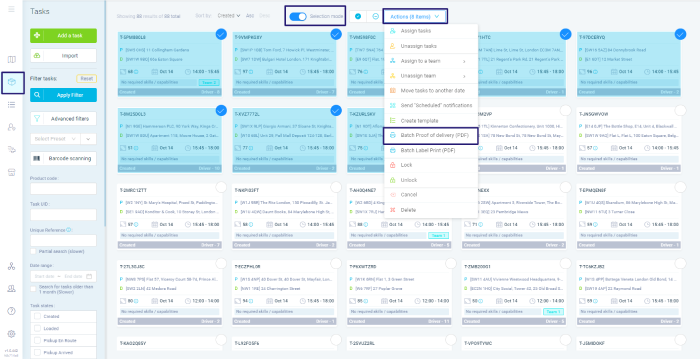
Barcode scans and delivery confirmations support clean reconciliation between delivered, returned, and outstanding.
At day's end, the records show what actually moved.
So settlement matches reality instead of a driver's memory.
Advanced Tip #1: Build Faster Routes Around Delivery Zones and Order Cut-Offs
Operators searching for tips to make alcohol delivery arrive faster usually think about the truck and vans that carry them.
The bigger levers sit upstream.
You can build faster, more predictable delivery by treating zone design, order cut-off times, and route planning as one connected system rather than three separate tasks.
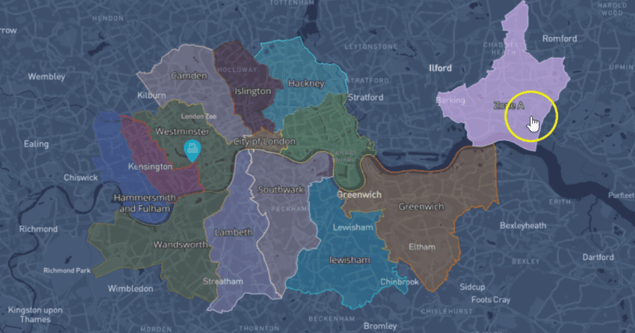
Design Delivery Zones Around Efficient Routes
Well-drawn zones cut the travel time that quietly eats a delivery day.
Build zones around geographic density and customer concentration.
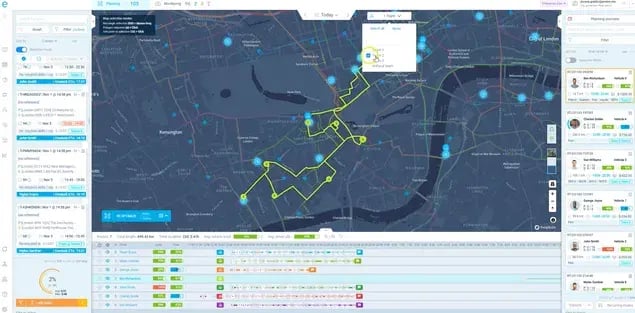
Keep the natural delivery territories tight, and avoid wide, overlapping areas that force drivers to crisscross.
Then, match each zone to realistic delivery capacity so routes stay predictable instead of overloaded.
Set Order Cut-Off Times That Support Faster Delivery
Order timing shapes delivery speed before a truck leaves the depot.
Late orders disrupt routes that are already built, so define cut-off times that align with your dispatch and planning cycles.
Communicate recommended ordering times to trade customers.
This is the honest answer to "best time to order", since an account that orders before the cut-off gets onto an optimized route instead of a rushed add-on.
Set realistic expectations rather than promising instant delivery.
Use Route Optimization to Connect Zones and Orders
Route planning should account for both the geographic zones and the timing of incoming orders.
Group compatible stops, sequence deliveries to reduce backtracking, respect delivery windows, and fold in newly received orders where they fit the existing plan.
The point is routes that reflect both where accounts are and when they can receive.
Better zones, smarter cut-offs, and efficient routes together mean less unnecessary travel and more predictable delivery execution.
You improve speed by fixing the underlying planning factors, not by making consumer-style same-hour promises you can't keep.
Advanced Tip #2: Give Drivers the Location Details They Need to Deliver Faster
A route can be perfect on paper and still run slow if drivers don't have what they need to complete each stop.
Delivery speed depends on driving time and on what happens once the driver arrives.
Small delays at each stop add up across a full route.
Provide Complete Delivery Addresses
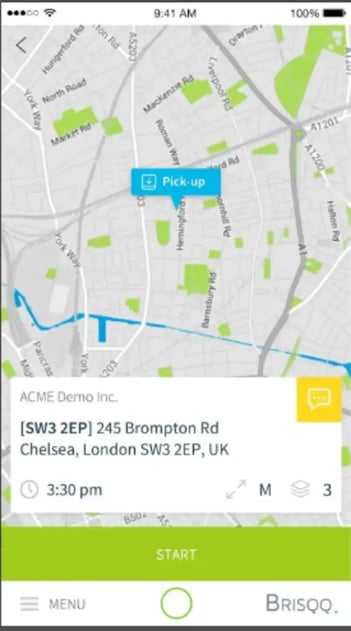
An accurate street address is the starting point.
Add suite or unit numbers, building names, and the specific entrance or delivery point.
When that detail is missing, drivers circle the block, call dispatch, or try the wrong door, and every one of those adds minutes.
Include Dock and Receiving Information
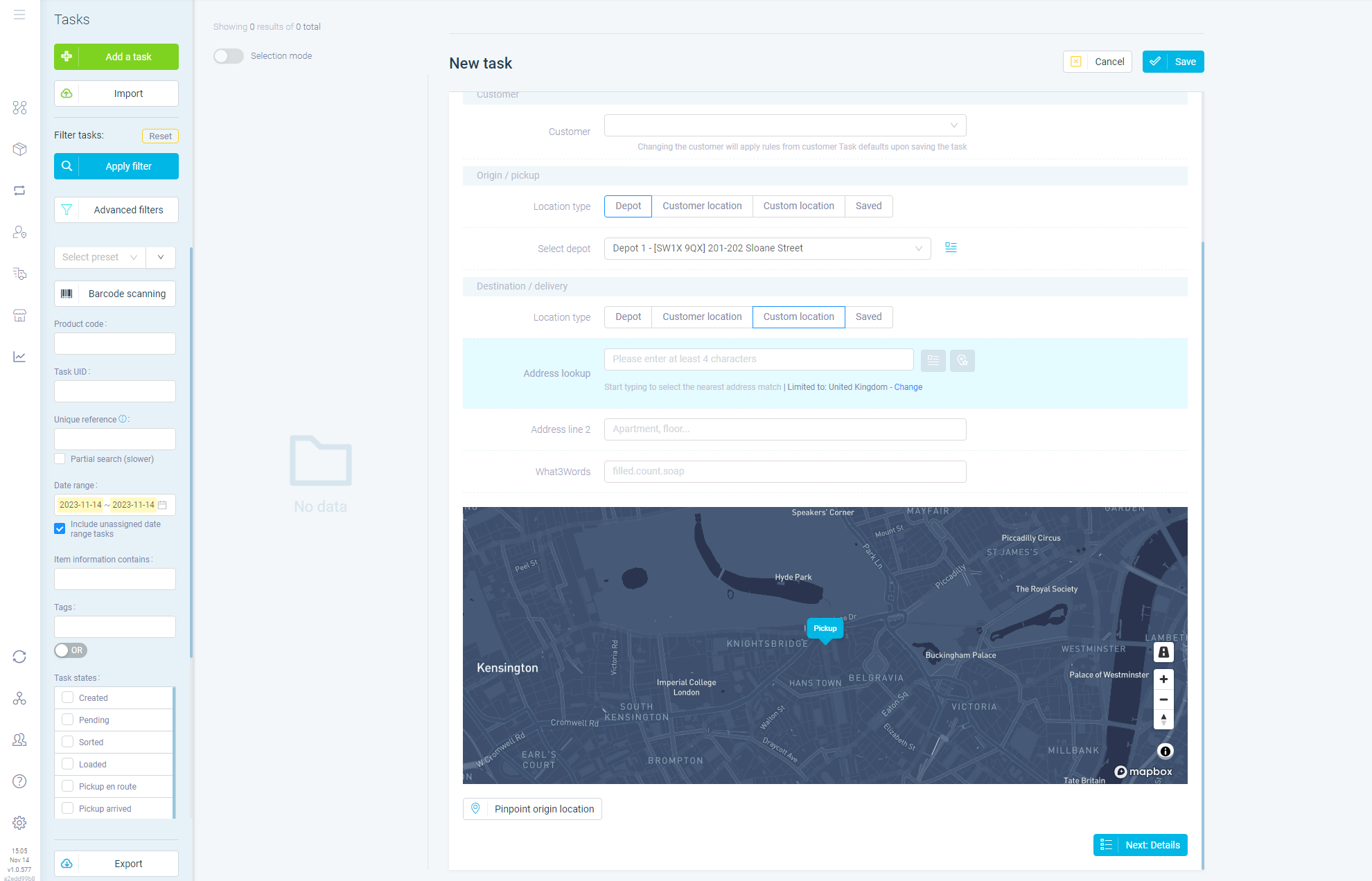
Alcohol distribution usually means commercial receiving, not a doorstep.
Give drivers dock locations, receiving entrances, loading areas, delivery hours, and any dock restrictions.
Clear receiving details reduce waiting and cut failed or delayed attempts when a driver arrives at a closed or wrong dock.
Add Site-Specific Access Notes
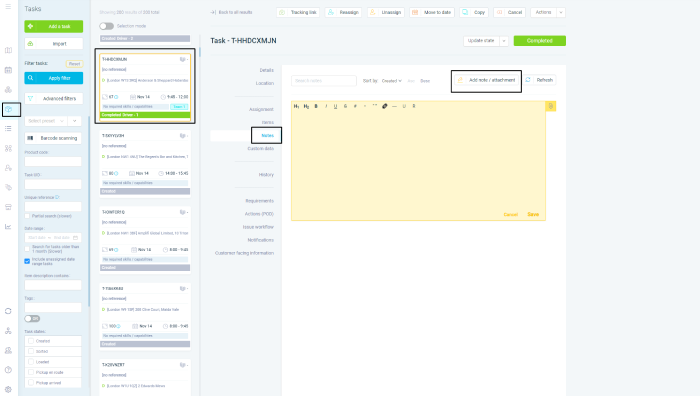
Notes handle the sites that don't follow the norm.
Where to park, which entrance to use, gate or security instructions, elevator or loading-area details, where to stage cases, and who to contact on arrival all keep the driver moving.
These matter most at trade accounts with complex receiving procedures.
Keep Location Information Available to Drivers
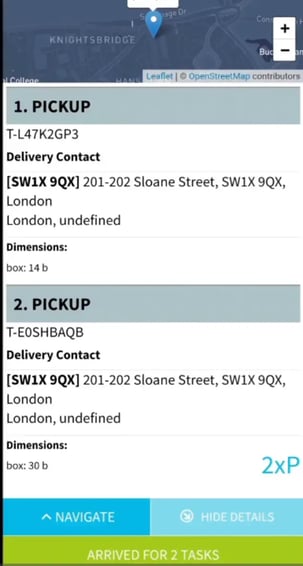
Location detail only helps if it's in front of the driver when they need it.
Accessible location information means faster arrival and handoff and less dispatcher intervention.
Real-time driver tracking helps dispatchers spot delays as they happen, but the primary lever here is the location data itself.
Treat delivery-location information as part of route execution:
- The route plan decides where a driver goes;
- Good location data decides how quickly they finish once they're there.
Accurate addresses, clear access instructions, and driver visibility together mean less time lost at each stop.
This is how you improve delivery speed and consistency without promising a specific time.
How Beverage Distributors Use Delivery Management Software
Most beverage distributors already run several software systems:
Those systems are essential, and this isn't an argument to replace any of them.
However:
Having systems of record isn't the same as having a system for continuously planning and executing distribution.
Your existing tools know what needs to happen.
The physical delivery operation has its own constraints they weren't built to solve:
- Customer windows
- Vehicle capacity (weight, cube, case count)
- Driver availability
- Route sequence
- Road and access restrictions,
- New and last-minute orders
- Customer cancellations
- Urgent delivery runs
- Traffic conditions
- Actual driver progress
Delivery management software is the execution layer that turns that business data into feasible delivery plans.
Where Existing Approaches Stop
Each tool in a typical stack does its job and stops at the edge of delivery execution.
- Systems of record hold critical order and customer data but aren't designed to continuously optimize the physical distribution plan. A warehouse management system, for instance, runs the warehouse, not the route.
- Fleet management software shows where vehicles are, but visibility isn't a plan. The gap between tracking a truck and building an optimized route is covered in route optimization vs fleet management.
- Spreadsheets work for simpler operations and get harder to maintain as orders, drivers, vehicles, and constraints multiply and change through the day, which is why Excel spreadsheets stop working at scale.
- Basic tools for routing, dispatch, or last-mile can each solve part of the problem and leave you with disconnected processes or static plans.
Positioned between your business systems and your drivers, a delivery management software platform takes the relevant order data and constraints and turns them into plans you can actually run.
Existing systems feed delivery software → Delivery software feeds your drivers, vehicles, and customers.
Centralize Delivery Operations
The execution layer brings orders, drivers, vehicles, dispatch, and customer communication around the actual work.
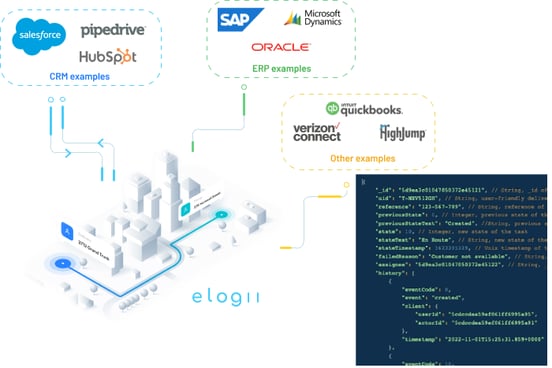
Instead of exporting an order file, dropping it into a spreadsheet, planning by hand, and confirming by phone, connected order data flows into planning, dispatch, and driver execution.
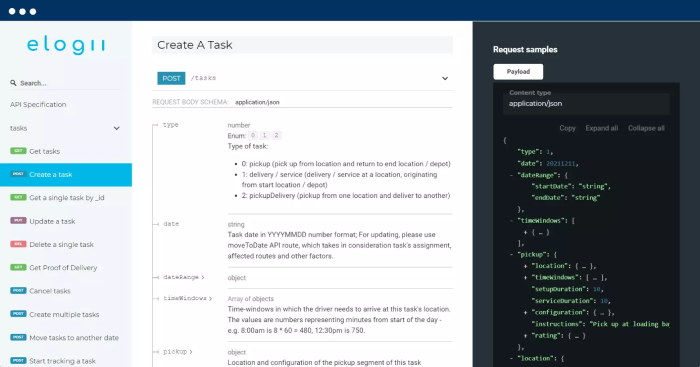
Where API connections to your ERP or OMS are in place, the optimizer works from current order data rather than a retyped list.
Optimize Every Route Automatically
The platform turns orders and constraints into practical routes that account for weight, cube, cases, vehicle type, road restrictions, customer locations, delivery windows, and driver availability.
This is where route optimization software earns its place:
Beverage distribution needs routes that are feasible for the real operation, that doesn't ignore capacity or a receiving window.
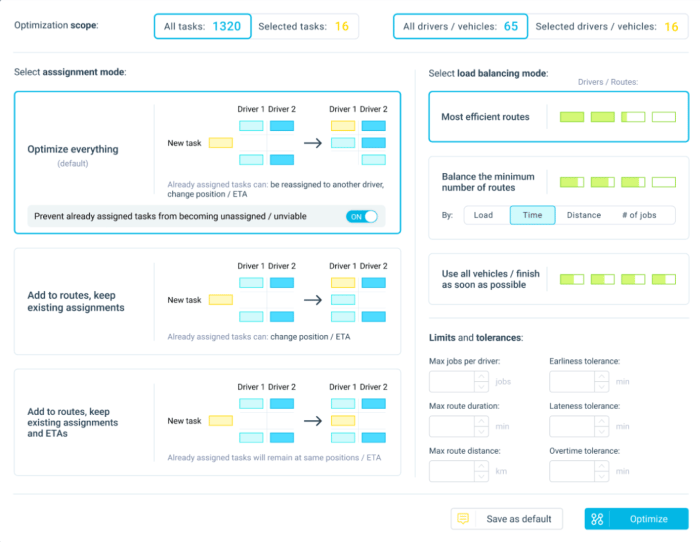
Unless it does, the route isn't efficient. Instead, it's a failed stop waiting to happen.
Manage Delivery Windows at Scale
Hundreds of account-specific receiving rules become planning constraints instead of things a dispatcher has to remember.
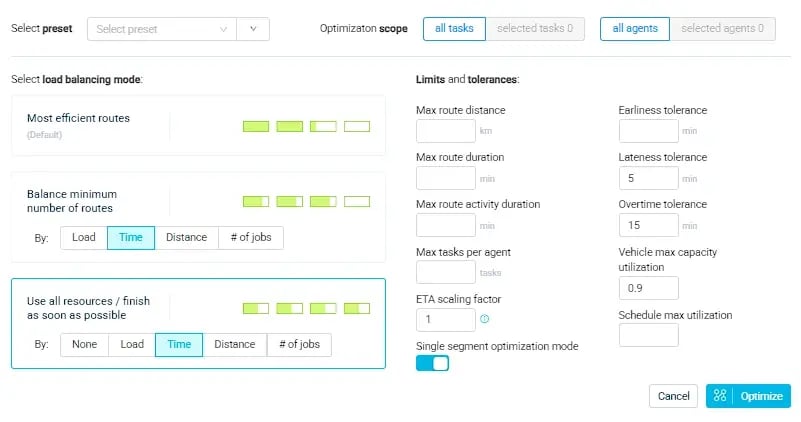
Restaurants receiving before service, bars restocking before open, retailers within dock hours, hotels around events, and urgent same-day orders all feed into the plan.
When conditions shift, the plan adjusts around those windows rather than blowing through them.
Adapt Delivery Plans as Conditions Change
Beverage distribution is dynamic.
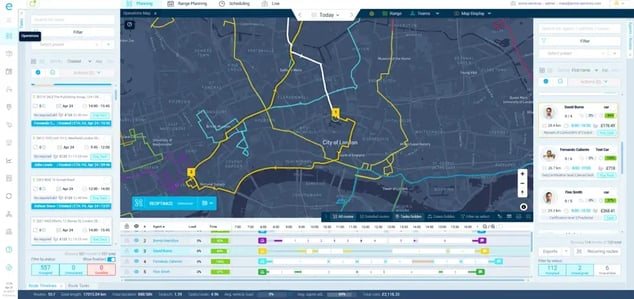
Through the day, orders change, customers cancel, urgent runs appear, drivers fall behind, traffic disrupts schedules, and windows come under threat.
A dynamic execution layer helps you adapt the plan instead of rebuilding the day from scratch.

The more customers, stops, vehicles, and territories you run, the more that adaptability is worth.
Planning complexity rises with every added variable.
Improve Driver Productivity and Accountability
Optimized planning only matters if drivers can execute it.
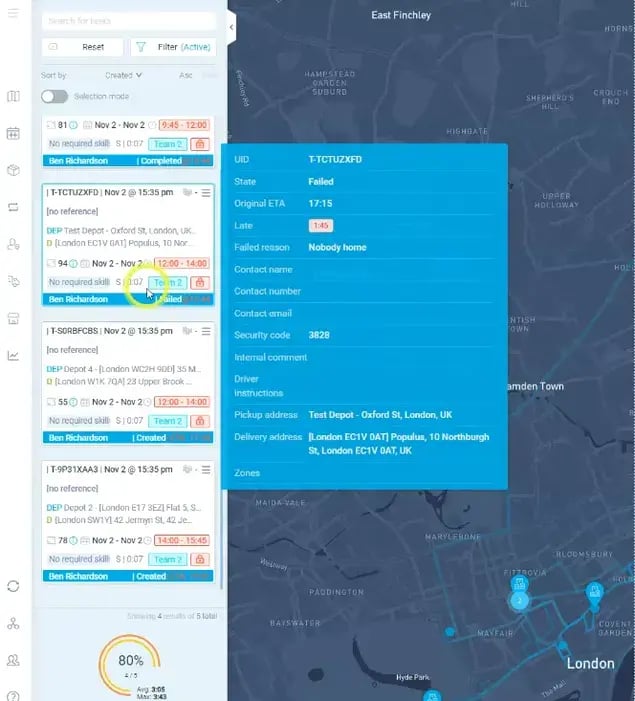
Balanced workloads, fewer unnecessary miles, clear mobile instructions, and sensible stop sequencing make routes realistic to run.
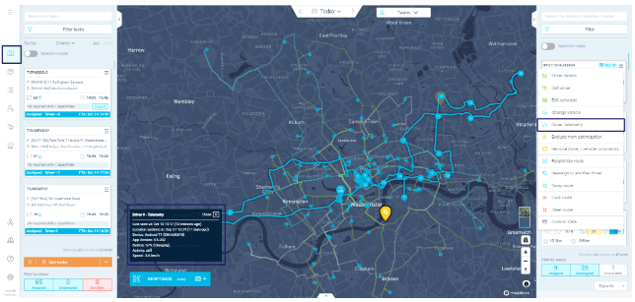
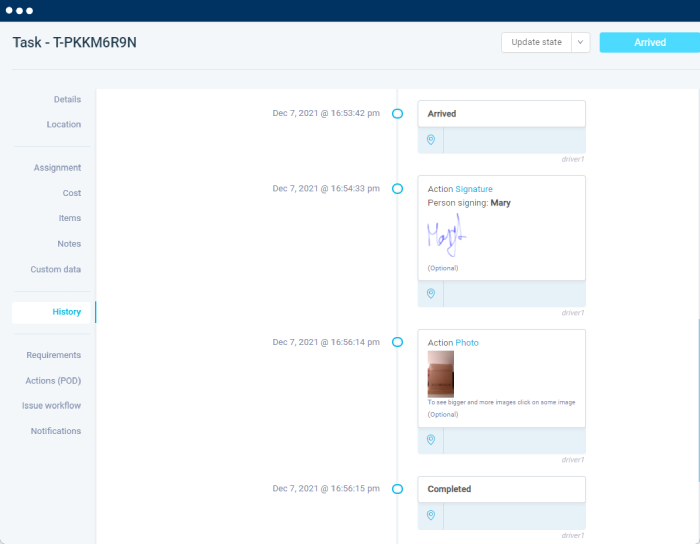
Visibility into planned versus actual execution, plus proof of delivery at each stop, lets operators monitor the day rather than guess at it.
When distributors achieve visibility, they see 1-3 additional stops per driver per day. And 50-70% less planning workload across their staff.
Maintain Compliance and Accountability
The workflow closes with delivery verification.
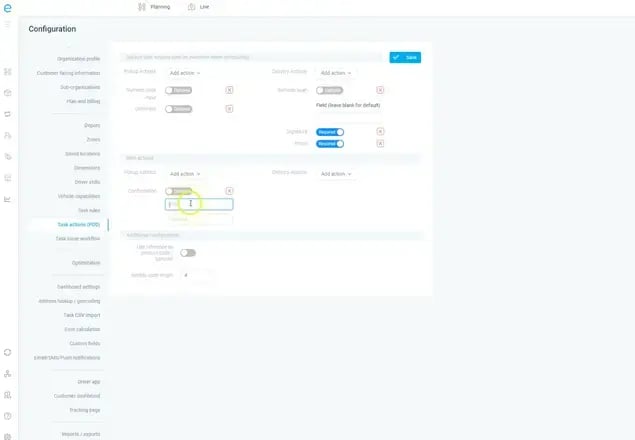
Electronic signatures, age-check records, delivery photos, geo-stamps, timestamps, barcode scans, and digital audit trails create a complete record.
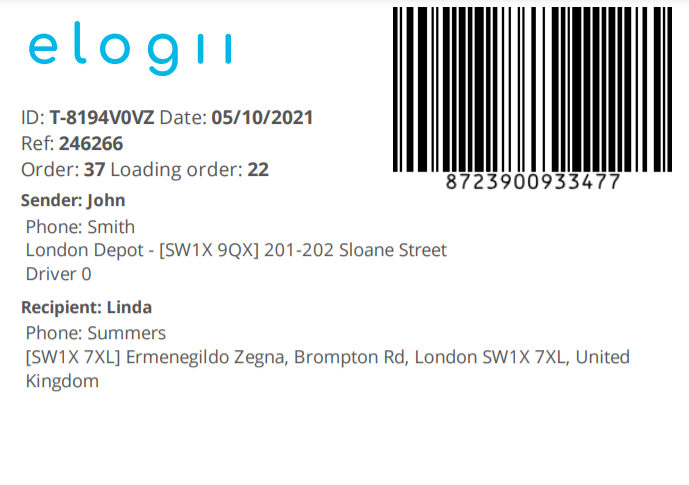
This is the kind of proof of delivery that supports:
✓ Compliance documentation
✓ Dispute resolution
✓ Chargeback investigations
✓ Delivered-vs-returned reconciliation
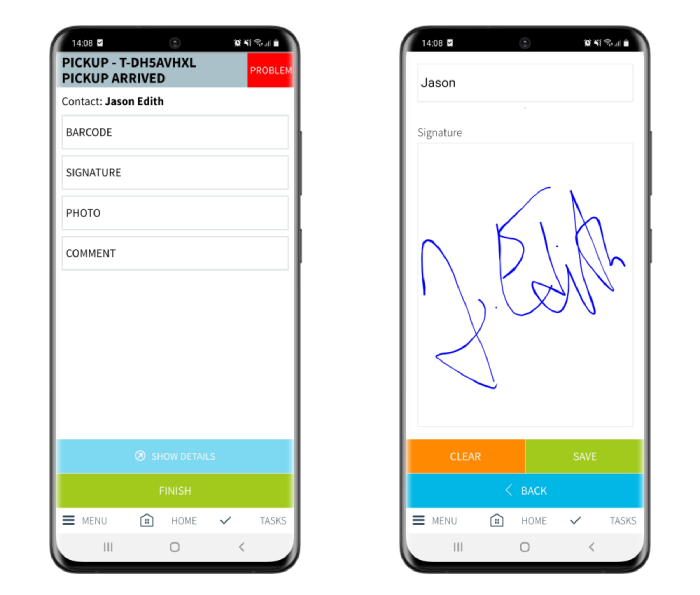
No single method guarantees legal compliance, but a full record gives you the evidence to stand behind every drop.
The operating model runs in one line:
Your systems of record feed the delivery execution layer.
This is what allows you to combine orders, capacity, windows, fleet, and driver constraints into an optimized plan, push it to dispatch and drivers, and then adjust it in real time (if necessary), and collect proof of delivery.
The goal is to add the execution layer that connects the systems you already own to the reality of daily delivery.
What Makes eLogii Useful for Food and Drink Distributors
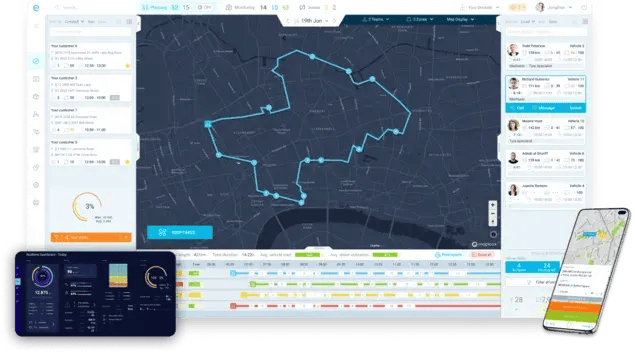
Food and drink distributors coordinate far more than moving cases from a warehouse to a door.
They juggle delivery windows, different customer types, vehicle capacity, mixed fleets, multiple depots, route sequencing, changing orders, and delivery confirmation.
And offten, all of it has to happen in one shift.
eLogii works as a delivery execution layer that helps coordinate those moving parts while complementing the ERP, WMS, OMS, and CRM already in place.
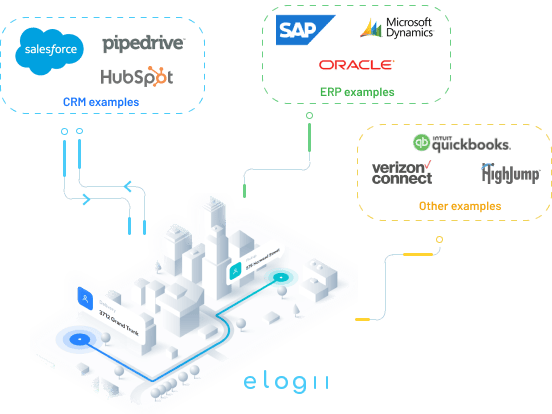
The practical gap it fills is between knowing which orders need delivering.
And then determining how, when, and with which vehicles and drivers they actually get delivered.
Here's how specific capabilities map to that work:
| Capability |
What it does on alcohol routes |
Operational result |
| Time-window-aware optimization |
Treats each account's receiving window as a hard constraint |
More in-window deliveries, fewer refusals |
| Vehicle capacity planning |
Plans to weight, cube, and case limits including glass loads |
Fewer mid-route returns and second trips |
| Dynamic re-optimization |
Re-sequences stops as orders, traffic, and delays change |
Recoverable days instead of full rebuilds |
| Automated customer notifications |
Sends ETAs and status to trade accounts |
Fewer "where's my order?" calls |
| Electronic signatures |
Captures signed handoff at each stop |
Verifiable receipt for disputes |
| Delivery tracking |
Shows planned versus actual progress live |
Earlier detection of delays |
| Multi-depot planning |
Plans routes across more than one depot or zone |
Coordinated coverage over wide territories |
| Self-service rescheduling |
Lets accounts adjust delivery slots |
Less dispatcher back-and-forth |
These aren't eight separate features.
They run as one workflow:
→ Order data feeds planning
→ Capacity and windows shape the route
→ Dispatch pushes it to drivers
→ Tracking and notifications keep customers informed
→ ePODs close the loop with a delivery record
Simultaneously, multi-depot planning and dynamic re-optimization keep that workflow intact as volume and territory grow.
The role stays consistent:
Your existing systems hold the order and customer data, and eLogii turns it into an executable, adaptable delivery plan.
That execution layer is what connects planning to what actually happens on the road.
What To Do Next
If your dispatchers hold account information in their heads and rebuild routes by hand, that's the constraint to fix first.
Manual planning caps how much volume you can run before service and margin start slipping.
Start by auditing one week of routes against three numbers:
- In-window delivery rate
- Stops per driver
- Miles per stop
Those three tell you whether your problem is sequencing, capacity, or windows.
Then map your current stack:
- What your ERP, OMS, and WMS already do
- Where the plan currently gets built by hand
That gap is where a delivery execution layer earns its keep.
And if you're looking to overcome it, the next step you need to take is to book a demo.
We'll use your data to show you what eLogii can do for your distribution. And how to fix it.
FAQ
What is alcohol delivery routing?
Alcohol delivery routing is the process of sequencing multi-drop alcohol stops under real constraints: customer receiving windows, vehicle capacity by weight and case count, and compliance rules like age checks and signatures. It goes beyond shortest-distance planning because a route has to be feasible and compliant, not just fast. Delivery management software is the practical way most distributors run it day to day at scale.
What is alcohol delivery workforce management?
Alcohol delivery workforce management is how you assign, balance, and monitor drivers and shifts so routes are fair, productive, and visible. It covers matching capacity to demand, balancing workloads, planning coverage for absences, and comparing planned versus actual performance. Done well, it reduces overtime and gets more stops from the drivers you already have.
How does alcohol delivery time-window optimization work?
It treats each account's receiving window as a hard constraint in the planning engine, then sequences stops so deliveries land inside those windows. When conditions change - traffic, a late stop, a new order - it reschedules remaining stops to protect the windows still in play. The aim is to hit SLAs by design rather than depending on a dispatcher's memory.
How do I create an alcohol delivery business plan?
Build it around four operational pillars: fleet strategy (own, mixed, or third-party), delivery zones (urban, suburban, rural), driver and vehicle capacity planning, and your technology stack. Match each choice to the routes you actually run - dense on-trade urban work differs from spread-out rural drops. Keep the plan operational, and treat routing and delivery management software as the layer that executes it.
How can route optimization improve alcohol delivery?
Route optimization cuts miles, lifts on-time window performance, and raises stops per driver, while producing cleaner proof of delivery and far less dispatcher firefighting. It turns account windows, capacity, and compliance rules into planning constraints instead of manual guesswork. That's the direct link between the operational challenges in this guide and a delivery management platform: it makes scaling volume possible without adding planners.